Newtec Proprietary
Confidentiality: Unrestricted
R3.2_v1.0
261/387
Feature Descriptions
MDM9000 Satellite Modem
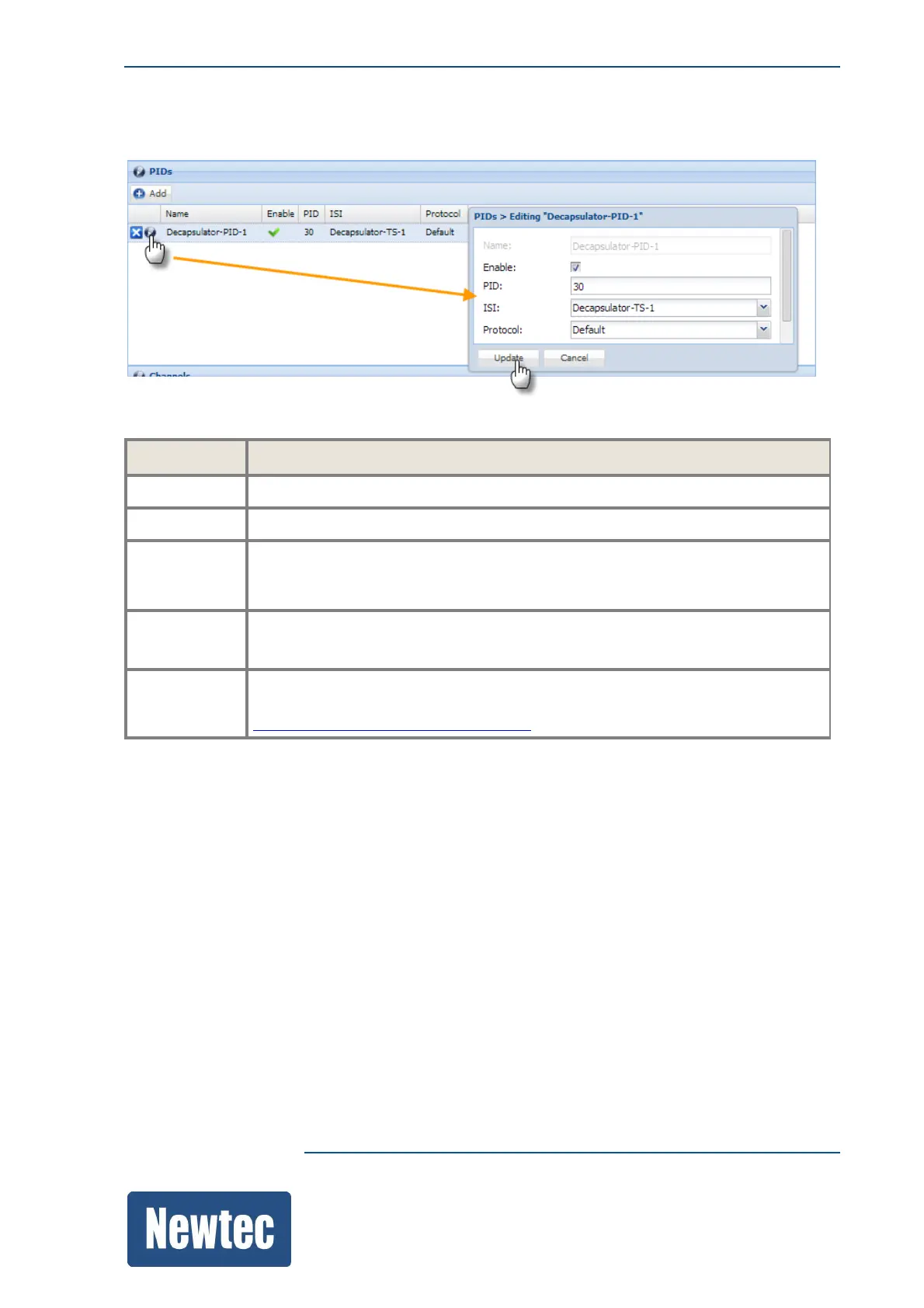
16.12.2.2 Configure the PIDs Decapsulation
Parameter Description
Name
Enter a logical name for the first PIDs decapsulator.
Enable
Enable the PID decapsulator.
PID
Enter the PID (Program Identifier) you want to decapsulate.
This must correspond with the PID value that has been configured on the Hub
site.
ISI
Select one of the available ISI decapsulator names.
The PID you want to filter out must exist on this decapsulator.
Protocol
Here you have the possibility to overrule the default protocol that has been
selected under the general decapsulation settings. Refer to
DecapsulationGeneralSettingsonpage258.



 To Next Page