Newtec Proprietary
Confidentiality: Unrestricted
R3.2_v1.0
301/387
Feature Descriptions
MDM9000 Satellite Modem
16.18.3 Operation of AES
16.18.3.1 AES Setup Global Encryption
An easy way to check the AES encryption is by using the PRBS generator on the modulator side
and receive this signal with the PRBS Monitor built-in in the demodulator. This test can be done in
the lab over a L-band loopback between modulator and demodulator or over satellite.
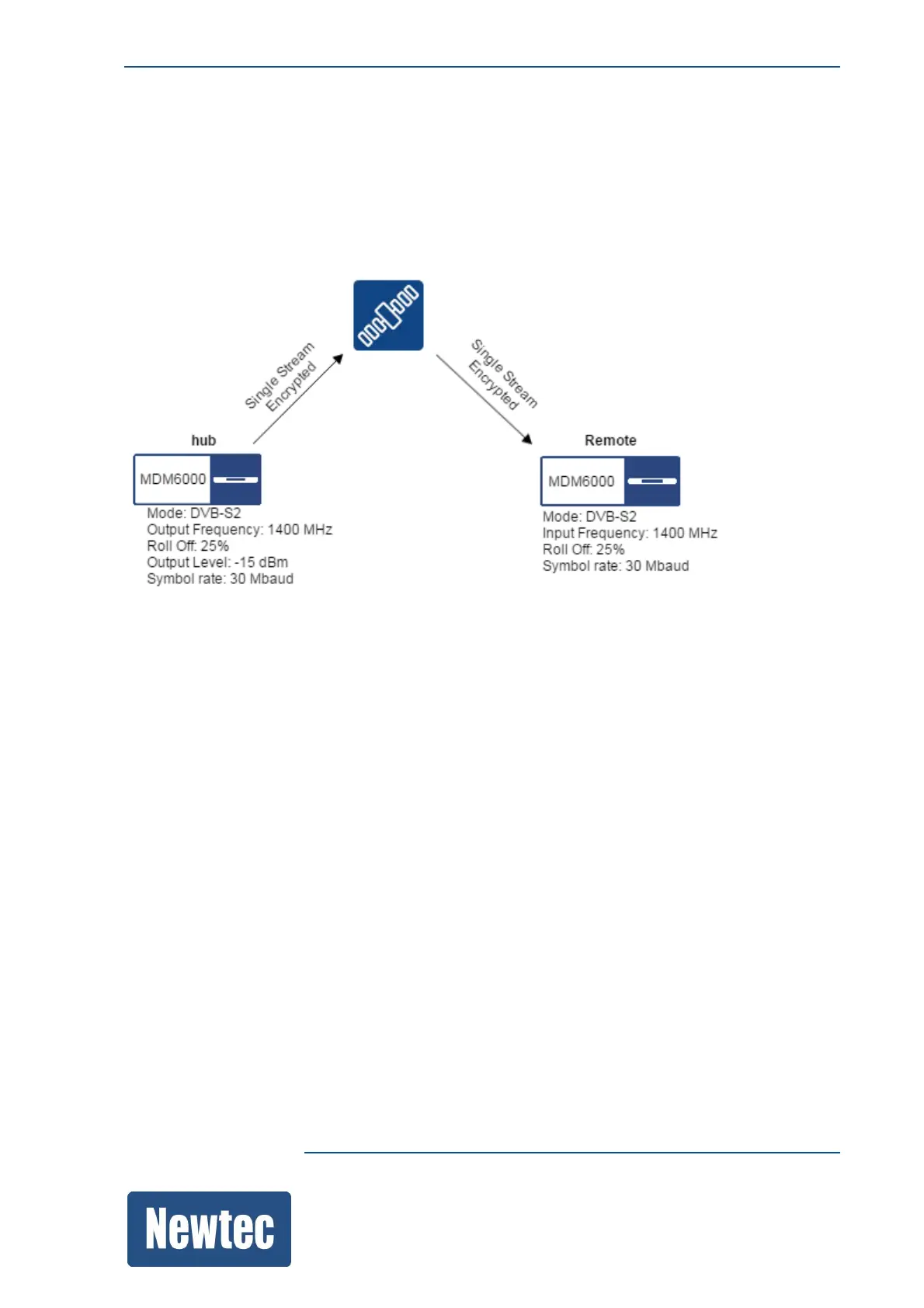
In this example:
• We assume that the RF link between the hub and the remote device is in lock.
• We use a signal generated by the the Test Traffic Generator.
• Use the test traffic monitoring feature on the remote device to monitor the incoming test signal.
At the start there is no AES encryption. The test signal is received correctly on the remote device.
(See the screenshot on next page.)
The following section shows how to set up AES encryption.
At any time, you can check the receiver performance through the Test Traffic Monitor in the
decapsulator of the receiver.



 To Next Page