Newtec Proprietary
Confidentiality: Unrestricted
R3.2_v1.0
76/387
How to Manage the Device
MDM9000 Satellite Modem
13.6.2 Front Panel Buttons Description
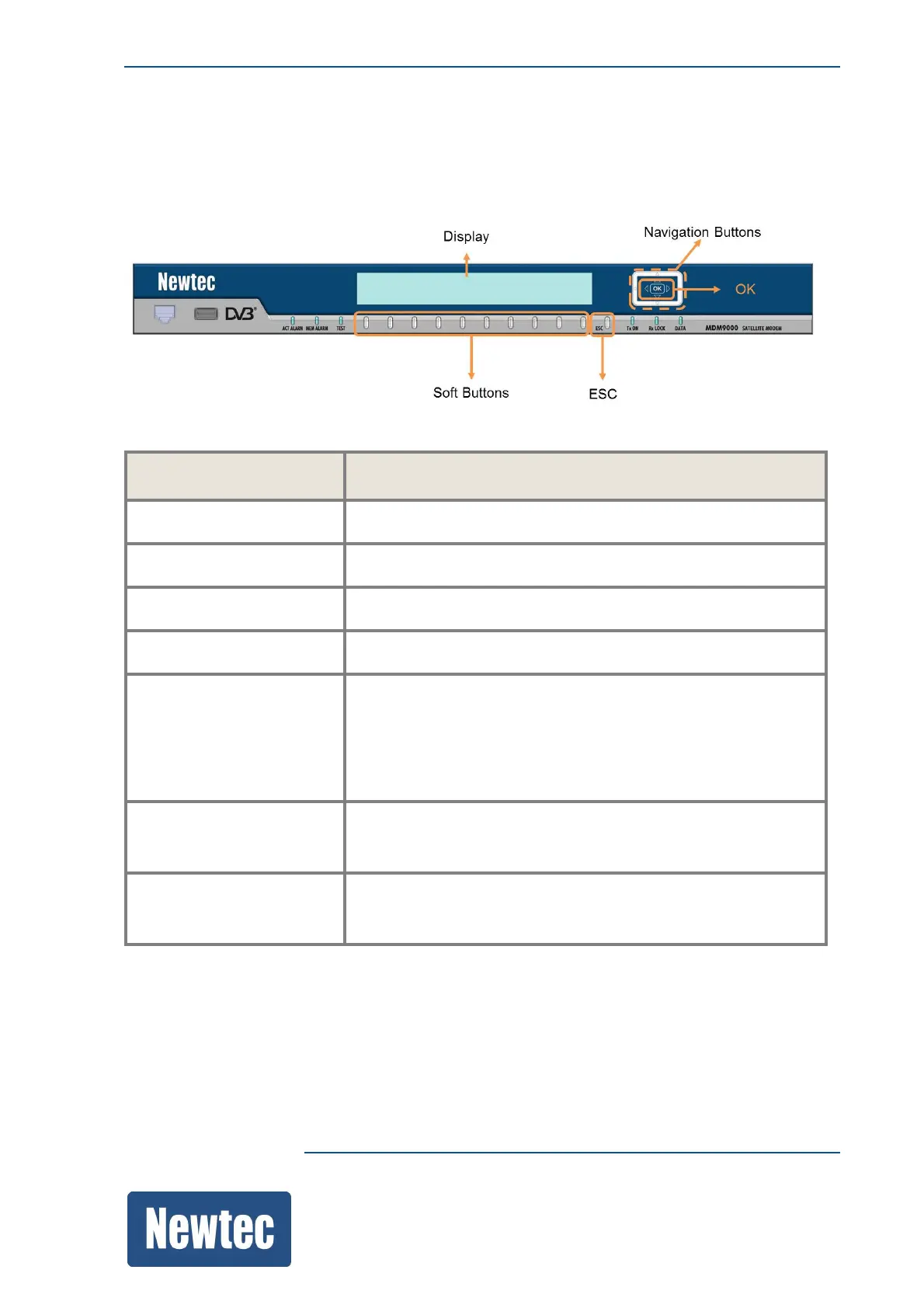
The following figure displays the different control buttons of the front panel.
The following table describes the buttons displayed in the previous figure.
Name/Symbol Description
Arrow UP Navigate to the upper item.
Arrow DOWN Navigate to the lower item.
Arrow LEFT Fold an expanded branch or a leaf sub item.
Arrow RIGHT Unfold a collapsed branch.
OK
Depending on the position it has the following function:
• Branch: Expand
• Leaf: Open a parameter
• Confirm a new value
ESC
• Fold an expanded branch
• Discard a new value
Soft Buttons • Navigate through the root menu (arrows)
• Select a main branch from the root menu



 To Next Page