DMTA-10022-01EN, Rev. C, January 2015
Initial Setup
49
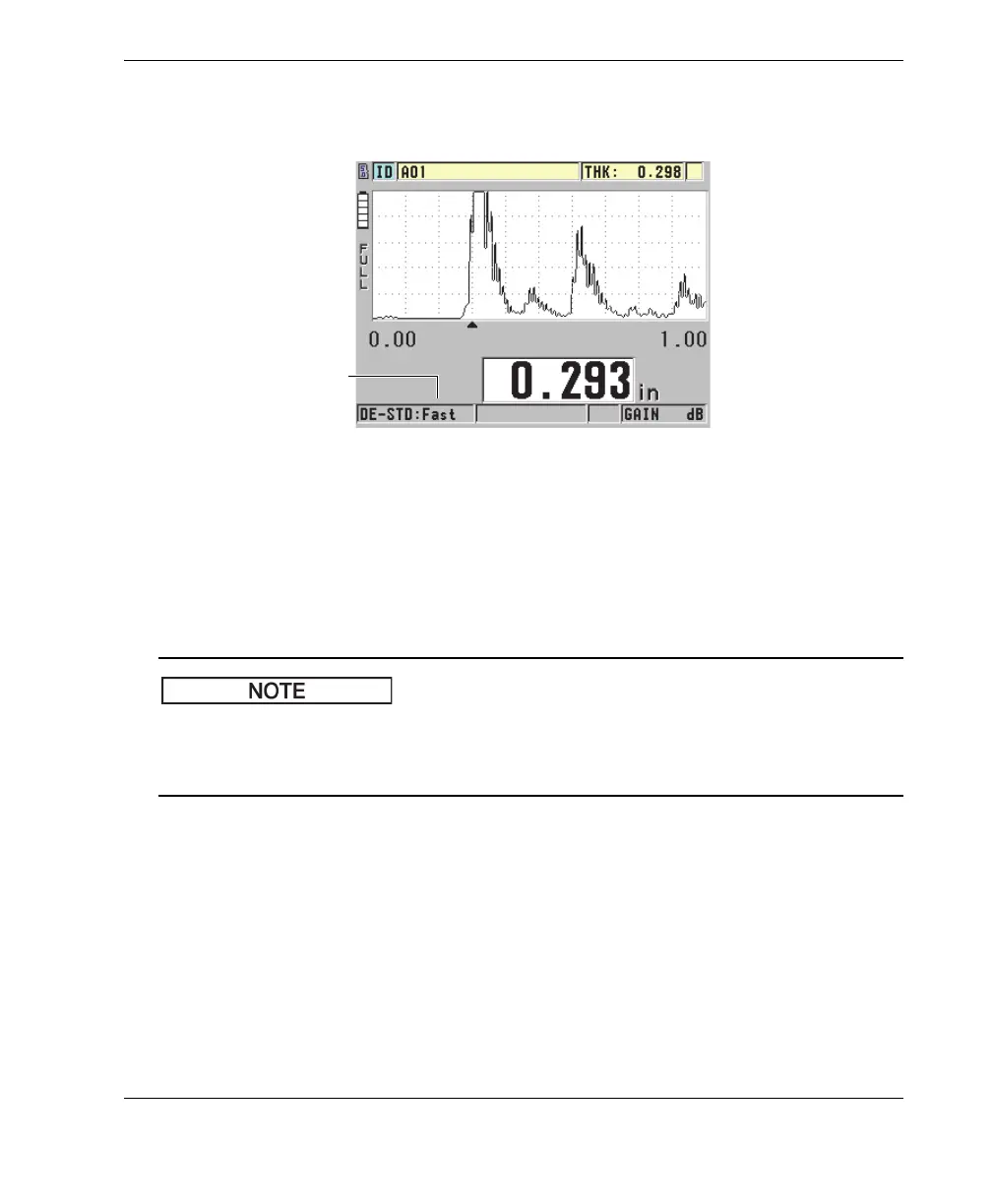
to 20 Hz). The measurement update rate indicator is permanently displayed on the
left side of the thickness measurement (see Figure 4-6 on page 49).
Figure 4-6 The measurement update rate indicator
The Fast update rate can be as high as 20 Hz, and is dependent on the measurement
type. This option is useful when making high-temperature thickness measurements in
order to help limit transducer contact time, or for applications where the transducer is
scanned over an area in order to determine the minimum thickness.
The 45MG automatically uses the fastest update rate when put into the Minimum or
Maximum mode (see “Using the Minimum, Maximum, or Min/Max Thickness
Mode” on page 129).
To adjust the measurement update rate
1. In the measurement screen, press [SETUP], and then select MEAS.
2. In the MEAS screen (see Figure 8-1 on page 142), set the MEASURE RATE to the
desired value.
3. Press [MEAS] to return to the measurement screen.
Measurement update
rate indicator










 To Next Page