DMTA-10022-01EN, Rev. C, January 2015
Chapter 6
80
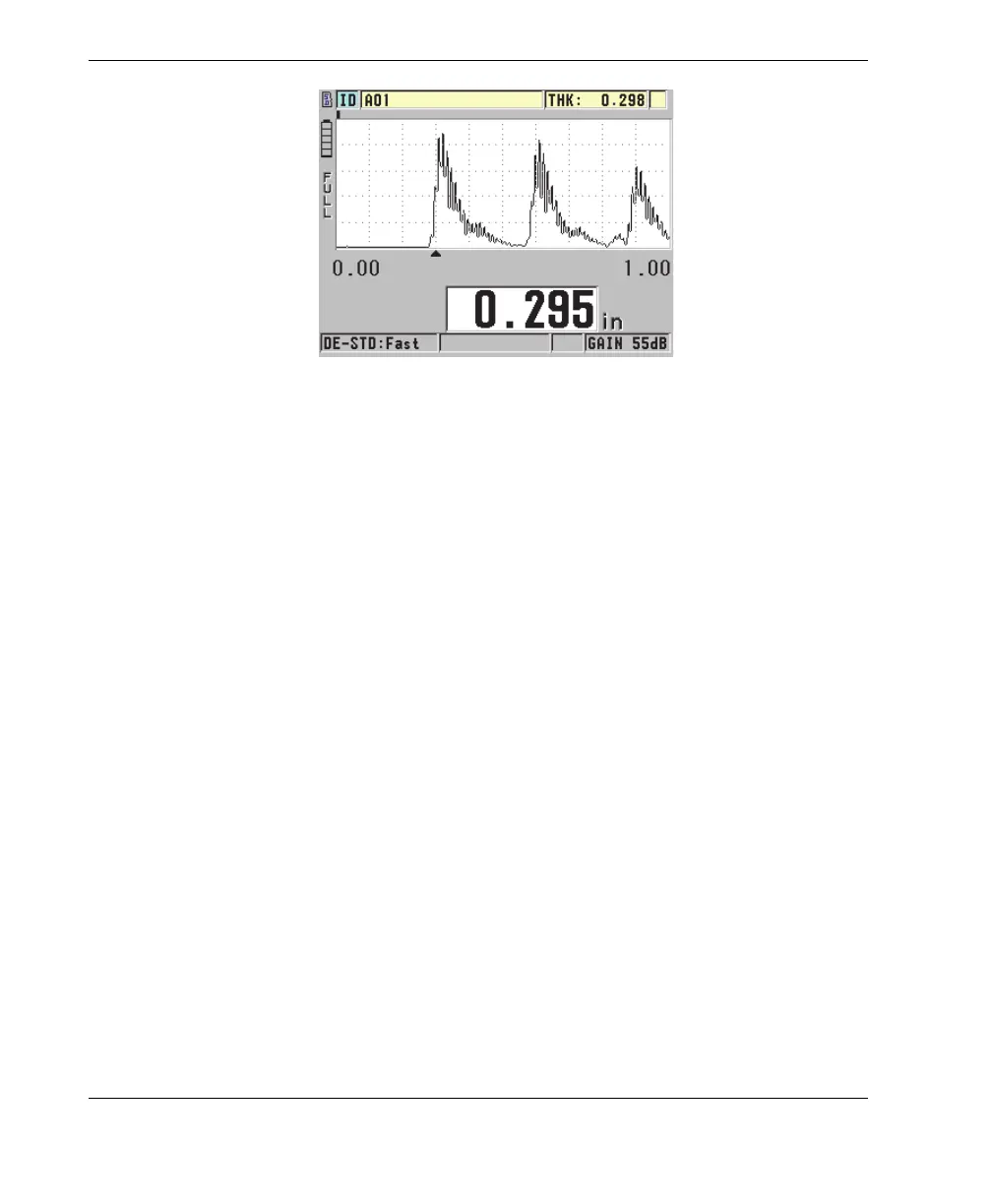
Figure 6-8 Waveform display
To activate the waveform
1. In the measurement screen, press [SETUP], and then select DISPLAY.
2. Set WAVEFORM ENABLE to ON.
6.4.1 Waveform Rectification
The rectification mode determines the way in which the ultrasonic echoes are
represented on the waveform display (see Figure 6-9 on page 81). The rectification
mode does not affect the thickness measurement in any way. The rectification
indicator (FULL, POS, NEG, or RF) appears on the left edge of the waveform display.
In the measurement screen, press [SETUP], and then select DISPLAY to access the
WAVEFORM RECTIFICATION parameter.










 To Next Page