74
Polyend Tracker+ Manual
NOTES
Sequencing Steps
5
5.1 Dedicated Step Parameter Buttons
A step is a building block which triggers events such as playing a note or
beat or activating a MIDI action and is used for creating patterns. Steps are
programmed across pattern rows which represent each of the eight
available tracks in the pattern sequence.
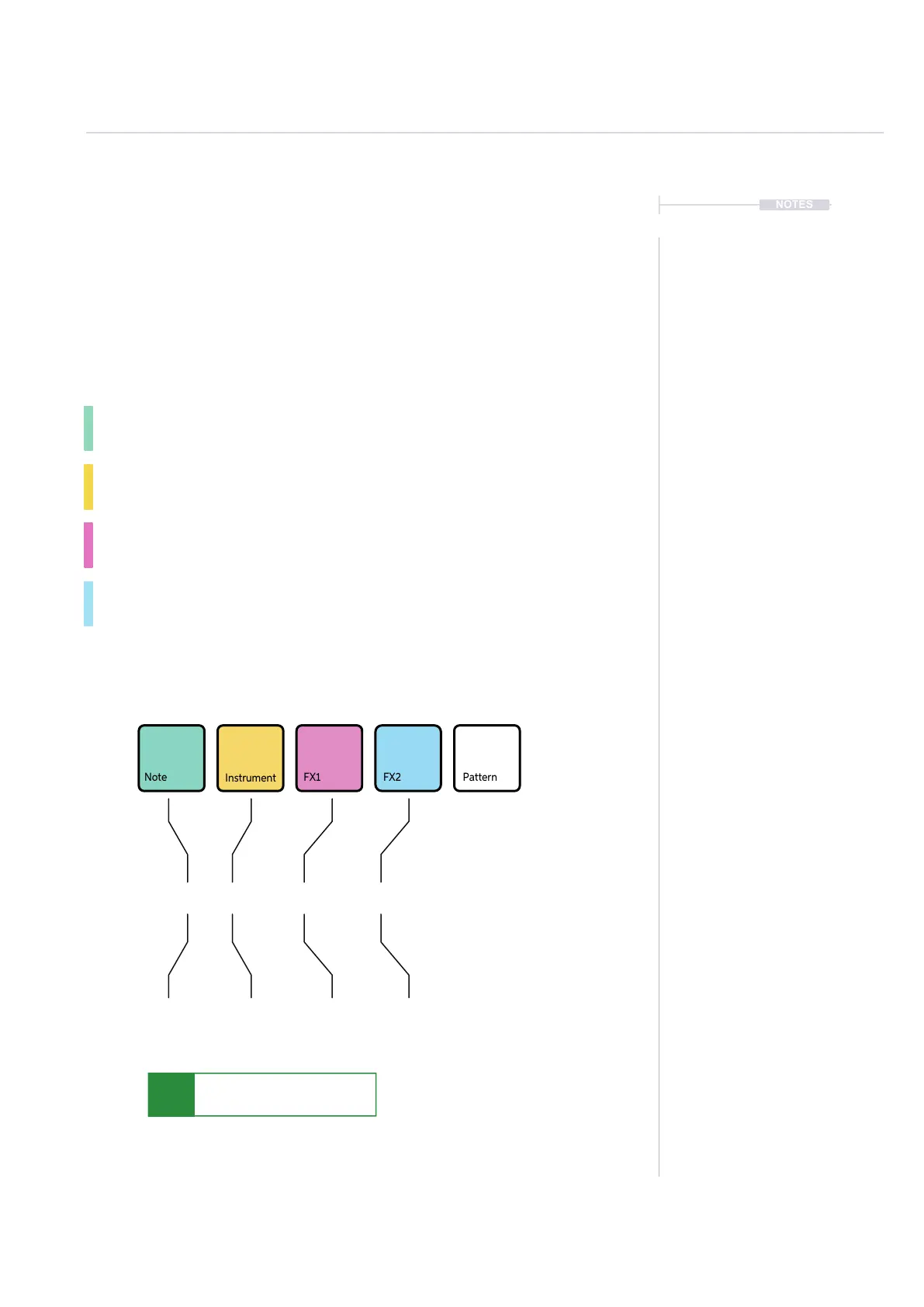
A step is a combination of 4 main components each of which has a
dedicated selection button:-
Note. This sets the pitch of the step and is important for creating
melodies or beats based on sample mapped drum hits.
Instrument. This is a synth or sample and a combination of the
parameters and settings assigned to it. Also for setting MIDI Channel.
FX1. The rst effect slot where the modulation and audio effects can be
applied for the step.
FX2. The second effect slot where the modulation and audio effects can
be applied for the step.
Note that sample based instruments can only be congured on Tracks 1-8. All tracks can use a synth
or MIDI based instrument.
P 25- -- -C5 40
Step Dedicated Parameter Buttons
Pattern page is selected by pressing [Pattern] while the Note, Instrument,
FX1 and FX2 have dedicated buttons for editing the selected step.
The step selection box will show solid
colour on the selected option part.
Example: Note is shown highlighted here.
Parameters are colour coded in line with
the dedicated step function buttons
Note
+ Octave
Effect Type
+ Value
Instrument
Number or
MIDI
Effect Type
+ Value
Note PatternFX1
Instrument
FX2
C5 40 ---- P 25



 To Next Page