81
Polyend Tracker+ Manual
NOTES
Sequencing Steps
5
5.5 Step Jump Recording Multiple Steps
When steps are added using a [PAD] the active step is automatically
advanced to the next step when complete. The intervals for this are based
on the ‘Step Jump’ feature. This is useful for creating patterns with dened
intervals and speeding up workow.
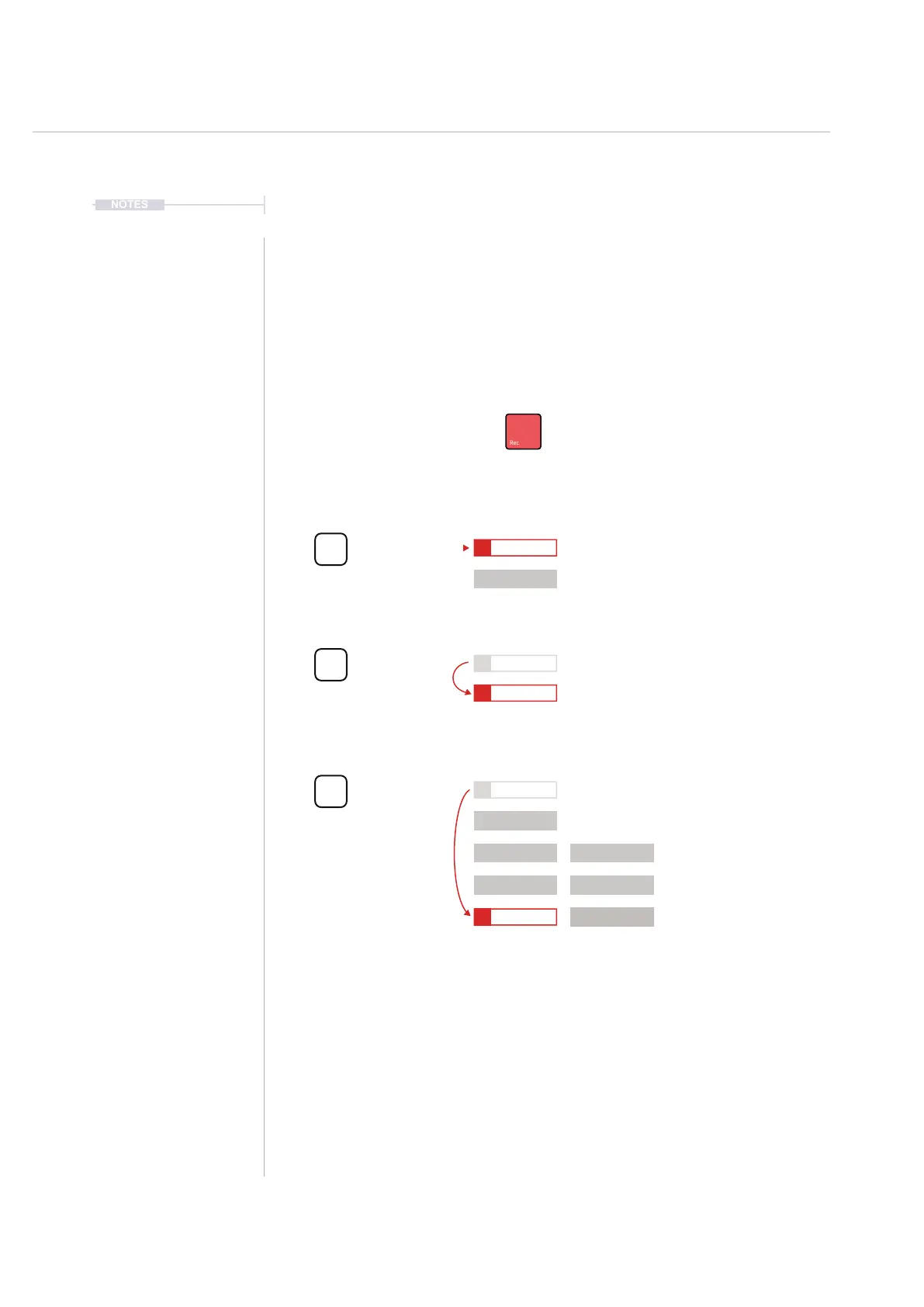
Step Jump Examples
Track 1 Track 2
Recording mode on to edit steps in the pattern
Step Jump
0
1
1
1
3
5
2
2
2
4
6
Step Jump
1
Step Jump
4
[PAD]
[PAD]
[PAD]
The selected step will not
advance and will remain at the
same step position
The selected step will
advance automatically to
select the next step position
The selected step will
advance four steps forward. In
this example selecting the
next ‘on beat’ position.
The Step Jump setting is useful when populating specic intervals, for example each on beat step or
each off beat step or alternate steps for percussion. This speeds up the workow and helps in
creating interesting sequences.
=
C5 40
----
P 25
C5 40
----
P 25
C5 40
----
P 25
C5 40
----
P 25
C5 40
----
P 25
D5 40
----
P 25
D5 40
----
P 25
D5 40
----
P 25
D5 40
----
P 45
D5 40
----
P 45
D5 40
----
P 45



 To Next Page