194
Polyend Tracker+ Manual
NOTES
7.26 Position LFO
5
Start
(Default)
Sample in Wavetable of
Granular play mode.
Start in %
End
Sample Position
Instrument
22
Step will trigger the LFO Rate change
Speed set in the Instrument Parameter Panning LFO will apply
Previous Step LFO Rate continues
h Rates
1
9
5
13
F5 22
---- ----
------- -- ----
------- -- ----
F5 22
----
k 12
Speed Default
Step Rate Trigger
or
LFO
128 96 64 48 32 24 16 12 8 6 4 3 2 3/2 1
3/4 1/2 3/8 1/3 1/4
316
(3/16)
1/6 1/8
/12
(1/12)
/16
(1/16)
/24
(1/24)
/32
(1/32)
/48
(1/48)
/64
(1/64)
FX Type Tag
Value Ranges
FX Description
Example
Effect
Pad Range
k
Various
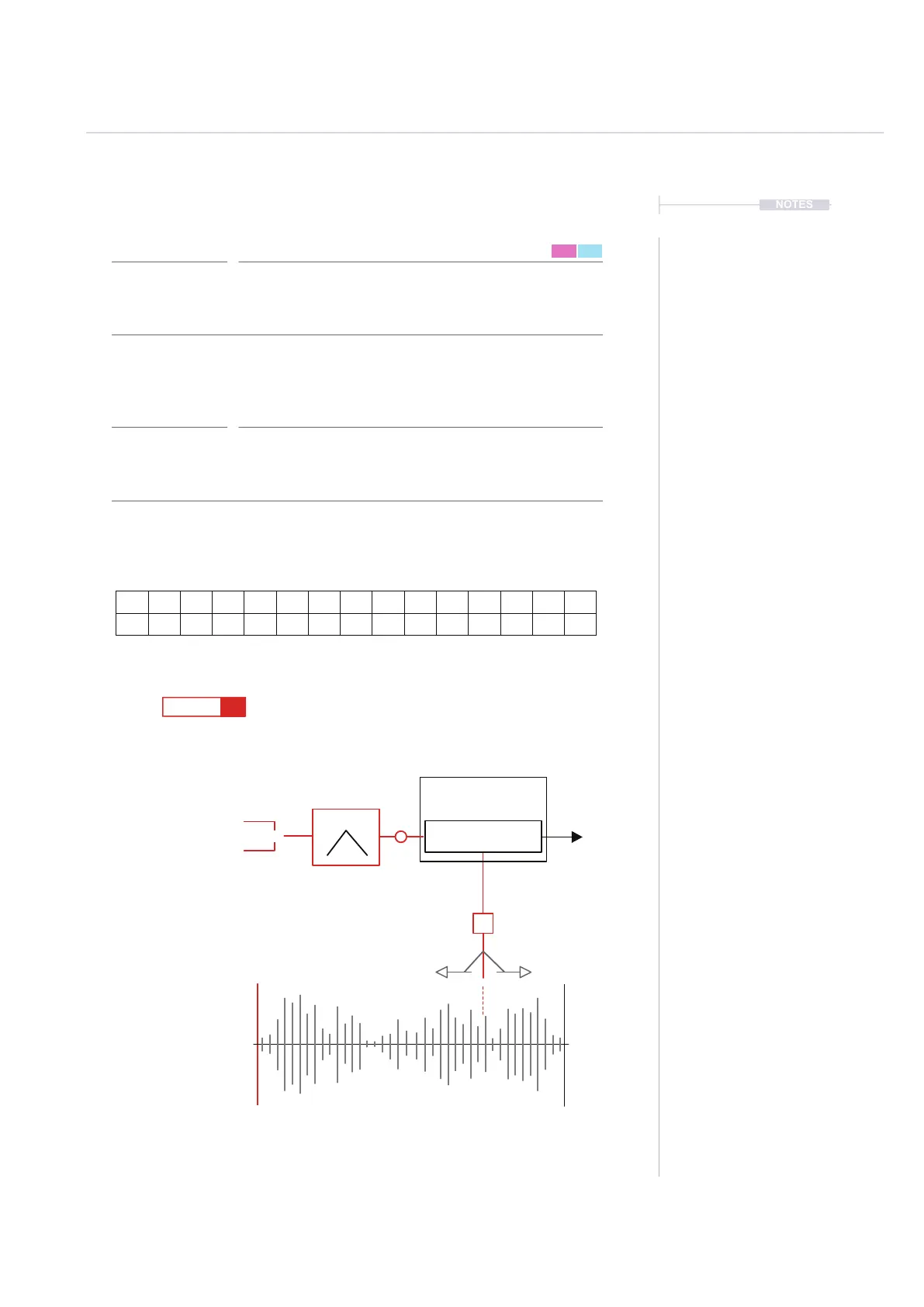
Selects the rate for the instrument wavetable / granular sample position LFO.
This setting is in increments with respect to project tempo. LFO is found in the
instrument parameters P2/2.
The LFO will adjust the position in the wavetable or granular sample. One of
these play modes must be set to apply a position modulation from the LFO.
The step then can vary the speed of the LFO per step.
Position LFO Rate
Pad 1 = 128, Pad 13 = 16, Pad 30 = 1, Pad 34 = 1/2,
Pad 46 = 1/8. Advise using Jog.
FX Steps
7



 To Next Page