75
Polyend Tracker+ Manual
NOTES
Sequencing Steps
5
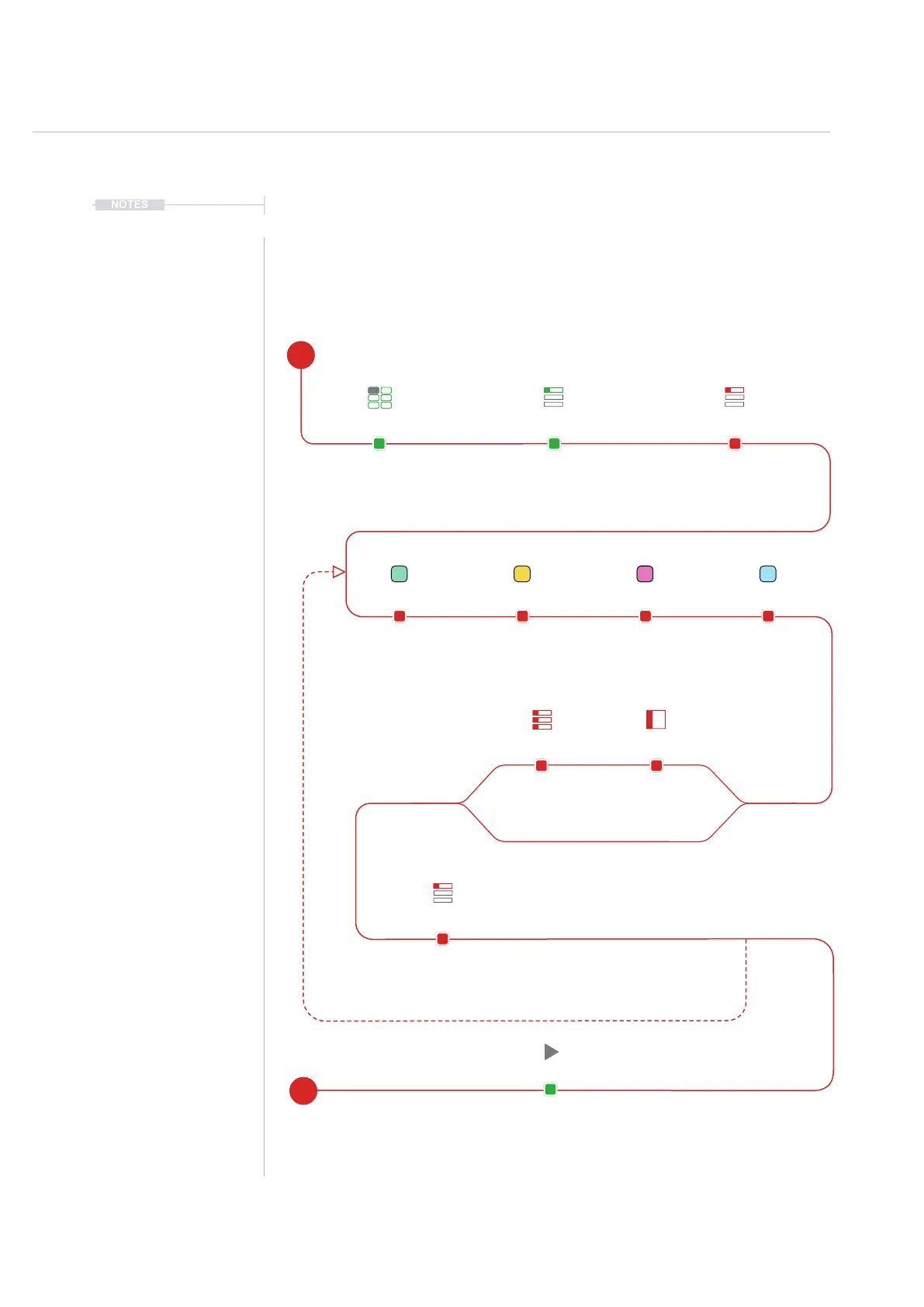
5.2 Process of Creating a Step
Steps are sequenced in the Tracker+ each of which contains a Note,
Instrument, and two FX slots options. It is good practice to structure these
into tracks of relevance. For example kick drum on track 1, especially at the
starting point.
Pattern Format Set,
Instrument Pool Populated
Navigate to the rst step to
create / edit. It may help to
develop individual tracks rst
Select [Rec] Recording Mode.
Step selection box red.
Use [Rec] + [Play]
Live Recording to
capture real time steps
and parameters.
Press [Play]
To play. Also Press [Rec] to
exit record mode.
Hold [Note] + [PAD]*
To select the step note
Hold [FX2] + [PAD]*
To select the effect
Hold [Instrument] + [PAD]*
To select an Instrument
Hold [FX2] + [PAD]*
To select the effect
* [PAD] or Turn (Jog)
Repeat Cycle to add
more steps manually.
Use (Jog) to edit
parameters
Use ‘Fill’ and ‘Step
Jump’ to assist with
populating multiple
steps
Pre-Requisite Select First Step
Note FX1
Edit & Add
Instrument
Fill & Jump
FX2
Recording Mode
Live Recording Mode
Create More Steps /
Develop Other Tracks
Play
E
S



 To Next Page