130
Polyend Tracker+ Manual
NOTES
Instruments
6
6.10 Wavetable Play Modes
Wavetable instruments can be created in Tracker+. This emulates classic
wavetable synthesizers by using a sample as the wavetable source.
Standard Tracker+ samples can be used ‘out of the box’ or samples
prepared specically to suit the application in a wavetable synth and give
better performance. While Tracker+ offers only a basic implementation of
wavetable synthesis it does bring a different creative option into the
instrument library.
What is Wavetable Synthesis?
The most common synth model is subtractive synthesis. This is based on a
sound source, typically using one or more oscillators, tuned in various
ways. The sound is then shaped and carved by ltering out (subtracting)
frequencies, applying envelopes and adding effects. Wavetable synths
typically follow these same principles but the ‘oscillator’ is formed from a
series of wave-shapes called wavetables. In reality, a wavetable consists of
a number of stacked samples called frames, the accepted standard being
256 frames.
Navigating or modulating through the almost endless wave positions and
selecting ‘single cycles’ in the wavetable is a fundamental element in
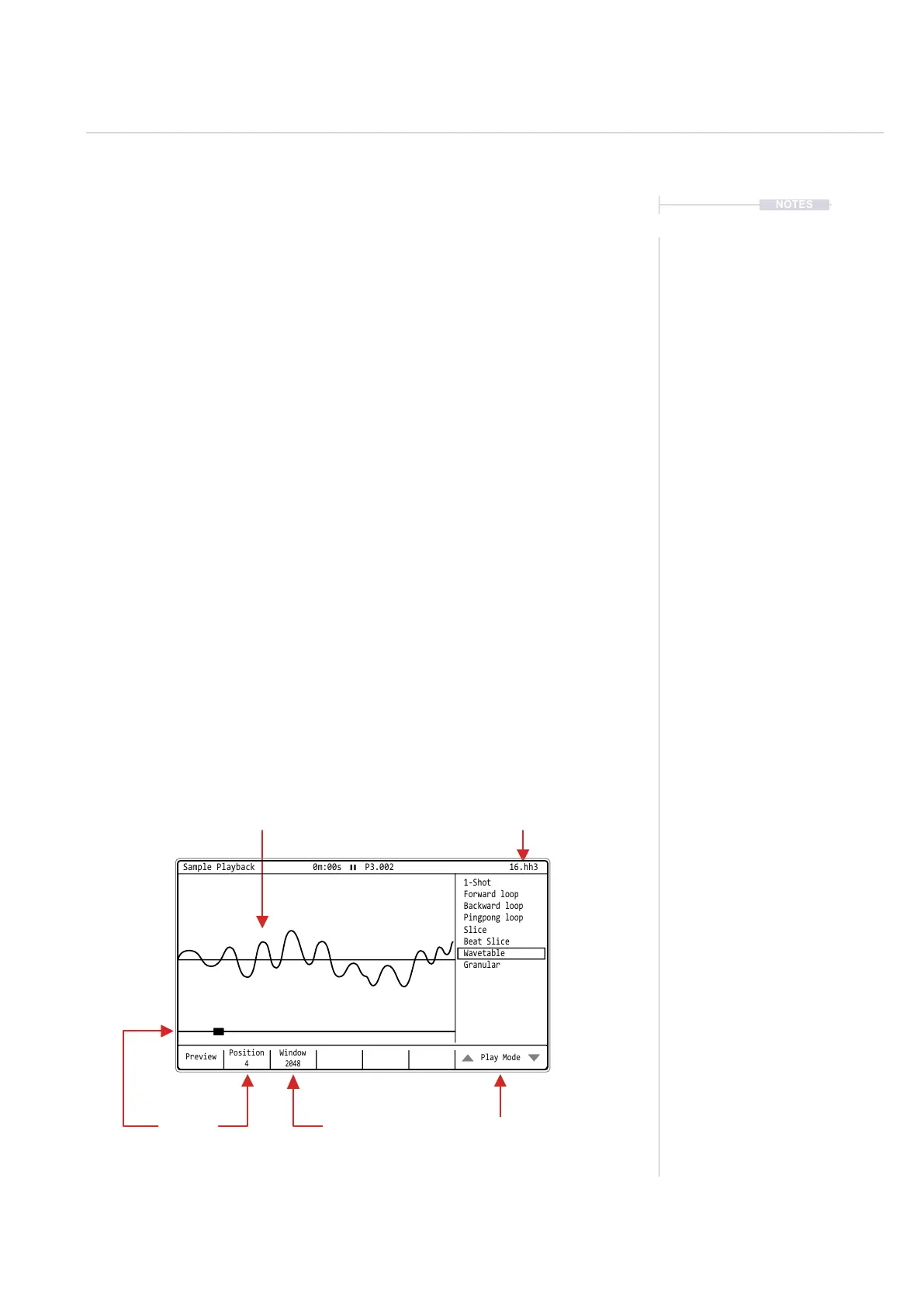
wavetable sound design. In Tracker+ the wavetable size (samples per
frame) is set by the ‘Window’ parameter. Think of this as the length of the
available table, the default maximum being dened by the original audio
sample format. The specic ‘Position’ within the wavetable is also
selectable and important in the sound design process. Position can also be
modulated.
Current Instrument
Selected
Sample
Waveform Cycle.
Play Mode List.
How the sample will be
played in the instrument
Window
Frame size, range dictated
by wavetable format
Position
Wave position selection,
also can be modulated.
Preview
Position
4
Window
2048
Play Mode
Sample Playback 0m:00s P3.002
1-Shot
Slice
Forward loop
Beat Slice
Backward loop
Wavetable
Pingpong loop
Granular
16.hh3



 To Next Page