121
Polyend Tracker+ Manual
NOTES
Instruments
6
6.6 Sample Playback Overview
An instrument can be a sample, edited or raw. A raw ‘.wav’ sample can be
added to the instrument list. When a sample is edited and developed further
as an instrument it can be saved as a ‘.pti’ instrument, for example
‘drumkit1.pti’. This can be used across all projects or distributed to other
producers. Sample based instruments are only used on steps in Tracks 1-8
while MIDI and Synths can be used on all tracks.
This section covers the basics of using .pti instruments, and not the end-to-
end capturing, editing and use of sampling which is covered elsewhere.
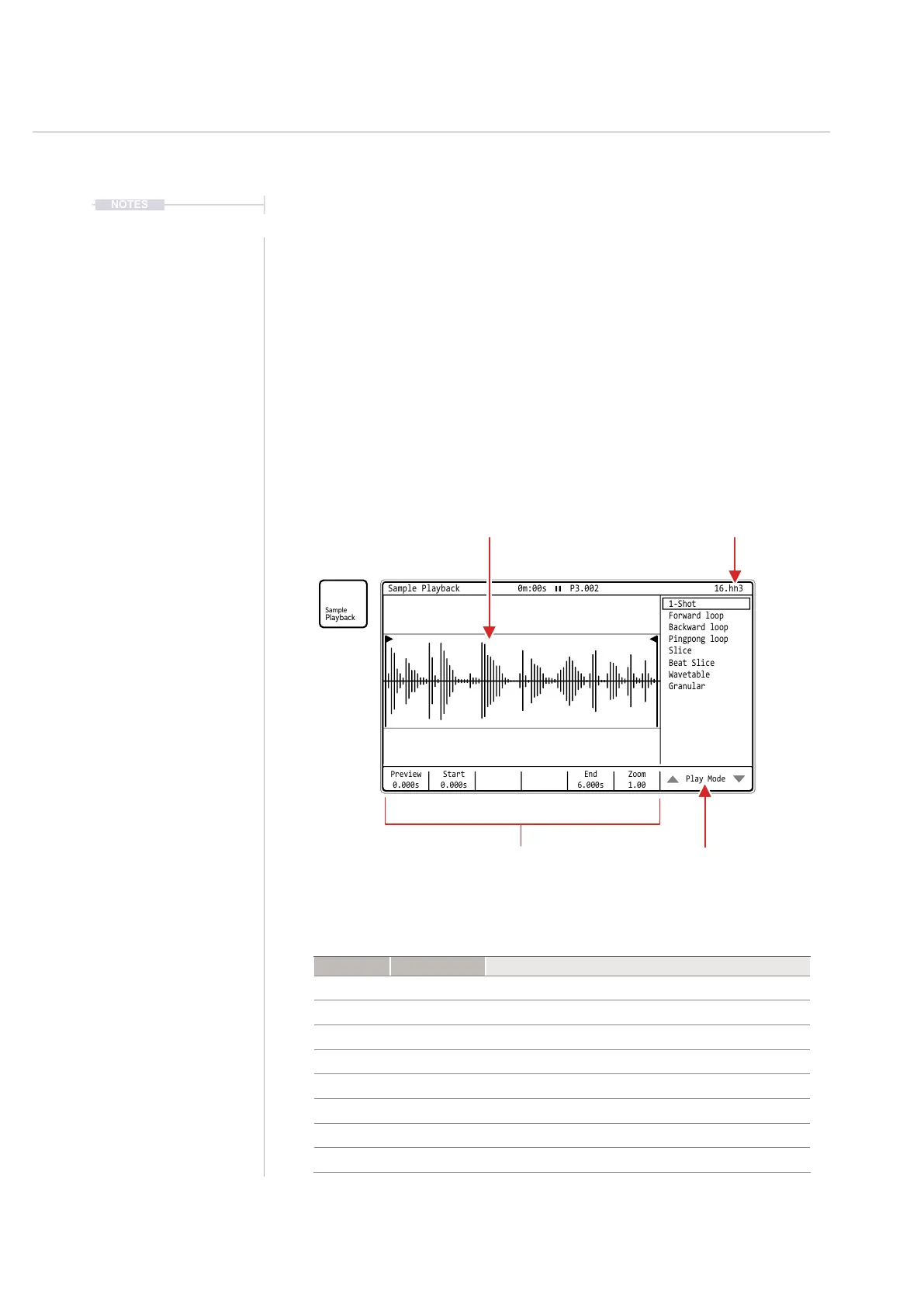
How a sample is applied as an instrument is handled in the ‘Sample
Playback’ page, accessed by the dedicated [Sample Playback] button.
Type Play Mode Description
Play 1-Shot Basic sample playback. Plays start to end once.
Loop Forward Loop Sample playback. Plays start to end and cycles on loop.
Loop Backward Loop Sample playback. Plays end to start and cycles on loop.
Loop Pingpong Loop Sample playback. Plays start to end to start on loop.
Slice Slice Sample is sliced
Slice Beat Slice Sample is sliced
Synthesizer Wavetable Sample is used as the wavetable, like a synth.
Synthesizer Granular Sample grains are used and played, like a granular synth
Preview
0.000s
Start
0.000s
Zoom
1.00
End
6.000s
Play Mode
Sample Playback 0m:00s P3.002
1-Shot
Slice
Forward loop
Beat Slice
Backward loop
Wavetable
Pingpong loop
Granular
16.hh3
Current Instrument
Selected
Sample Waveform
Display matches play mode.
Play Mode List.
How the sample will be
played in the instrument
Playback Parameters
settings, based on play
mode, for sample playback
Note: Playback is not visually animated in the waveform display when playing.



 To Next Page