189
Polyend Tracker+ Manual
NOTES
7.21 Position
Start position for sample used in instrument 22 only for this step
Start position for sample used in instrument 22 only for this step
Start position for sample used in instrument 22 only for this step
Start position for sample used in instrument 22 only for this step
Position for steps in-between ‘p’ will operate at the normal start
FX Type Tag
Value Ranges
FX Description
Example
Effect
Pad Range
p
0 - 100%
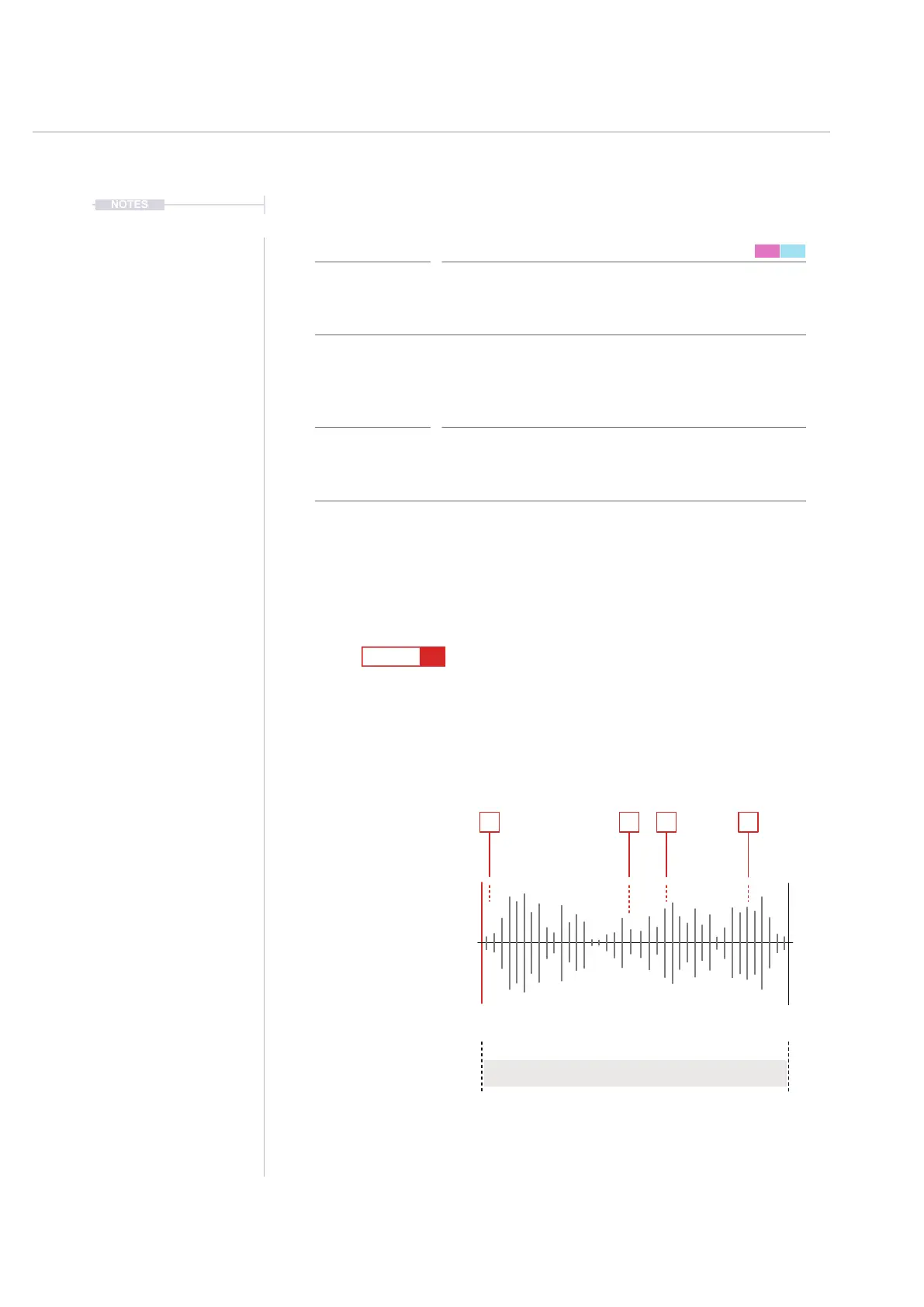
Sample start position for playback is set. This is based on the playback type
selected and better applied with one-shot samples, wavetables and granular.
When using sliced samples the ‘slice’ FX is an alternative option.
Try experimenting with different samples and start points. Use full samples
(one-shots), wavetables and granular types for the full more pronounced
effect. Happy accidents to nd a ‘sweet spot’ in a sample are possible.
Automate the variation using individual steps to create movement and interest.
Position
Pad 1 = 0, Pad 13 = 12, Pad 25 = 24, Pad 37 = 36,
Pad 48 = 47
FX Steps
7
1
9
5
13
16
F5 22
----
F5 22
----
p 65
p 85
F5 22
---- ----
F5 22
----
p 47
p 5
F5 22
----
1 5 9 13
Start
(Default)
Instrument Sample Type.
Will be dependant on sample
playback type. Use One-Shots,
Wavetable and Granular.
Steps with Dened Start Pos
Start in %
Position ‘p’ Range 0-100%
End



 To Next Page