304
Polyend Tracker+ Manual
Performance Mode
12
NOTES
12.5 Conguring Effects
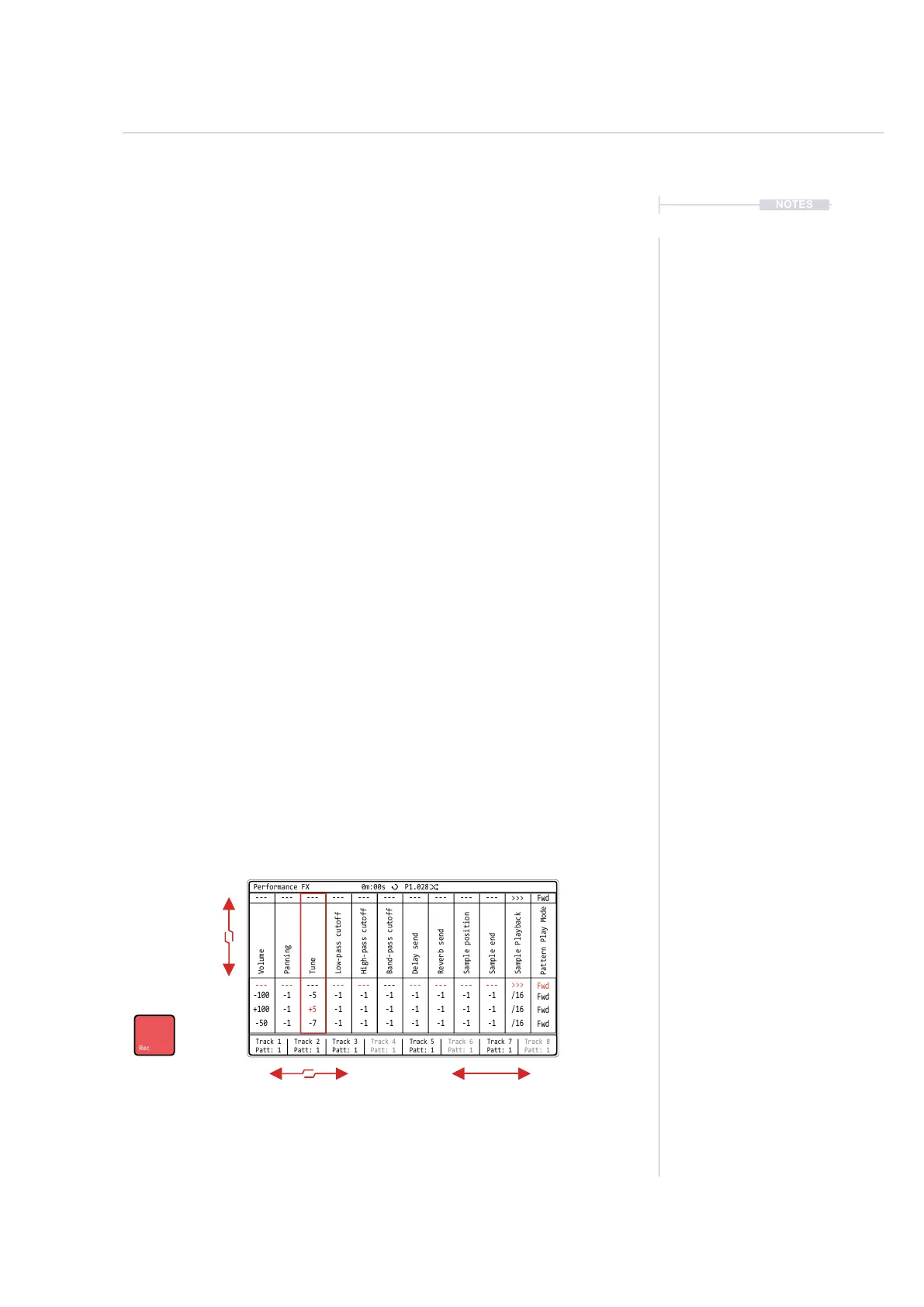
Effects can be setup in record mode with up to 12 effects being congured
from a library of 21 performance effects. By default the performance preset
is saved on a global basis, but can be changed to be saved ‘per-project’ in
the ‘Cong’ settings.
▌ CREATING AN EFFECT TEMPLATE
1. Press [Perform] to select the Performance Mode page.
2. Press [Rec] to select record mode. Values and bounding box are red.
3. Navigate between effect slots, Press [Left] or [Right].
4. To cycle the effect for the selected slot, Press [Up] or [Down].
5. To swap effects, Hold [Shift] + [Right] or [Left]. This will swap the
currently selected effect along with the values with the slot chosen. The
pad value selections will remain with the original slot. This can also be
used creatively.
6. Hold [PAD] + Turn (Jog) to change the value of the specic effect row.
The selected Pad will be representative of the effect value. Pad row 2 is
the 2
nd
row of effect values, Pad row 3, is 3
rd
row of effect parameters.
Top row 1 is reserved to reset the value to the default.
7. Repeat steps 3 - 5 for other effect slots. 12 slots are available.
8. Press [Rec] to turn record mode off.
Swap Effects
Hold [Shift] + [Right] / [Left]
Select Slot
Press [Right] / [Left]
Pad Row 1
MIDI CC Row
Pad Row 2
Pad Row 3
Pad Row 4
Change Effects
Press [Up] / [Down]
Track 1
Patt: 1
---
---
-100
+100
-50
---
---
-1
-1
-1
---
---
-5
+5
-7
---
---
-1
-1
-1
---
---
-1
-1
-1
---
---
-1
-1
-1
---
---
-1
-1
-1
---
---
-1
-1
-1
---
---
-1
-1
-1
---
---
-1
-1
-1
>>>
>>>
/16
/16
/16
Track 2
Patt: 1
Track 3
Patt: 1
Track 4
Patt: 1
Track 6
Patt: 1
Track 5
Patt: 1
Track 7
Patt: 1
Track 8
Patt: 1
Performance FX
Volume
High-pass cutoff
Sample end
Tune
Delay send
Sample Playback
Panning
Band-pass cutoff
Low-pass cutoff
Sample position
Reverb send
Fwd
Fwd
Fwd
Fwd
Fwd
Pattern Play Mode
0m:00s P1.028



 To Next Page