233
Polyend Tracker+ Manual
NOTES
Audio
8
8.9 Advanced Audio Editing
Sampling captures audio using the ‘Sample Recorder’ and provides basic
editing features for quick and easy use of the sample in the project. An
instrument can be selected from within the sample editor by holding
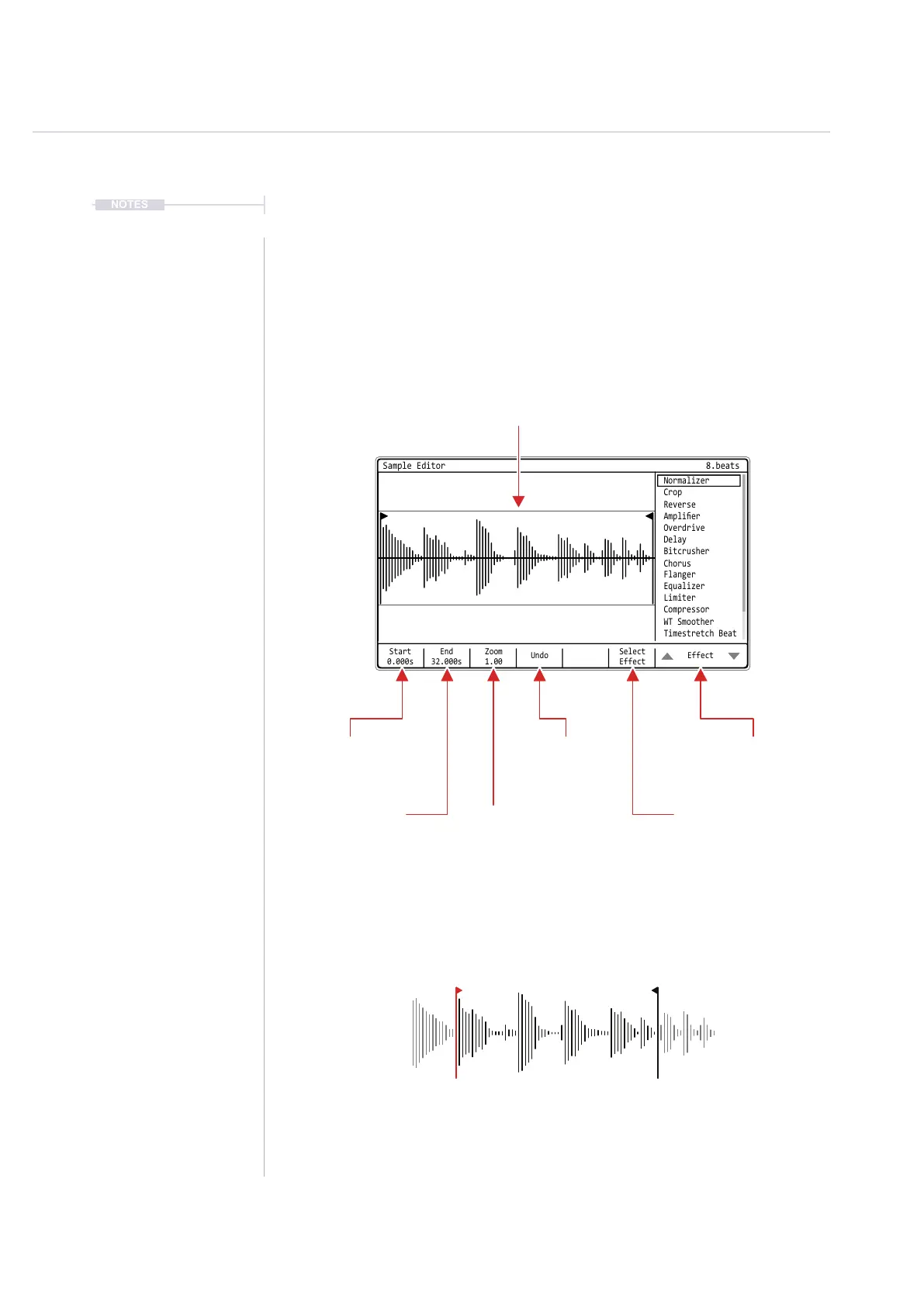
[Instrument]. A more advanced set of editing features exists in the ‘Sample
Editor’ which focuses on the currently selected sample. Press a Pad to
preview the audio.
Select
Effect
Start
0.000s
Zoom
1.00
Undo
End
32.000s
Effect
Sample Editor
Normalizer
Overdrive
Limiter
Crop
Delay
Compressor
Reverse
Flanger
Bitcrusher
WT Smoother
Amplier
Equalizer
Chorus
Timestretch Beat
8.beats
Effect
List of effect options to select
ready to apply to the current
sample
Start
Adjusts the starting point
marker in the sample.
Start
Adjusts the starting point
marker in the sample.
End
Adjusts the ending point
marker in the sample.
End
Adjusts the ending point
marker in the sample.
The start and end points determine the region of the sample which
will be affected by the applied effect. The sample can be cropped to
the desired positions and save memory by discard unwanted audio.
Select / Apply
Applies or selects options for
application of the highlighted
effect.
Sample
Current Sample
Undo
Restore last command
Zoom
Zoom closer up to aid
precise editing.



 To Next Page