303
Polyend Tracker+ Manual
Performance Mode
12
NOTES
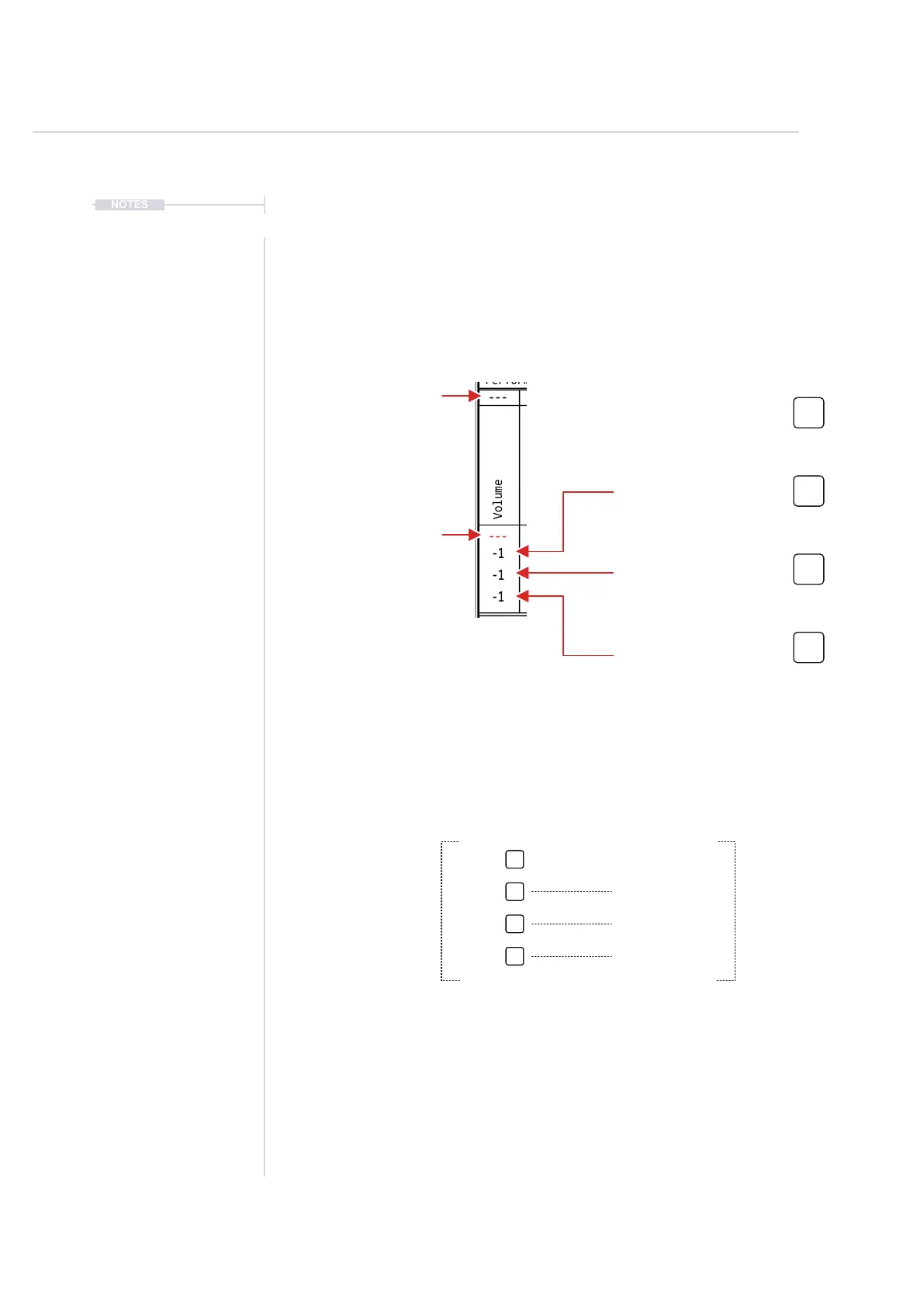
12.4 Perform Effect Values
Each of the congured effects has four slots which hold the value for the
effect. These are triggered by the respective pad. The top row is reserved
as a default ‘off’ and the other three values are set relative to the current
effect parameter value. In addition a ‘top row’ of values are available to be
controlled by MIDI CC inputs from external gear if desired.
---
---
-1
-1
-1
Performance FX
Volume
Value 2 - Pad Row 2
Triggers the chosen effect
value for the selected tracks
---
-5
+5
-40
Value
Value is referenced as an offset applied to the current setting for the effect. The rst row,
value offset is off by default to allow a quick revert to the default state.
For example, with volume set at -10dB, the values are offset by each value, when triggered.
Current Volume = -10dB
-15dB
-5dB
-50dB
Value 1 - Pad Row 1
Sets the chosen effect to ‘off’.
MIDI CC Option
Controlled by external gear.
Triggered Effect Value. Actual Value.
Value 3 - Pad Row 3
Triggers the chosen effect
value for the selected tracks
Value 4 - Pad Row 4
Triggers the chosen effect
value for the selected tracks
Pads are used to trigger the effect value



 To Next Page