210
Polyend Tracker+ Manual
NOTES
Audio
8
8.1 Master Pages - Audio Control
Audio is controlled in the Master pages of which 3 are available. This is
where the Tracker+ mixer is found to control the audio levels and also the
master effects. This section will concentrate on the audio level and routing
controls. The Master effects are covered in another section.
Master - Page 1
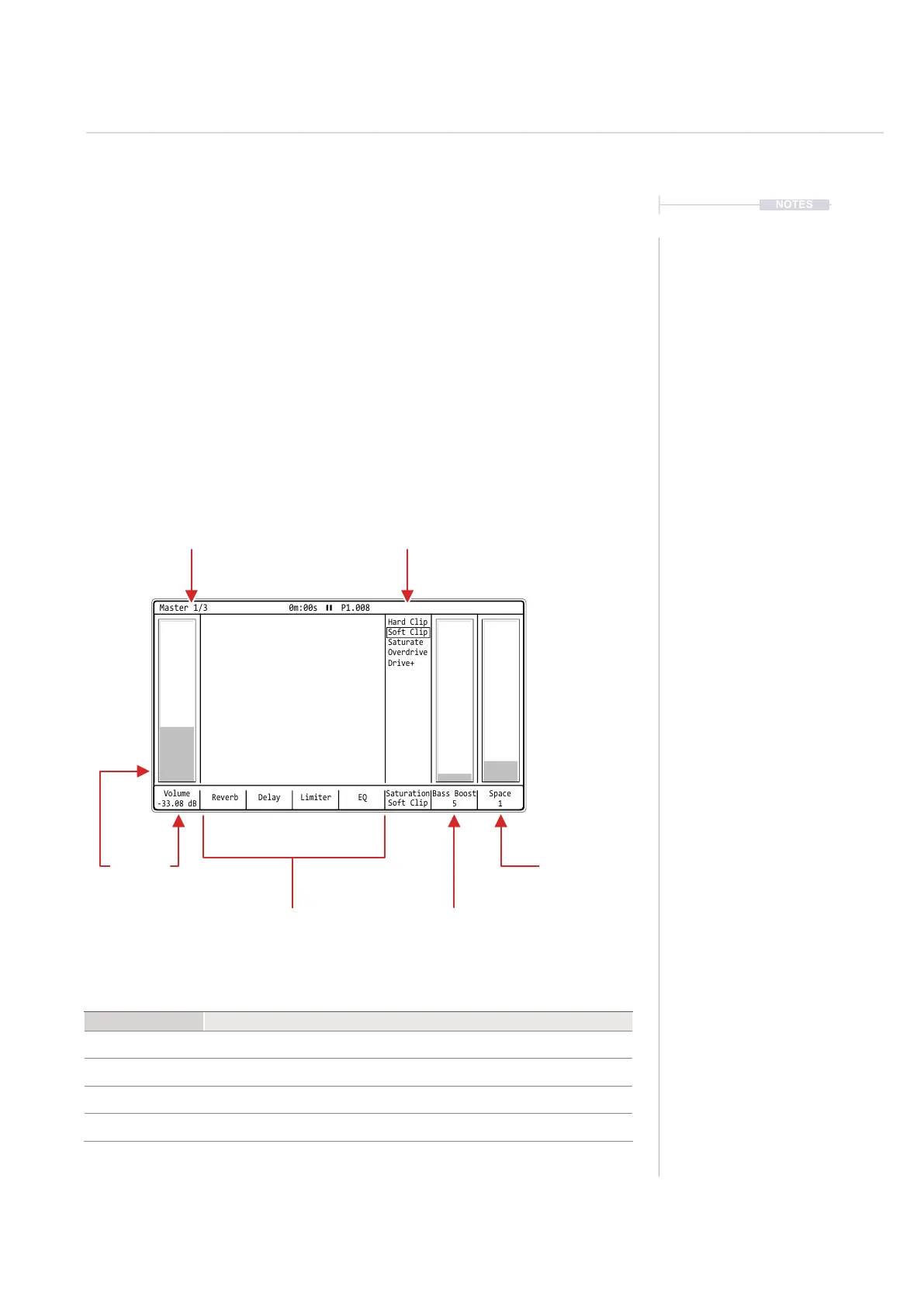
The Master mix is the rst page in the master pages and contains the main
output level as well as a series of effects and access to the master reverb
and delay effects. Rendered audio exports of the ‘master’ i.e. all tracks, uses
the volume level and functions in Master page 1.
Master Page
Page 1 of 3
Space
Adjusts the space amount
applied to the main audio
output.
Master Effects
Access to the master
delay, reverb, limiter & EQ
parameter pages.
Bass Boost
Adjusts the amount of bass
boost applied to the main
audio output.
Saturation
Distortion preset
Volume
Master output level
applied to the main
‘Out’ connection
Volume
-33.08 dB
Reverb Delay EQ
Saturation
Soft Clip
Hard Clip
Soft Clip
Saturate
Overdrive
Drive+
Bass Boost
5
Limiter
Space
1
Master 1/3 0m:00s P1.008
Function
Command
Navigate Options Press [Left] or [Right]
Edit Parameter
With option selected, Turn (Jog) or Press [Up] or [Down]
Select Effect Page Press Track Screen Button 2 [Reverb], 3 [Delay], 5 [Limiter] or 6 [EQ].
Quick Level Adjust Hold [Master] + Turn (Jog)



 To Next Page