188
Polyend Tracker+ Manual
NOTES
7.20 Reverse Sample
FX Type Tag
Value Ranges
FX Description
Example
Effect
Pad Range
r
<<< Or >>>
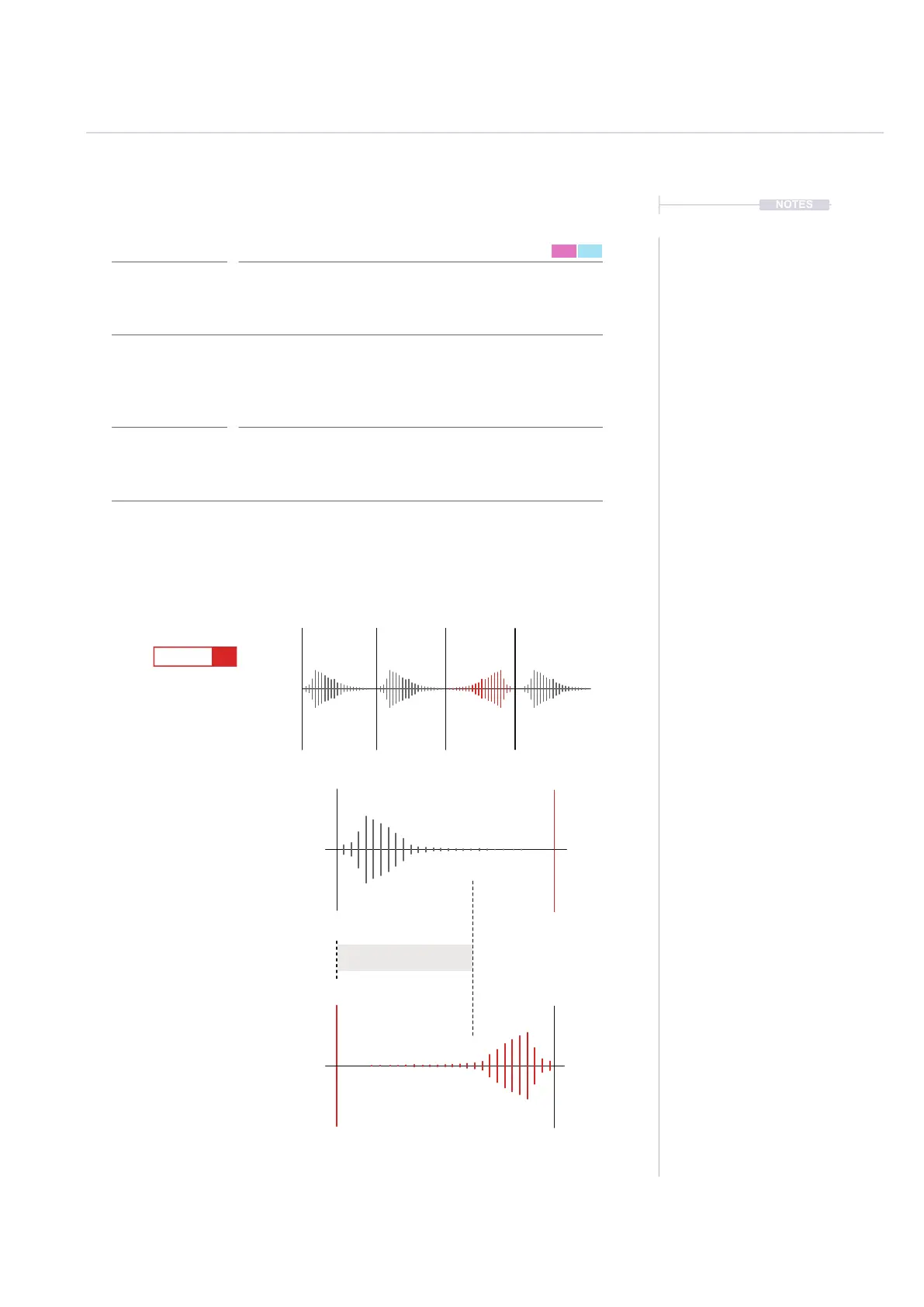
Reverses the sample playback. Simply plays the sample forwards as normal
or reverses its playback.
Reversing the sample playback is a simple application. The reverse will take
place only on the step activated. It is also important in practical applications to
know the sample length. If the ‘tail’ of a sample is long then reversing it may
mean no sound is heard. Adjusting the ‘end’ parameter of the sample playback
may also need to be changed.
Reverses Sample Playback
Pads 1 - 24 >>> Play Forward, Pads 25 - 48 <<< Reverse
FX Steps
7
<<<
1
9
5
13
16
D6 03
---- ----
D6 03
----
r<<<
D6 03
---- ----
D6 03
----
r>>>
D6 03
---- ----
1 5 9 132 6 10 143 7 11 154 8 12 16
Start
Normal Sample Direction.
Playback from ‘Start’ to ‘End’
parameters as set in the sample
playback settings.
Reversed Sample Direction.
Playback from ‘End’ to ‘Start’ parameters
as set in the sample playback settings.
End may need to be adjusted to hear
audio within the step duration.
End
Playback Length
End
Start



 To Next Page