115
Polyend Tracker+ Manual
NOTES
Instruments
6
6.5 Instrument Automation Parameters - Page 2
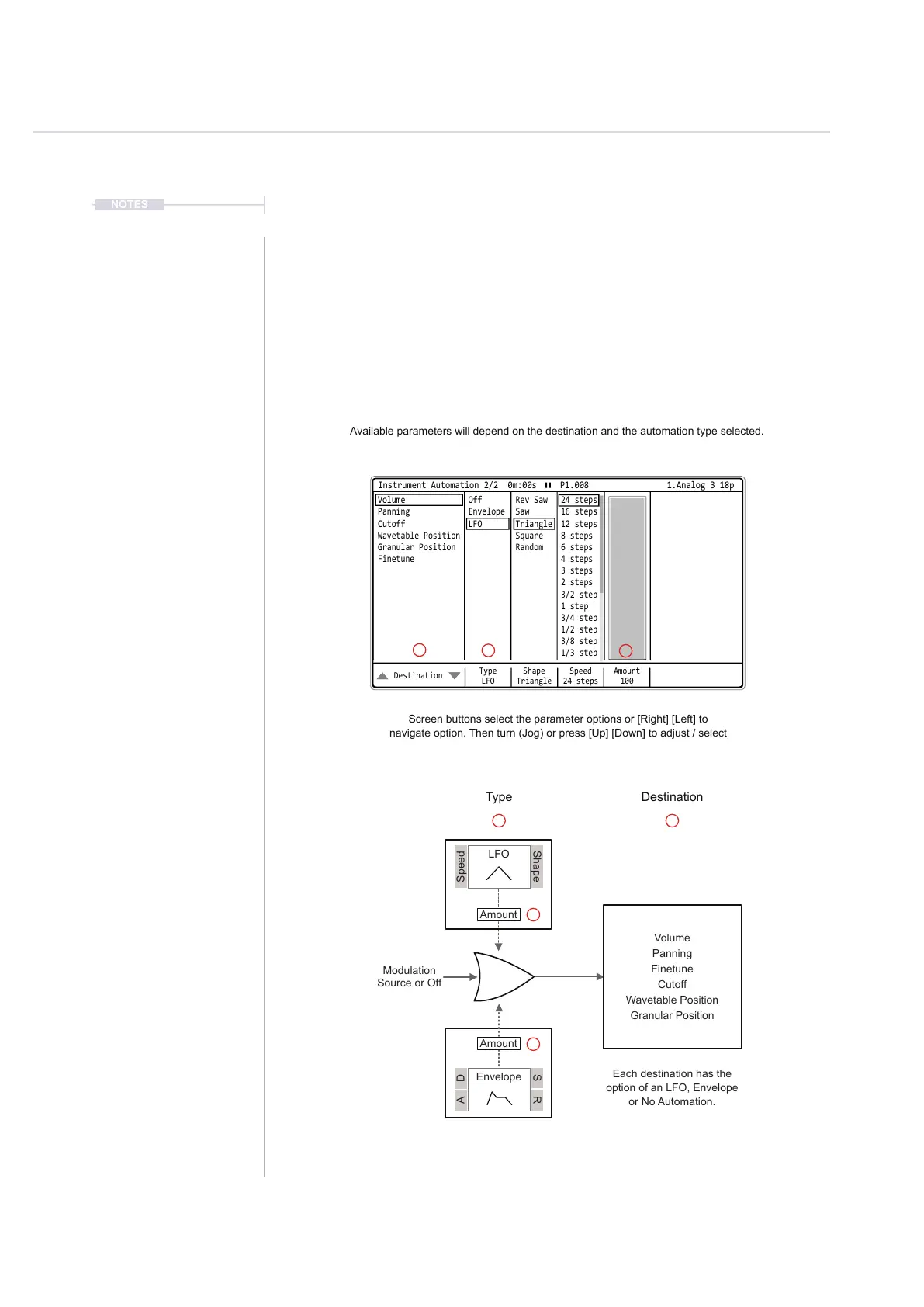
Automation also called modulation, creates movement and interest in an
instrument sound. The instrument automation settings page covers the
settings which control modulation over the instrument sound audio sample.
These parameters are located in the second page of the instrument
parameters.
The modulator can be an LFO or an Envelope. Both shape audio over a
time period for one of the several selectable destinations.
LFO
Envelope
Modulation
Source or Off
Volume
Panning
Finetune
Cutoff
Wavetable Position
Granular Position
Each destination has the
option of an LFO, Envelope
or No Automation.
Type Destination
Screen buttons select the parameter options or [Right] [Left] to
navigate option. Then turn (Jog) or press [Up] [Down] to adjust / select
Available parameters will depend on the destination and the automation type selected.
Destination
Type
LFO
Amount
100
Shape
Triangle
Speed
24 steps
Instrument Automation 2/2 0m:00s P1.008
OffVolume Rev Saw 24 steps
4 steps
EnvelopePanning Saw 16 steps
3 steps
LFOCutoff Triangle 12 steps
2 steps
3/4 step
Wavetable Position Square 8 steps
3/2 step
1/2 step
Granular Position Random 6 steps
1 step
3/8 step
1/3 step
Finetune
1.Analog 3 18p
SpeedA D
S RShape
Amount
Amount
2
2
3
3
3
1
1



 To Next Page