255
Polyend Tracker+ Manual
NOTES
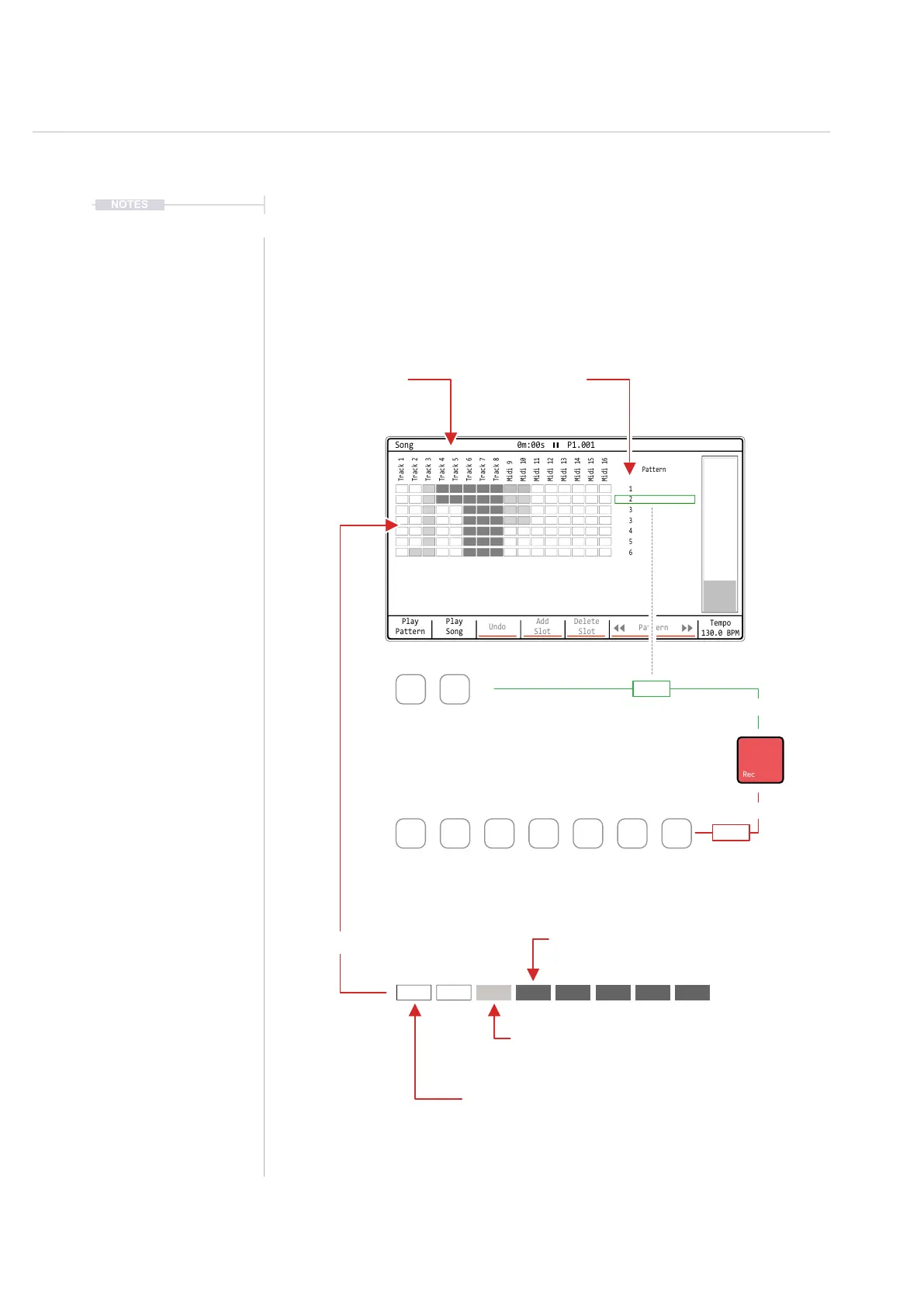
9.3 Song Mode Interface
Select the song page by pressing [Song] or hold [Song] to temporarily
display the page from within another page, reverting back to this page when
[Song] is released. The interface for song mode is by default empty other
than a single slot 1 with pattern 1. Up to 255 Song slots are available.
Pressing [Play] in song mode will play the song not just individual pattern.
Tracks in a pattern for the slot are represented as cell clips.
Song Mode
9
Play
Pattern
Play
Song
Undo
Add
Slot
Delete
Slot
Pattern
Tempo
130.0 BPM
Song 0m:00s P1.001
1
2
3
3
4
5
6
Track 1
Track 5
Midi 9
Midi 13
Track 2
Track 6
Midi 10
Midi 14
Track 4
Track 8
Midi 12
Midi 16
Track 3
Track 7
Midi 11
Midi 15
Pattern
Pattern
Pattern number assigned
to the song slot
Slot
Each slot row hosts a pattern
and plays top to bottom
‘Green’ Mode - [Rec] Off.
Only playback options are available
‘Red’ Mode - [Rec] On.
Playback and edit options are available
Dark Tracks
Track has no steps in the selected pattern. There
are no steps to play in a song.
White Tracks
Track is unmuted and has active steps in the
pattern. These will be audible in the song.
Muting Tracks
Muting is not performed in song mode. Use the Pattern page or the Track Mixer - Master Page 2/3 to mute / unmute.
Dimmed Tracks
Track is muted and has active steps in the
pattern. These will not be audible in the song.
Play
Pattern
Play
Pattern
Play
Song
Off
On
Play
Song
Undo Add
Slot
Delete
Slot
Pattern
<< >>
Tracks
Columns represent each of
the tracks in a pattern
Track Cell Clips



 To Next Page