254
Polyend Tracker+ Manual
NOTES
Song Mode
9
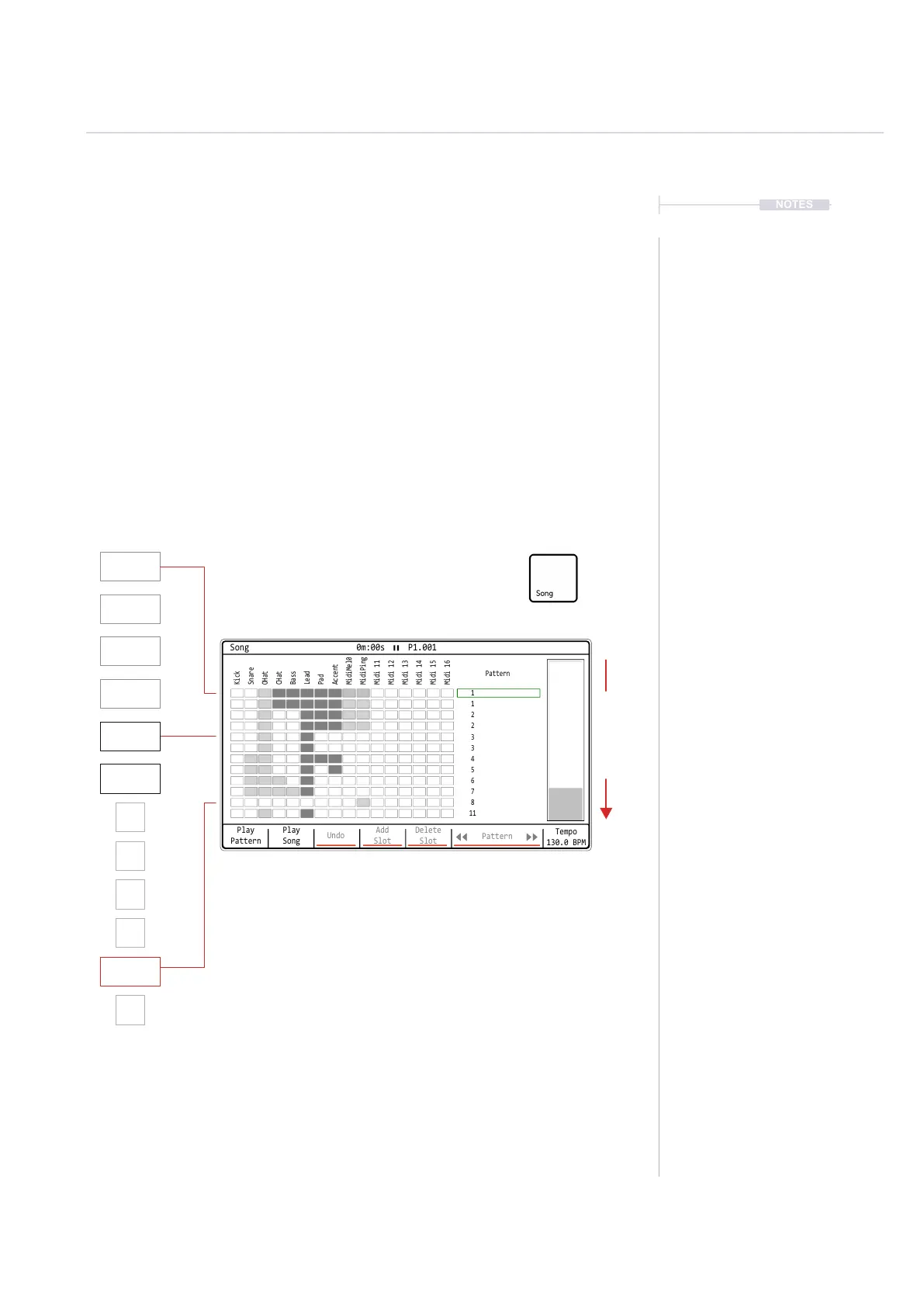
The song mode utility will help construct the patterns into a full song
arrangement, recognising muted and empty tracks.
In order to use song mode a collection of patterns will be required to select
from. Typically this may be newly created patterns or patterns edited as a
variation from a base pattern. For example the same pattern can be copied
then transposed and parts muted then saved as an alternative version.
Patterns cannot be named in Tracker+ and are managed in the pattern
page as Pattern 1, Pattern 2 etc, loaded into the song utility as 1,2 etc and
stored on the SD Card as pattern_01.mtp, pattern_02.mtp etc. It is advised
to adopt some form of noting each pattern and it’s function and features.
P1
16 Steps
P3
16 Steps
P8
16 Steps
P2
16 Steps
P4
8
P6
8
P5
8
P7
8
P11
8
P1
16 Steps
P3
16 Steps
P2
16 Steps
Play
Pattern
Play
Song
Undo
Add
Slot
Delete
Slot
Pattern
Tempo
130.0 BPM
Song 0m:00s P1.001
1
1
2
2
3
3
4
5
6
7
8
11
Kick
Bass
MidiMel0
Midi 13
Snare
Lead
MidiPing
Midi 14
CHat
Accent
Midi 12
Midi 16
OHat
Pad
Midi 11
Midi 15
Pattern
Song slots represented by the rows, with the
pattern assigned to the slot.
Each project can have 1 song, which can contain a maximum of 255 slots.
Play Direction



 To Next Page