302
Polyend Tracker+ Manual
Performance Mode
12
12.3 Selecting Tracks
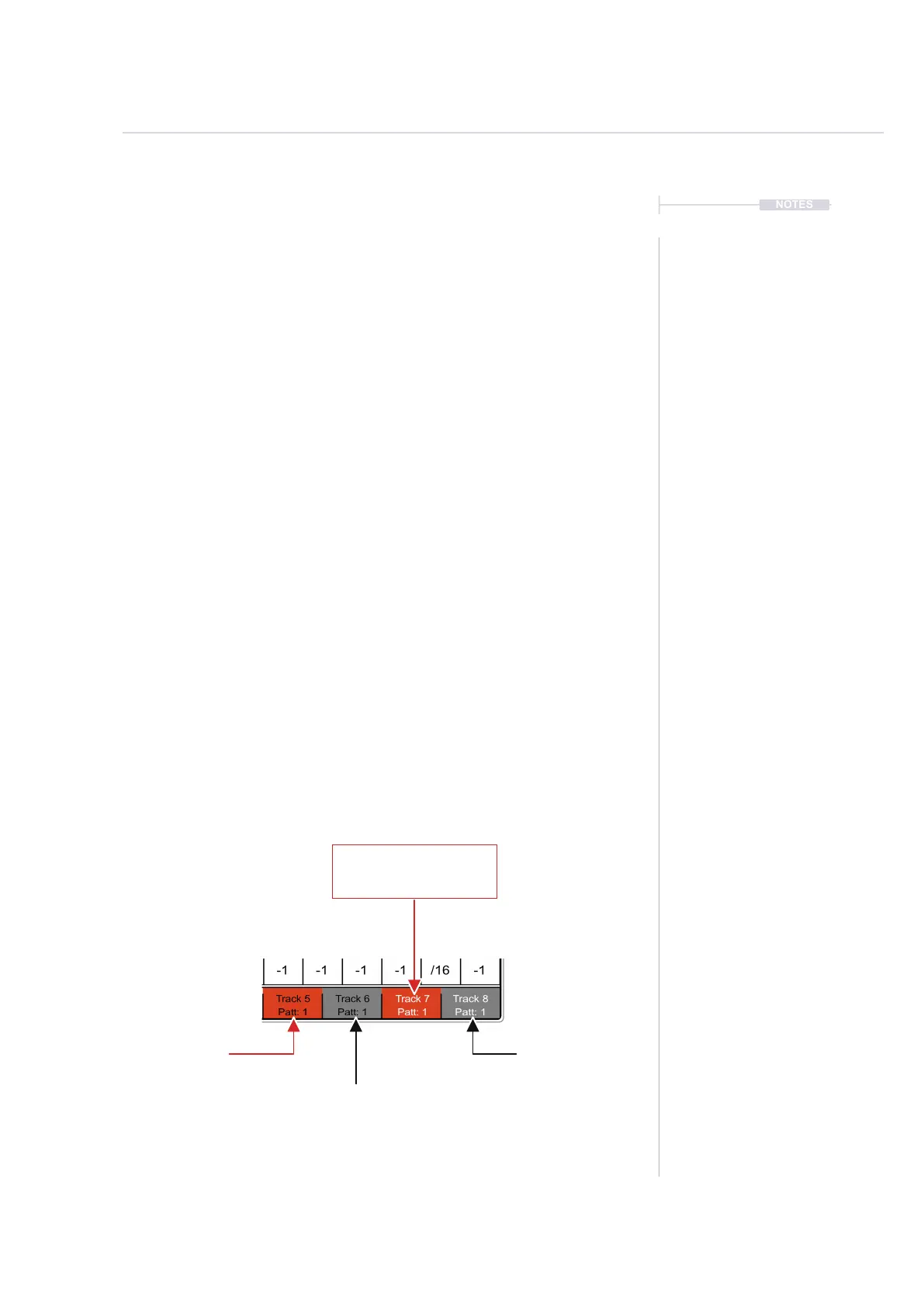
Effects triggered in performance mode will only affect selected tracks.
These are selected using the screen buttons and will be indicated in red.
Tracks can also be muted from within the perform page.
▌ SELECTING TRACKS TO APPLY PERFORMANCE EFFECTS
1. Press [Perform] to select the Performance Mode page.
2. Press [Track 1] to [Track 8], these are buttons that are represented by
the 8 screen buttons. This will toggle selection on or off.
3. A selected track will be lit red in the screen button label, which means
any performance effect triggered will apply to only the selected tracks.
Tracks showing unlit will be audible but the effect will not be applied.
▌ MUTING TRACKS IN THE PERFORM PAGE
1. Press [Perform] to select the Performance Mode page.
2. Press [Shift] + [Track 1] to [Track 8], these are buttoned represented by
the 8 screen buttons. This will toggle mute on or off.
3. A muted track will be labelled to reect the state when pressing [Shift].
In the normal display a muted track screen button text label is shown in
black, while text for an unmuted, audible track is displayed in white.
NOTES
Track 7
Red = Effect will be applied
White Text = Unmuted
Track 5
Red = Effect will be applied
Black Text = Muted
Track 8
Unlit = Effect not applied
White Text = Unmuted
Track 6
Unlit = Effect not applied
Black Text = Muted



 To Next Page