190
Polyend Tracker+ Manual
NOTES
7.22 Slice
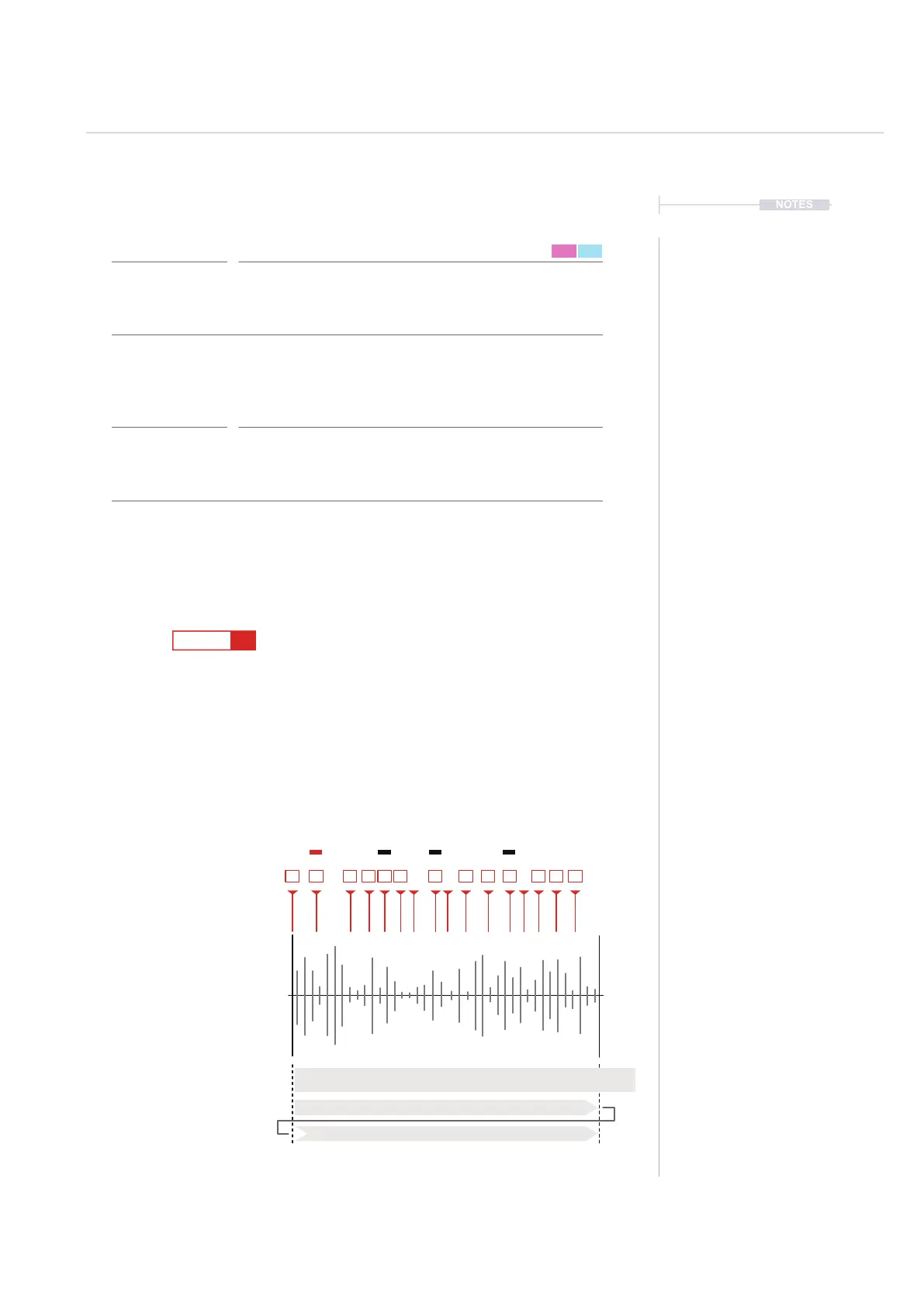
Slice 2 (Wrapped 16+2) from beat sliced instrument 16.
Slice 5 from beat sliced instrument 16 only for this step
Slice 12 from beat sliced instrument 16 only for this step
Slice 8 from beat sliced instrument 16 only for this step
The last slice eg 16 is default if a slice selection is not dened.
1
9
5
13
16
F5 16
----
F5 16
----
S 12
S 8
F5 16
---- ----
F5 16
----
S 18
S 5
F5 16
----
1
2
5
18*
*18 = 16 Max Range + 2
3 4 5 6
1
5
8
13
8
10 11 12
9
12
15 15 16
Beat Sliced Sample.
For example 16 beat sliced ‘hits’
across a drum kit. The Steps ‘S’ FX
will trigger the dened slice.
Beat Slices
Slices Triggered
Step
Slice Selected
Slice ‘S’ Range 0-48
‘S’ is aligned for slices e.g. 0-16
‘S’ Exceeds available slices e.g. S 17-32 = Slice 1-16
FX Type Tag
Value Ranges
FX Description
Example
Effect
Pad Range
S
0 - 48
Plays a selected slice on the triggered step. While the FX range of steps is 1-
48 it is typical to apply slices smaller groups e.g. 16 Steps. If so the selected
step will wrap in the range.
The LFO is triggered by each step either using the rate from the step LFO pan
or the default instrument parameter speed of no LFO FX is set. The LFO cycle
is reset each trigger..
Slice Playback
Pad 1 = 1, Pad 13 = 13 etc. However Pads will be based
on available samples and the selection will wrap the range.
FX Steps
7



 To Next Page