272
Polyend Tracker+ Manual
NOTES
10.5 Limiter
Tracker+ limiter operates as the rst insert effect in the master effect chain.
This is not a typical conguration as most applications have a limiter as the
last effect in a chain. Insert effects in Tracker+ route the entire, main audio
signal prior to the output.
What is a limiter?
A limiter is normally used at the end of an audio chain and is used to protect
the digital integrity by taming signals beyond a threshold, keeping levels
within a dened limit and usually avoid digital clipping. Limiters are useful to
develop a sounds level and increase the perceived loudness.
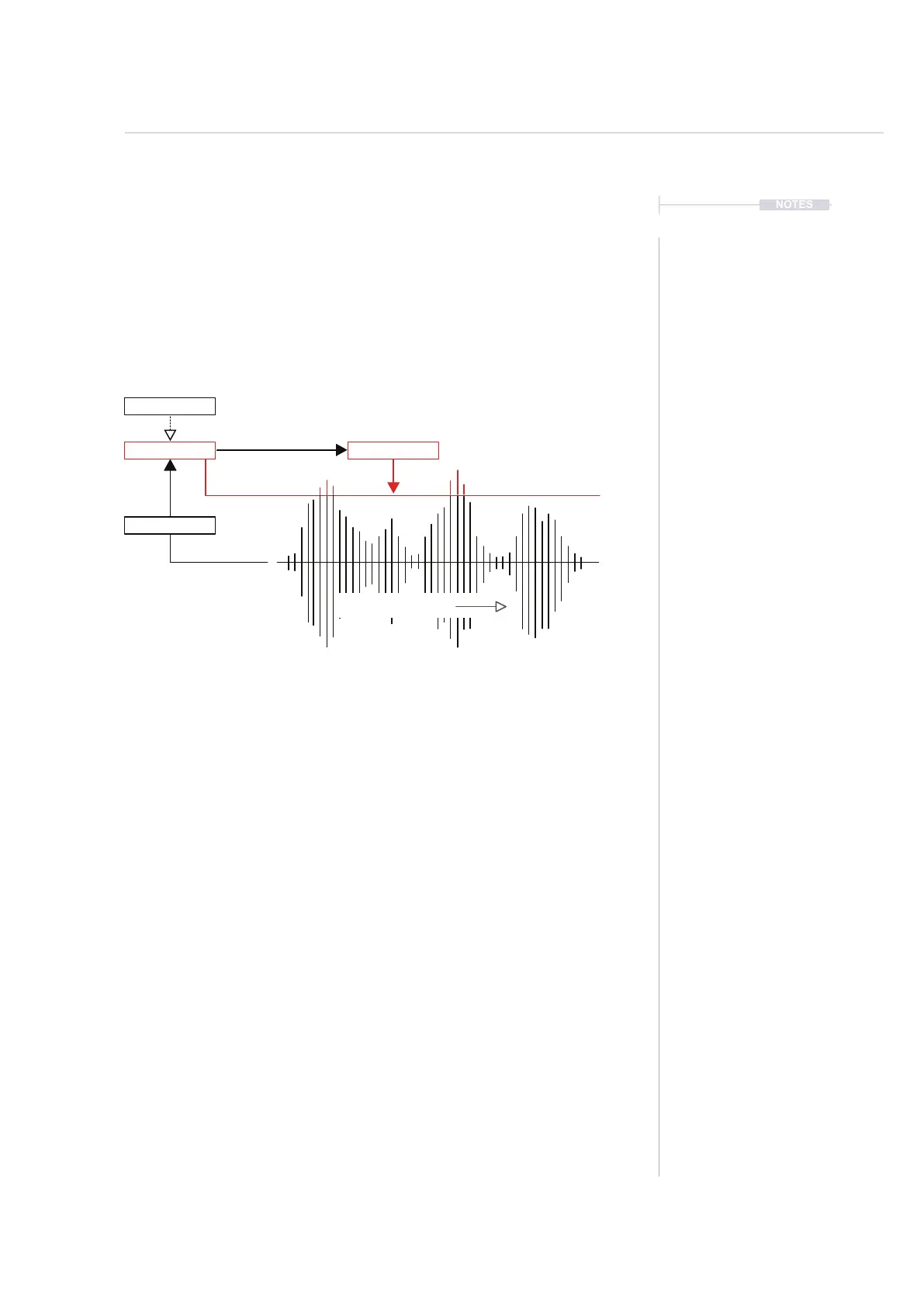
Tracker+ limiter also has a sidechain function. The Limiter threshold is
based on the main audio (sidechain off). Sidechain options will route an
alternative audio signal to trigger the gain reduction instead of the main
audio. This can be used creatively and triggered by a track or an external
audio signal
▌ ACCESSING MASTER LIMITER PARAMETERS
1. Press [Master] to select master section. Press again if needed until the
‘Master’ Page 1/3 is displayed.
2. Press [Limiter], 5
th
Screen button.
3. The ve limiter parameters are presented on the master limiter page.
4. Press [Back], 8
th
Screen button to return to the master page.
Gain ReductionThreshold
Sidechain
Peak Limiting
Signal is attenuated when
main or sidechain audio
crosses the threshold.
Tracker threshold range is
0% - 100%
Audio over Time
Main Audio
Master Effects
10



 To Next Page