213
Polyend Tracker+ Manual
NOTES
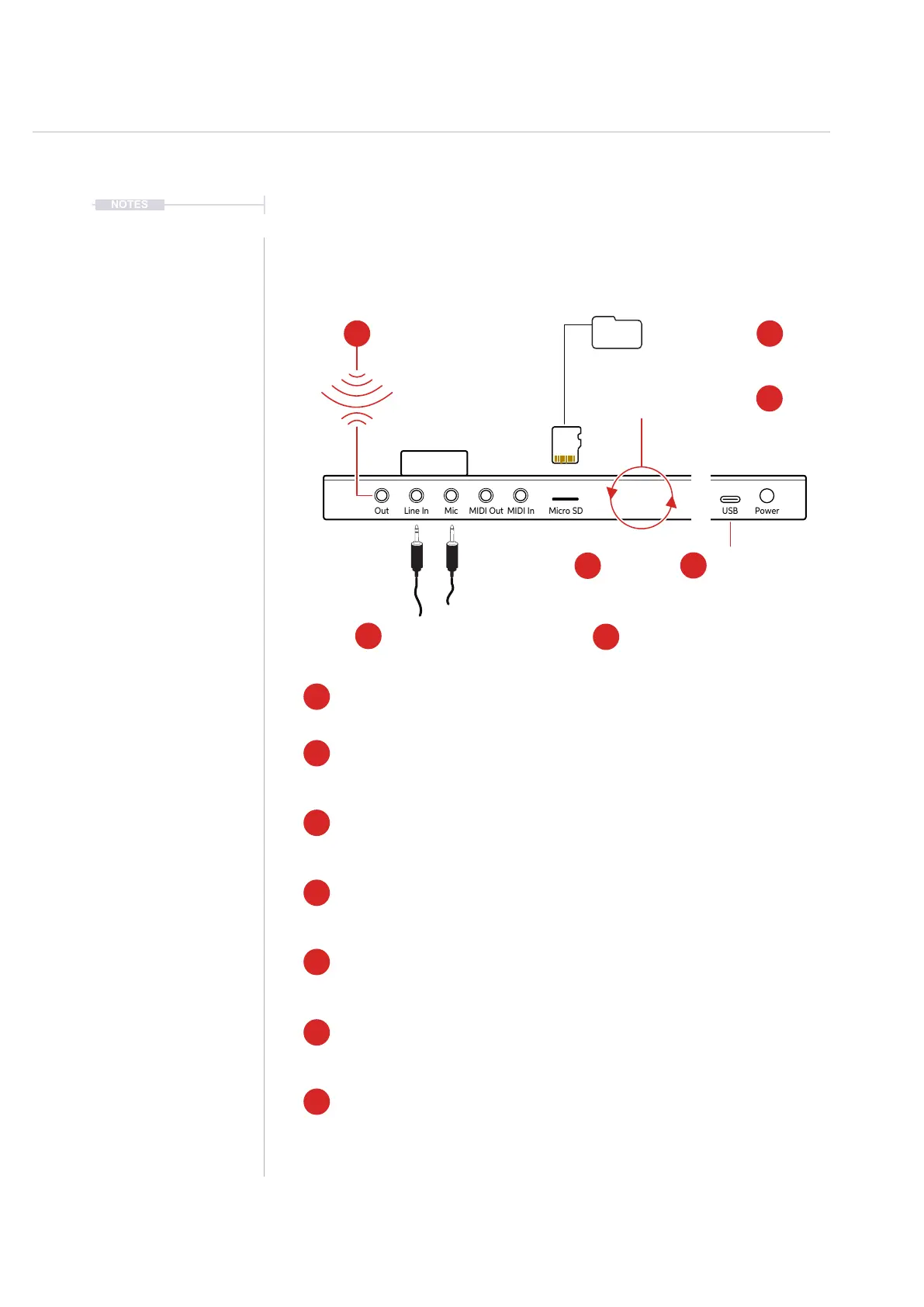
8.2 Audio Sources
There are a number of sources where Tracker+ can access audio. Some of
which are ‘live’ sources and can easily be sampled. Others manually
managed or rendered within the device.
Audio
8
Out Line In Mic MIDI Out MIDI In Micro SD
USB Power
Out Line In Mic MIDI Out MIDI In Micro SD
USB Power
7
Folder
3
3
6
2
2
4
6
7
5
4
1
1
5
Render
Bounce Internal Audio.
Microphone Input
External microphone.
Tracker+ is supplied with a 3.5mm Stereo Male Jack to 2 x 6.3mm Mono Female Socket adapter to allow
interfacing with external gear and using the more common 6.3mm mono cables.
USB Audio
The USB Audio interface allows sending 14 stereo tracks: a master stereo track, eight stereo
sample-based tracks, three synth instrument tracks, reverb and delay sends to a connected
DAW or compatible audio device. Tracker+ can also receive USB Audio.
USB Storage Device
Audio les can be transferred to/from the Tracker+ with a PC or Mac. Tracker+ and the SD acts
like a remote hard drive when connected.
SD Card
Audio samples are stored on the SD Card. These can be sampled and stored from within
Tracker+ but also can be manually transferred onto the SD card from and external source using
a PC or Mac.
FM Radio
Tracker+ has an inbuilt FM radio. Reception can be improved by connecting an arial or cable
into the output connection. The reception region can be set in the radio function. Radio can be
recorded and sampled directly within Tracker+.
Mic Input
3.5mm Microphone Input jack which allows Stereo (TRS) and Mono (TS) audio inputs. Stereo
signals are converted to mono when recorded. This does not supply 48V phantom power so
typically use a dynamic microphone. Mic has a Low Gain - LG and High Gain - HG option.
Render
A feature which is available with the internal functions is render. This bounces or exports an
audio le based on the selected pattern / tracks which can then be made immediately available
as a sample or to use from the instrument list.
Line Input
3.5mm Input jack which allows Stereo (TRS) and Mono (TS) audio inputs. Stereo signals are
converted to mono when recorded and the L & R channels can also be selected individually.
Line Input
External audio gear connection.
Radio
Sample from FM Radio
USB Audio
14 Stereo Tracks
USB Storage Device
Transfer les to / from the device
SD Card Samples
Audio samples



 To Next Page