129
Polyend Tracker+ Manual
NOTES
Instruments
6
▌ REMOVING A SLICE
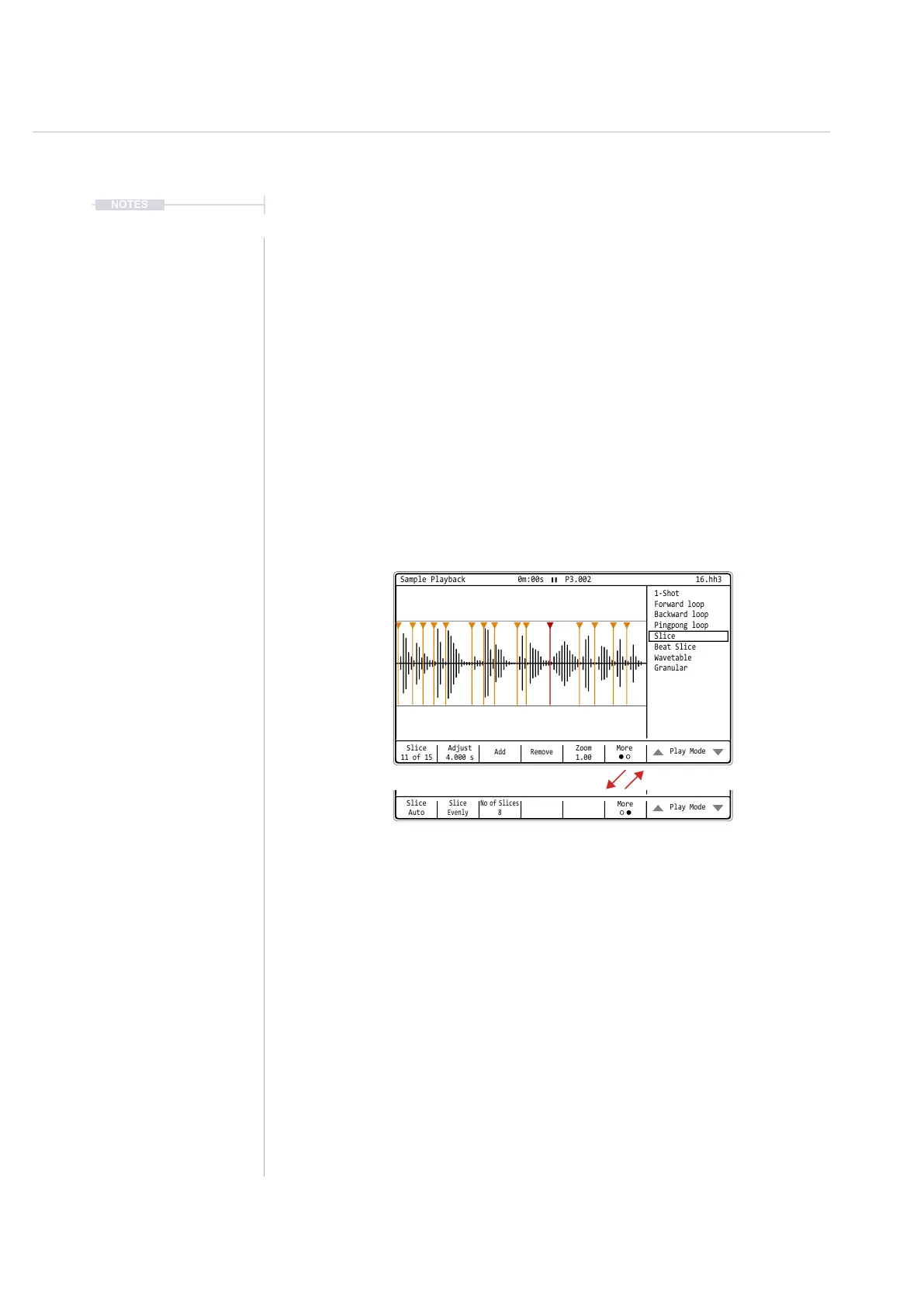
1. Press [Sample Playback] to select the playback mode pages. Ensure
the menu page 1 is selected. Use [More] to change menu pages.
2. Press the 7
th
or 8
th
Screen Button to navigate to ‘Slice’ or ‘Beat Slice’
Play mode depending on the function required.
3. Select a slice, Press [Slice], 1
st
Screen button. X of Y, Where X is the
selected slice and Y the total number of slices available.
4. Turn (Jog) to select the slice number to delete.
5. Press [Remove], 4
th
Screen Button. The selected slice is deleted
immediately (no prompt) and the currently active slice reverts to the
previous slice.
▌ ADJUSTING A SLICE POSITION
1. Press [Sample Playback] to select the playback mode pages. Ensure
the menu page 1 is selected. Use [More] to change menu pages.
2. Press the 7
th
or 8
th
Screen Button to navigate to ‘Slice’ or ‘Beat Slice’
Play mode depending on the function required.
3. Select a slice, Press [Slice], 1
st
Screen button. X of Y, Where X is the
selected slice and Y the total number of slices available.
4. Turn (Jog) to select the slice number to edit.
5. Press [Adjust], 2
nd
Screen Button. Zoom may help create precise edits.
6. Turn (Jog) or Press [Up] or [Down] to adjust the slice start position.
Slice
11 of 15
Adjust
4.000 s
Add Remove
Zoom
1.00
Play Mode
Sample Playback 0m:00s P3.002
1-Shot
Slice
Forward loop
Beat Slice
Backward loop
Wavetable
Pingpong loop
Granular
16.hh3
More
Slice
Auto
Slice
Evenly
No of Slices
8
Play Mode
Sample Playback 0m:00s P3.002
1-Shot
Slice
Forward loop
Beat Slice
Backward loop
Wavetable
Pingpong loop
Granular
16.hh3
More



 To Next Page