ABL77 Service Manual Chapter 6: Replacements
A/D Cable – Analog Board to CPU Board
A/D Cable
Follow these steps to replace the A/D cable between the analog board and the CPU
board.
Step Action
1.
Remove the electronics module.
2.
Remove the analog board. One end of the A/D cable will be
disconnected when the analog board is removed.
3.
Disconnect the old A/D cable from the connector at the right rear of
the CPU board.
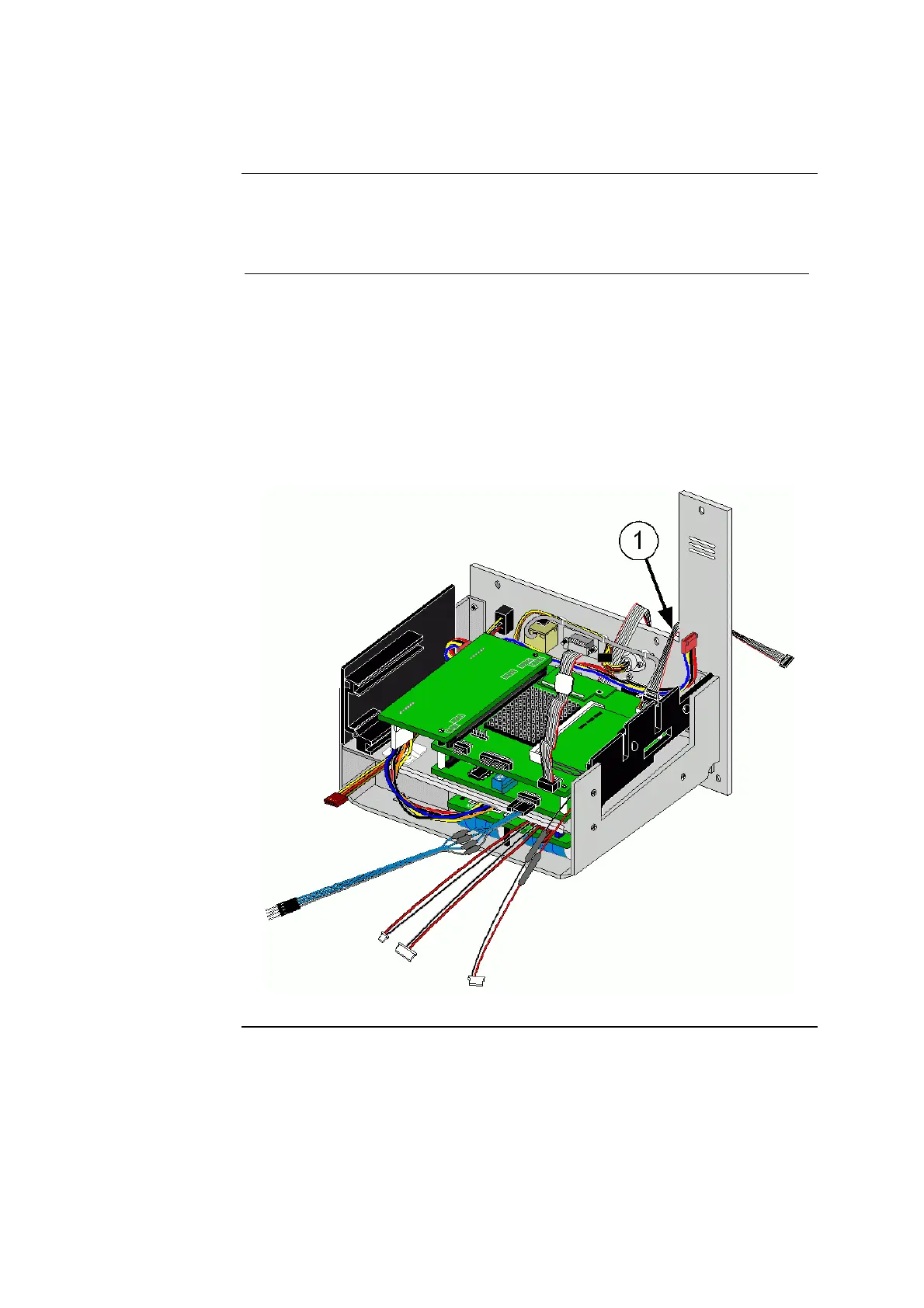
4. Connect the new A/D cable (item 1 in figure 6-29), with the red strip
to the right, into the 10-pin header on the right rear of the CPU board.
5.
Re-assembly the analyzer starting with the electronics module.
Figure 6-29
Rev. F 6-47


 To Next Page
 Loading...

