Sirius 800 Series User Manual 5919 Sirius 800 Video AHP Input Module with Delay and Sync Input Rear Panels and Input
Iss 5 Rev 7 Page 147 © 2017 SAM
Video Delay
Delay is applied to a video output channel in frames, lines, pixels or in milliseconds. Video
delay is set in steps of 0.00001 ms up to a maximum of 14 frames for progressive video
standards or 14 fields for interlaced video standards.
Each video standard has a tab for frame sync configuration and a tab for delay configuration.
The signal standard is auto detected and the channel uses the settings defined in the
appropriate Frame sync or Delay tab for that standard.
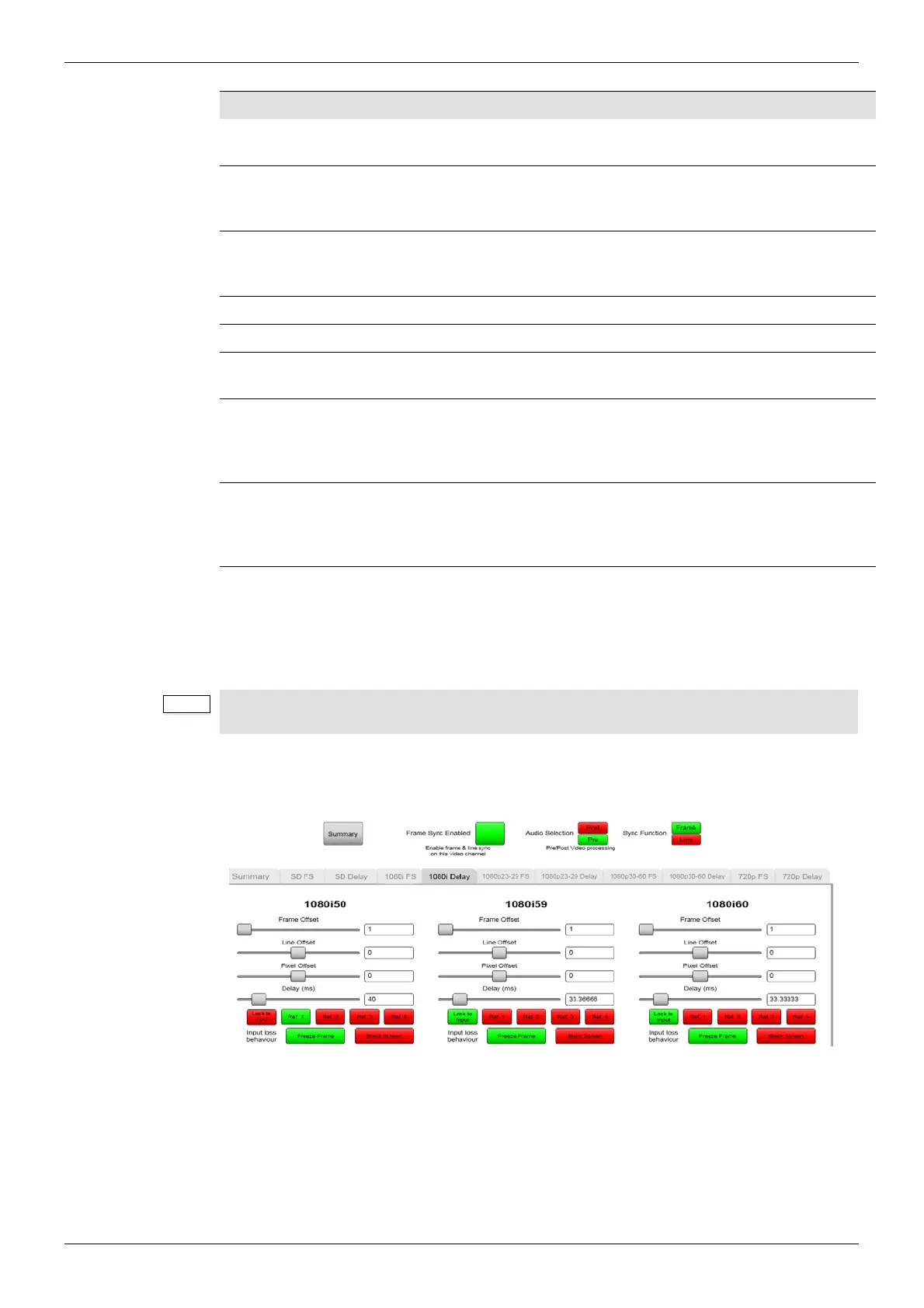
The example in Figure 101 shows:
1080i50 - set to Ref 1 so a 1080i50 signal will use frame sync settings in the 1080i FS tab.
1080i59 - set to Lock to Input so a 1080i59 signal will use delay settings in the 1080i Delay
tab.
Function Function Description
XXXX FS tab (where XXXX is the video standard, eg 1080i FS)
Video standard configuration tabs for Frame/Line Sync
Frame Offset*
Select the number of frames of offset from the reference. Only
available if Sync Function is selected as Frame.
If Line is selected then the frame slider is not visible.
Line Offset*
Select the number of lines of offset from the reference. Only available
if Sync Function is selected as Frame.
If Line is selected then the frame slider is not visible.
Pixel Offset* Select the number of pixels of offset from the reference.
Delay ms* Select the offset in milliseconds from the reference.
*When setting any one of the above values the other settings will automatically changes to
reflect the setting being made.
Reference
Lock to Input- Select Lock to Input to enable video delay for the
video standard.
Reference 1 to 4 - Select which video reference the signal will be
synchronized to.
Input Loss behavior
Freeze Frame - in the event of input signal loss the last good frame is
output.
Black Screen - in the event of input signal loss a black screen is
output.
Table 29 Frame Sync Configuration
To enable video delay for a particular video standard Lock to Input must be selected in
either the delay tab or the frame sync tab of the same standard.
Figure 101 Example Workbench 1080i Delay Settings Screen



 To Next Page