SINUMERIK operating mode
6.2 Networking
ITC V3, ITC V3 PRO
134 Operating Instructions, 03/2024, A5E42761061-AF
6.2.2 ITC commissioning
6.2.2.1 Key assignment
Key assignment
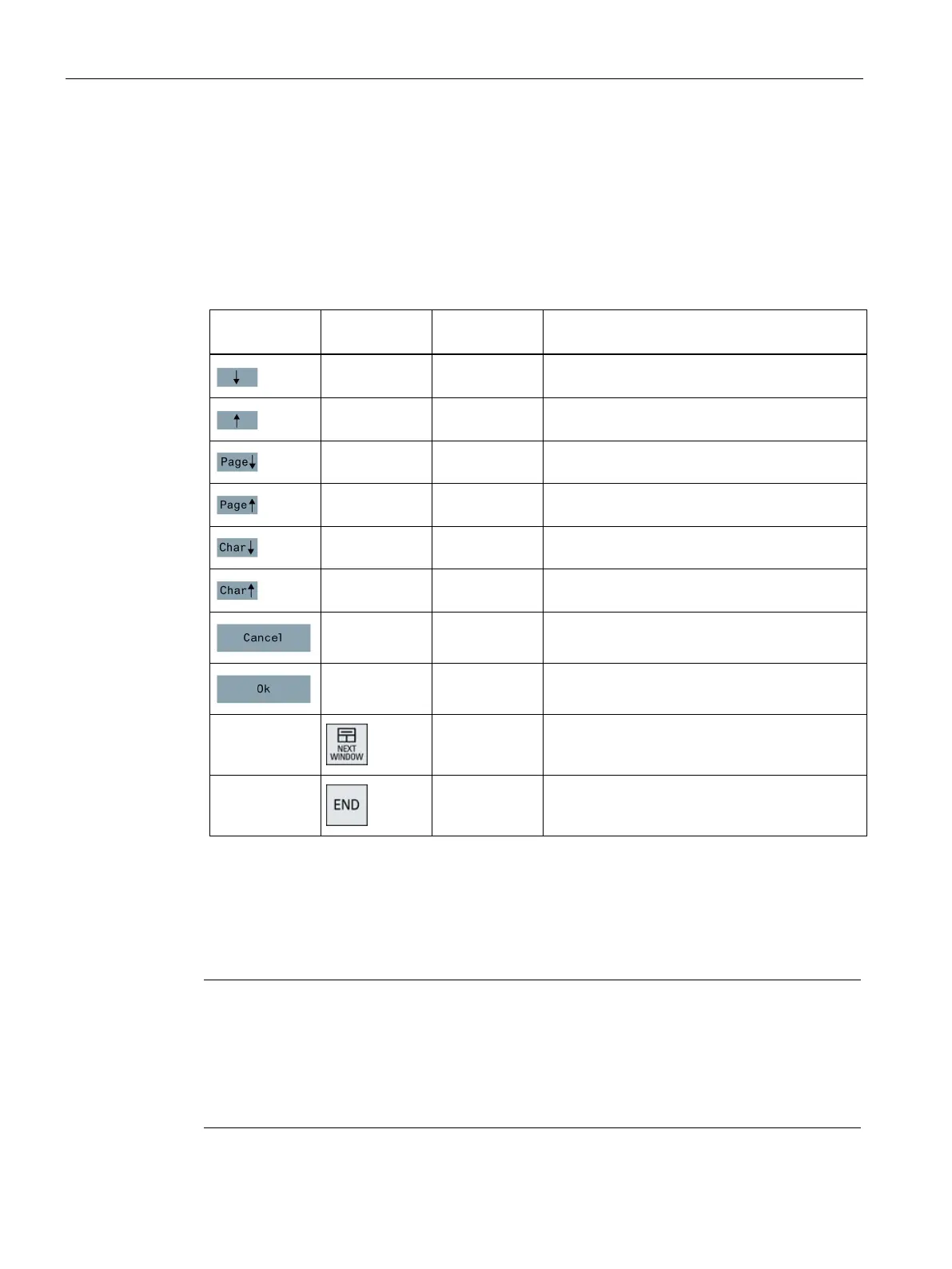
Functions of the keys and softkeys in the "Operator panel service system":
keyboard
Moves the cursor down a row
Moves the cursor up a row
Moves the cursor down a page
HSK4 <F4> Moves the cursor up a page
Moves the cursor to the top row
Moves the cursor to the bottom row
Exceptions to the above are mainly the result of input fields. Where these are present, the
left/right cursor keys move the input cursor rather than performing an OK/cancel function.
The Return key takes you to the next field (like the "down" key) rather than closing the entire
dialog with OK. There are also Backspace (deletes character to the left) and Delete (deletes
character to the right) keys for editing text and numbers. The F5, F6, Backspace, Delete, and
Select keys (between the cursor keys) can be used to switch between Yes/No fields.
Special function for Touch Panels without additional keys
Letters and numbers in input fields can be edited with HSK5/HSK6, which switch one
character forward or backward. With a touch screen, you can activate all the softkeys and
even select rows in a menu simply by touching them.
A virtual keyboard automatically appears for operator panels without keys.










 To Next Page