ITC V3, ITC V3 PRO
Operating Instructions, 03/2024, A5E42761061-AF
127
SINUMERIK operating mode
6.1 SINUMERIK commissioning
Requirement
The devices is connected according to the description in these operating instructions to the
24V DC power supply and equipotential bonding is connected.
Procedure
1. Switch on power to the Industrial Thin Client.
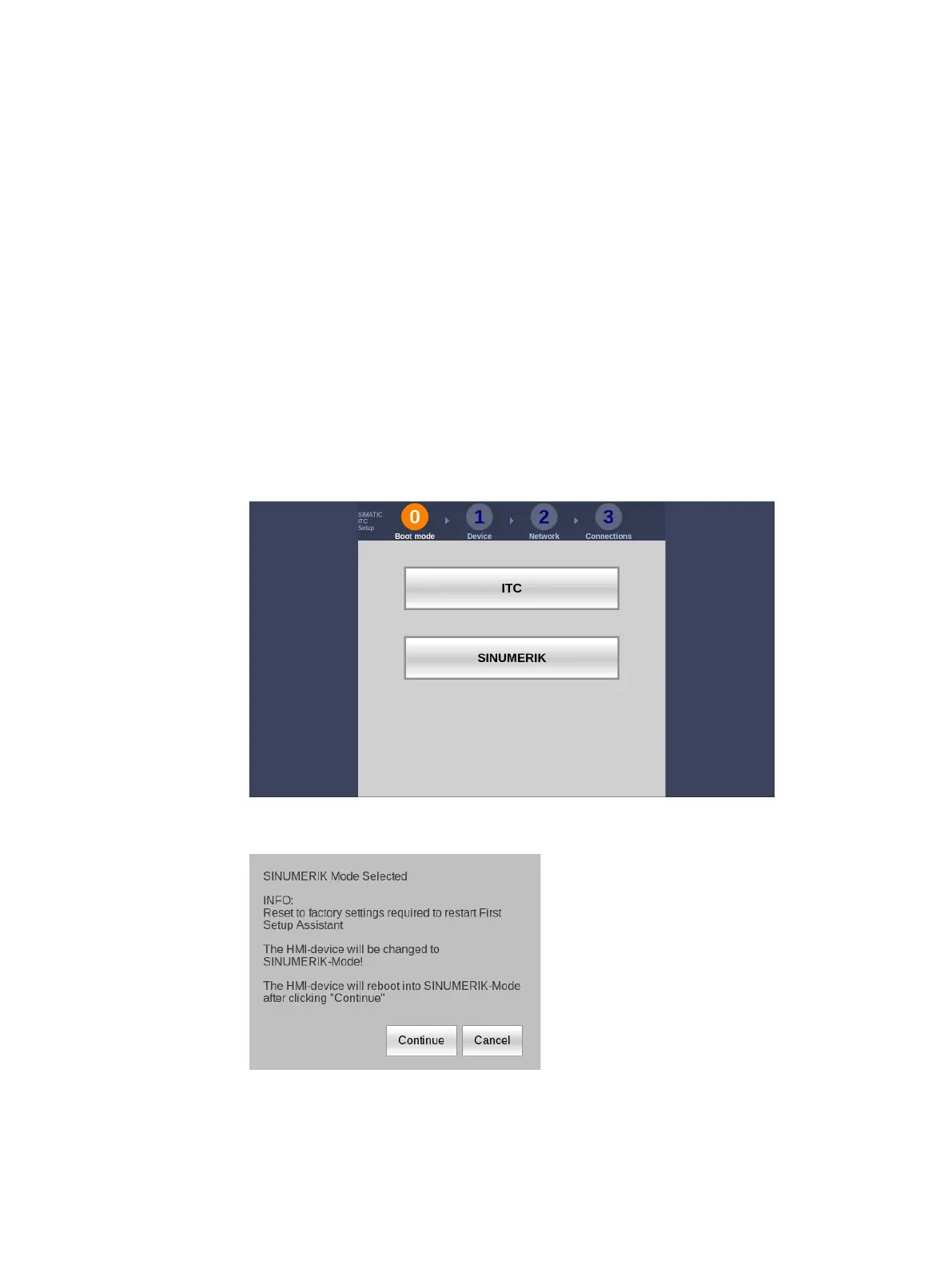
The first commissioning dialog to select the operating mode is displayed.
2. Select the operating mode "SINUMERIK".
The following dialog appears:
3. Confirm the dialog with the "Continue" button.
The device restarts.










 To Next Page