SINUMERIK operating mode
6.2 Networking
ITC V3, ITC V3 PRO
154 Operating Instructions, 03/2024, A5E42761061-AF
6.2.4.4 Operation of ITC menu "Modify settings"
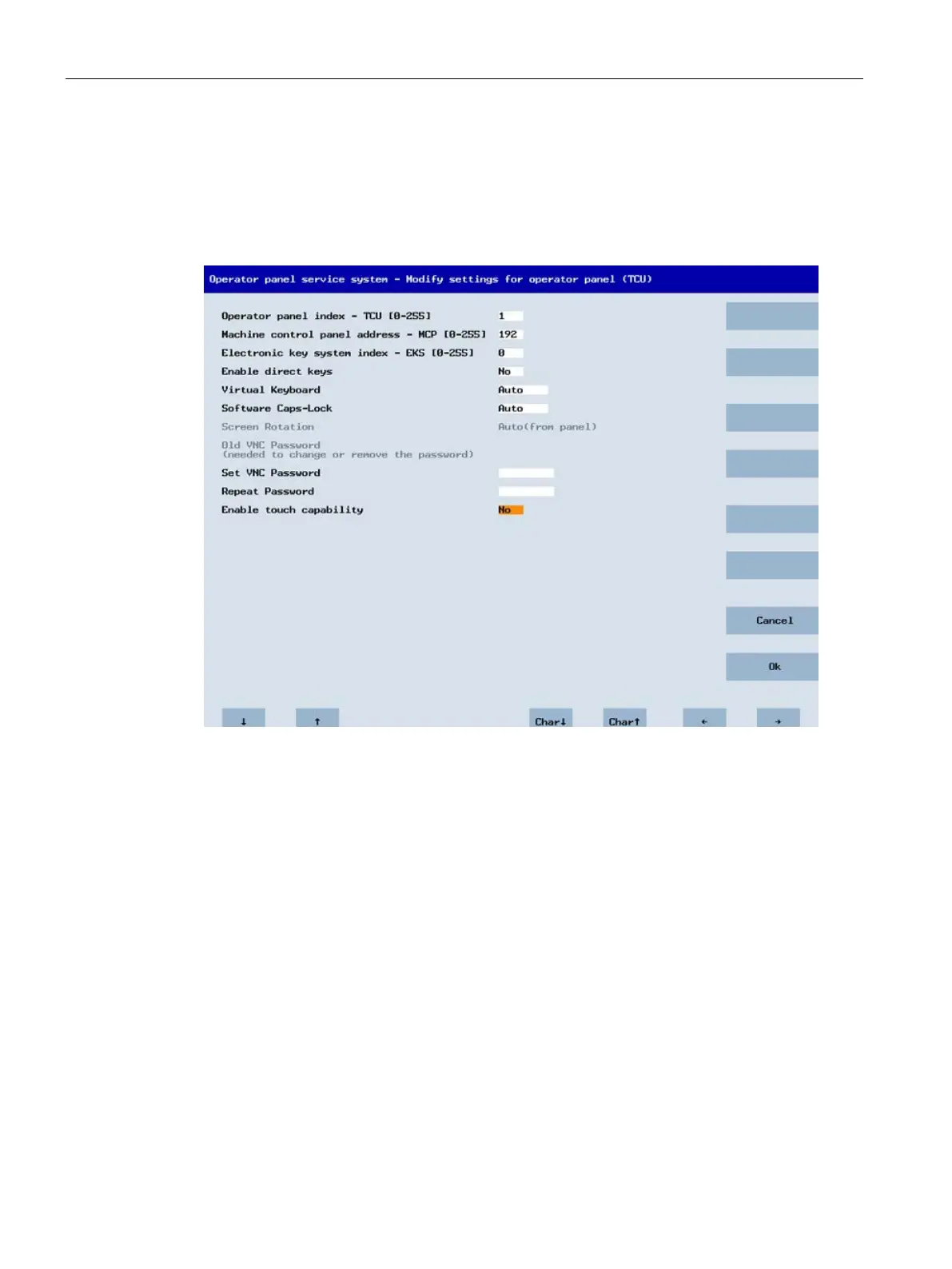
"Modify settings for operator panel (TCU)" dialog
The following dialog appears when "Modify settings" is selected from the main menu:
The following parameters are set here during first commissioning:
• "HT 8 individual mode" (yes/no)
This is only visible with HT 8, and is used to switch between Auto Mode and Individual
Mode.
You do not have to make settings for an HT 8 in Auto Mode because the name is
generated automatically: ("DIP<n>") MCP address and TCU index are derived from the DIP
setting ("DIP<n>").
• "Operator panel index - TCU" (0-255)
Defines the TCU index; see column "TCU" on the user interface.
• "Machine control panel address - MCP" (0-255)
Specifies the address of the associated MCP; see column "MCP" on the user interface.
• "Electronic key system index - EKS" (0-255)
Specifies the index of the associated EKS; see column "EKS" on the user interface.
• "Enable direct keys" (yes/no)
Specifies whether direct keys are registered with the PLC (yes) or are treated as ordinary
keys (no); see column "DCK" on the user interface.










 To Next Page