Installing and connecting the device
3.4 Connecting the device
ITC V3, ITC V3 PRO
Operating Instructions, 03/2024, A5E42761061-AF
63
Connecting the power supply
Do not damage the socket
Do not tighten the screws of the power supply connector if it is plugged into the HMI
device. The pressure from the screwdriver may otherwise damage the HMI device socket.
Connect the power cables when the power supply is disconnected from the HMI device.
1. Switch off the power supply.
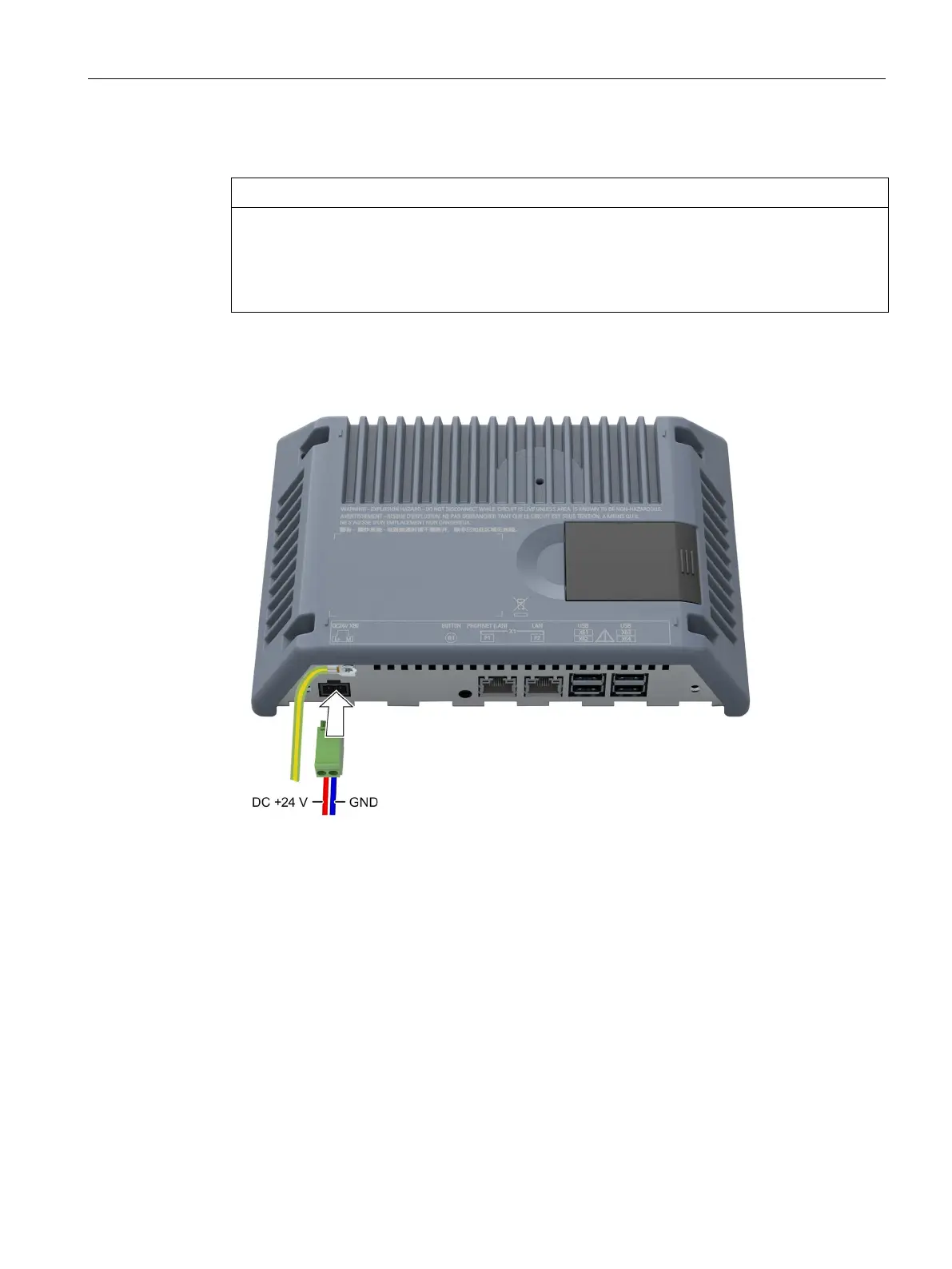
2. Connect the power supply cables to the power supply connector as shown by way of
example in the following figure. Observe the cable specification in the table above.
3. Connect the power supply connector to the corresponding socket of the HMI device. Check
for correct polarity of the cables by referring to the interface labeling on the back of the HMI
device.
Reverse polarity protection
The device is equipped with reverse polarity protection.
See also
Interfaces (Page 24)
Power supply (Page 203)










 To Next Page