Installing and connecting the device
3.1 Preparing for installation
ITC V3, ITC V3 PRO
Operating Instructions, 03/2024, A5E42761061-AF
43
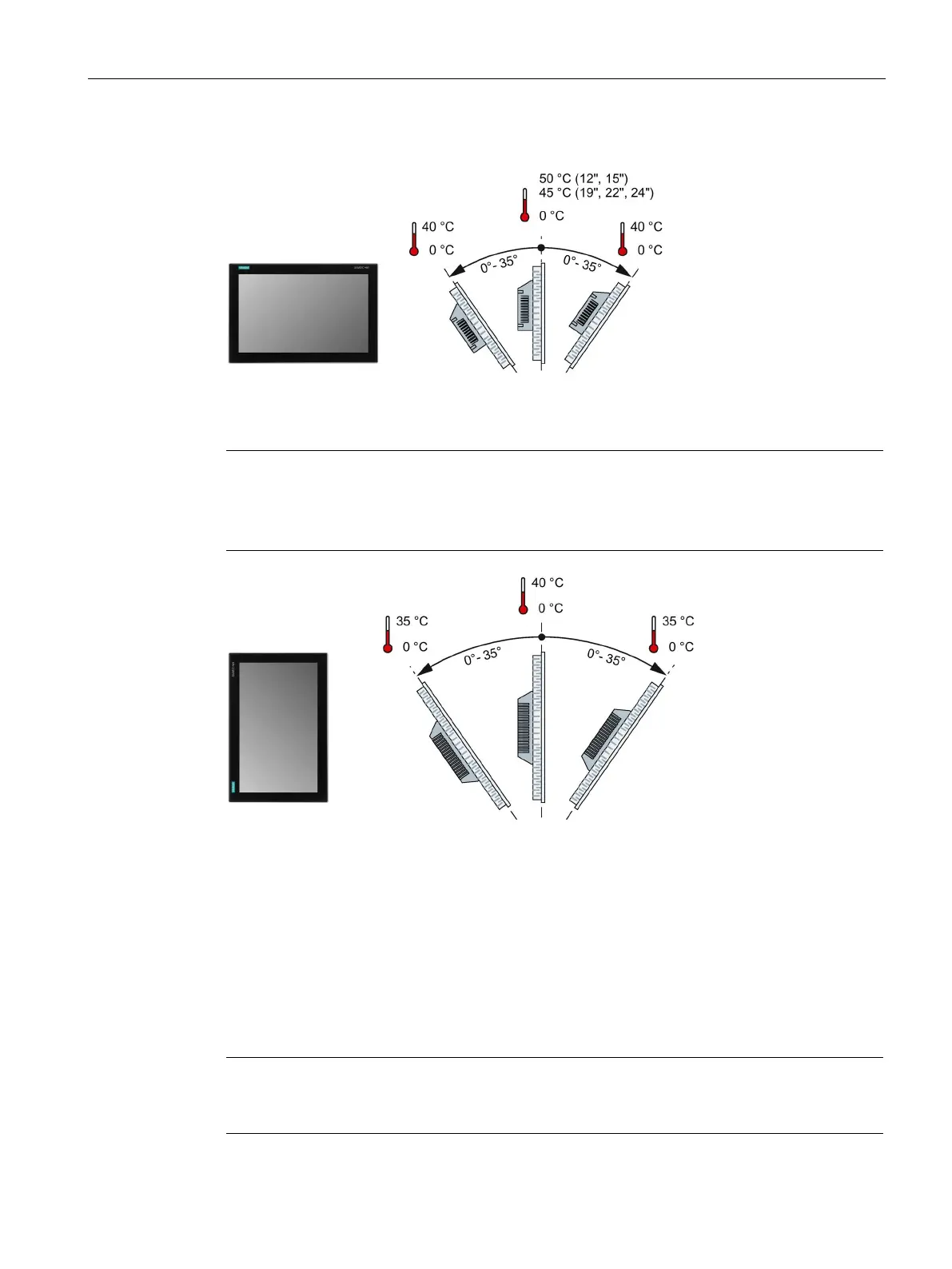
Mounting in landscape format
Mounting in portrait format
Portrait format must also be supported by the software
tall the HMI device in portrait format when the software used supports portrait
3.1.3.2 Checking clearances
The following clearances around the device are required:
• Above and below the mounting cutout for ventilation purposes: 50 mm each
• Keep 15 mm free to the right and left of the mounting cutout for inserting the mounting
clips.
• At least 10 mm behind the rear panel of the device. The device depth in the control
cabinet is 73.1 mm.
Ensure compliance with the permissible ambient temperature when the device is installed in
a cabinet and especially in a closed enclosure.










 To Next Page