SINUMERIK operating mode
6.2 Networking
ITC V3, ITC V3 PRO
142 Operating Instructions, 03/2024, A5E42761061-AF
6.2.3.3 Networks with NCU connection to the company network
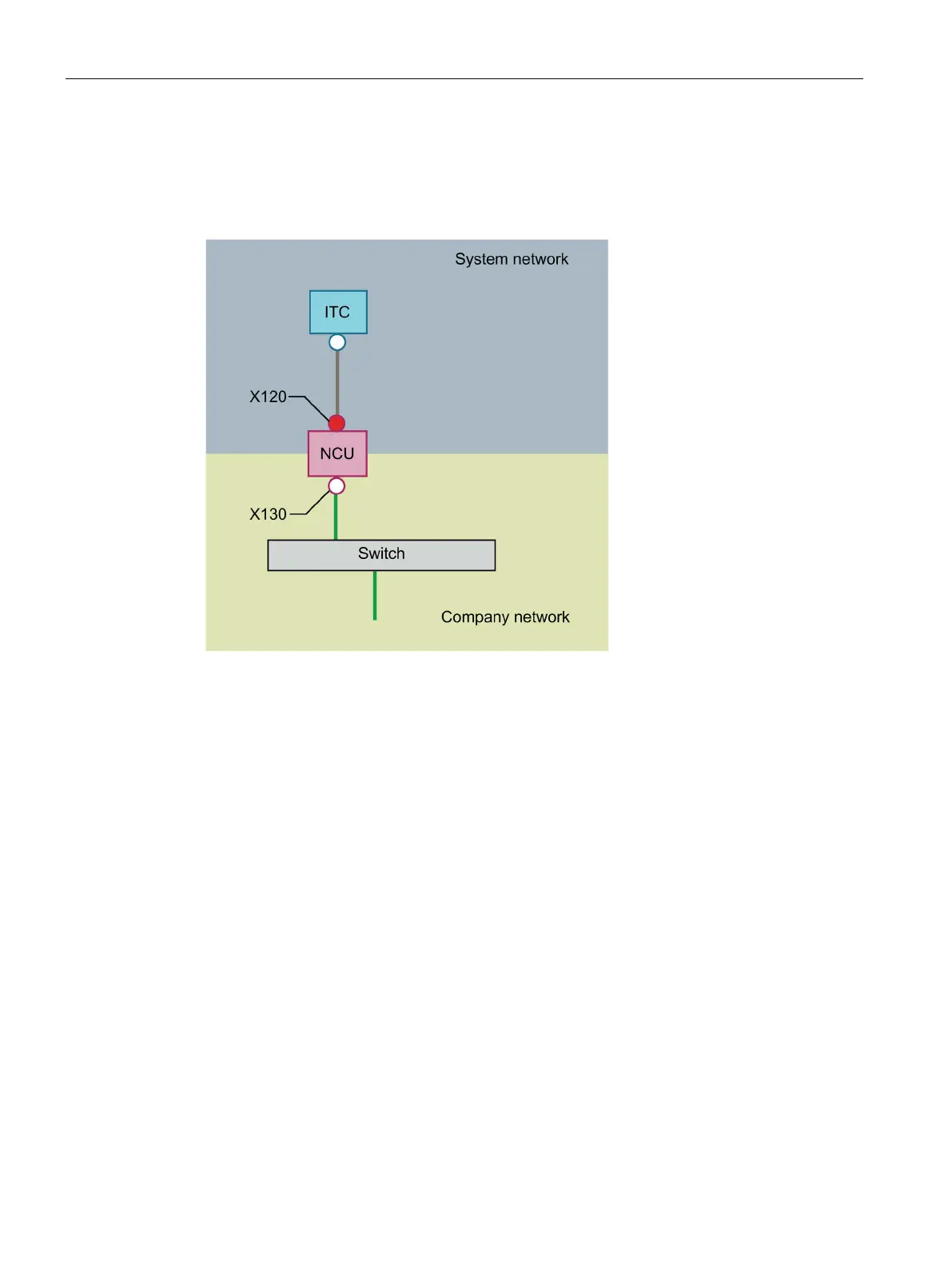
Configuration 2: NCU and ITC
On X130, the NCU is connected to a switch to the company network with a straight cable.
As in configuration 1, there is a direct Ethernet connection between an ITC and X120 on the
NCU. NCU and ITC are suitably preconfigured with IP addresses. The IP addresses used here
are not significant for further operation.
IP configuration: DHCP server on the company network
On the X130, the NCU is set to the address reference via DHCP. If the company network has a
DHCP server that provides the NCU with an IP address/configuration, the NCU is integrated in
the company network.
Depending on the infrastructure available or the level of network administration of the
company network, the following network parameters must be set for the NCU on X130:
• Computer name on the company network
• The address of a DNS server
• The address of a gateway (default router)
The IP address of the NCU on this connection is also assigned via the network administration.
If the company network offers a low level of administration, in the worst case scenario the
network has only one DHCP server that assigns the addresses from a predefined address
range, the NCU receives an IP address that is initially unknown.










 To Next Page