Installing and connecting the device
3.1 Preparing for installation
ITC V3, ITC V3 PRO
Operating Instructions, 03/2024, A5E42761061-AF
47
3.1.4.2 Installing a strain relief
Requirement
For the assembly of the strain relief bracket you require:
• The strain relief bracket from the scope of delivery
• A torque screwdriver with a T20 bit
Procedure
Mount the strain relief plate as follows:
1. Loosen the two screws of the terminal compartment cover and remove the terminal
compartment cover.
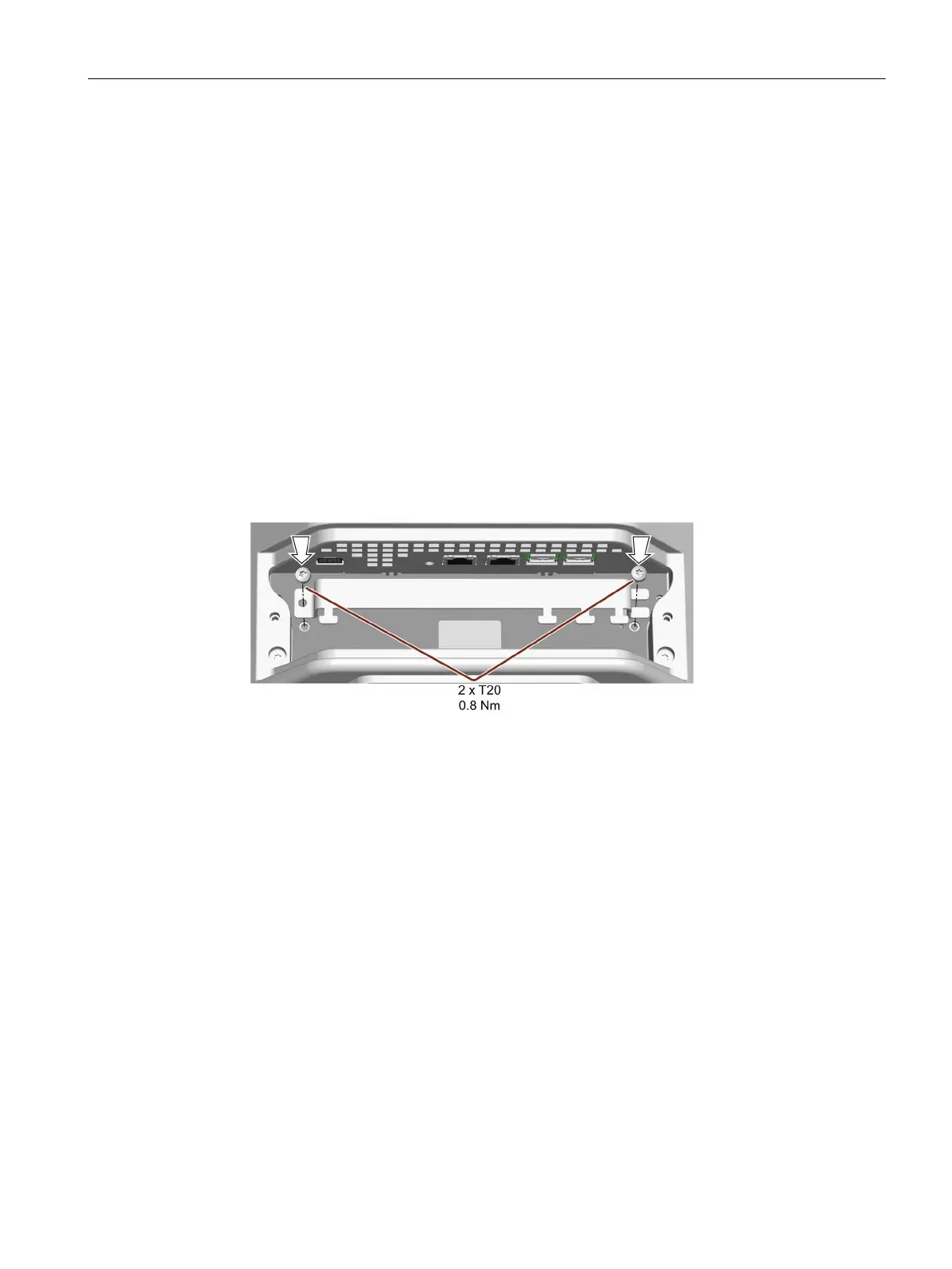
2. Fasten the strain-relief with the screws intended for this purpose, torque 0.8 Nm.
The screws are already inserted in the device in the delivery state.
The figure below shows an example.
For PRO devices for support arm (not extendable, flange top), the strain relief plate must
be installed rotated by 180°.
3. If you do not install the device to a support arm or a pedestal immediately afterwards, close
the terminal compartment. Fasten the terminal compartment cover with the two associated
screws, torque 1.5 Nm. Check that the seal is sitting correctly.










 To Next Page