SINUMERIK operating mode
6.2 Networking
ITC V3, ITC V3 PRO
144 Operating Instructions, 03/2024, A5E42761061-AF
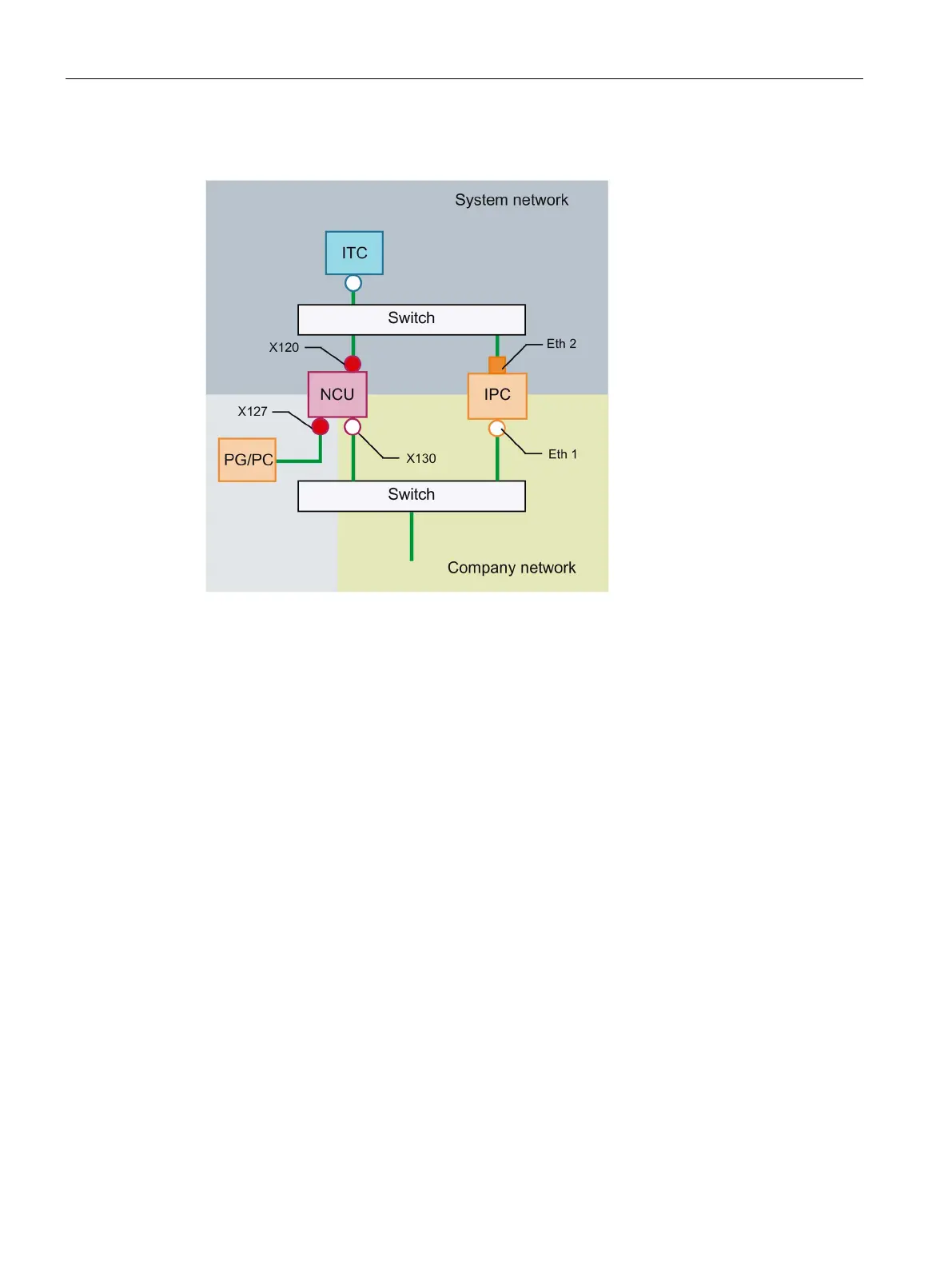
Connecting the programming device (PG) to the NCU
For service purposes a programming device is connected to the NCU at X127 as a standard
DHCP client (automatically obtain an IP address). An NCU is a standard DHCP server on X127.
On X127, the NCU occupies the static IP address 192.168.215.1 with the subnet mask
255.255.255.224.
At X127, IP addresses from 192.168.215.2 onwards are assigned via DHCP; e.g. to connect a
programming device. This is the reason that a static IP address must not be set at the
programming device.
6.2.3.4 Example: Configuring a VNC connection to a PC
Requirements
In order to use an ITC to get visual access to a computer from a SINUMERIK system via VNC,
the following requirements apply:
• The VNC connections should be configured in the HMI.
• The boot server (active DHCP server) in the system network must be an NCU.
• This NCU must be integrated via X130 or X120, i.e. in the network that contains the
computer to be monitored.
• The computer to be monitored must be configured in the config.ini configuration file of
the ITC according to the general configuration for an ITC in a separate host section as a
switchover target for this ITC.
Where necessary, a password has to be specified in the configuration, if the VNC server
requires one on the target system (see below).










 To Next Page