SINUMERIK operating mode
6.2 Networking
ITC V3, ITC V3 PRO
Operating Instructions, 03/2024, A5E42761061-AF
159
6.2.4.6 How to register an ITC in the system network
Precondition
The boot server (NCU or IPC) defined in the system network as a DHCP master must be
switched on and available in the network.
Using ITC
Procedure:
1. Connecting ITC
This opens the "New operator panel (TCU)" dialog.
2. Select "New" to connect a new ITC and confirm with "OK".
3. In the next dialog, accept the name suggested by the system or enter a name and confirm
this with "OK".
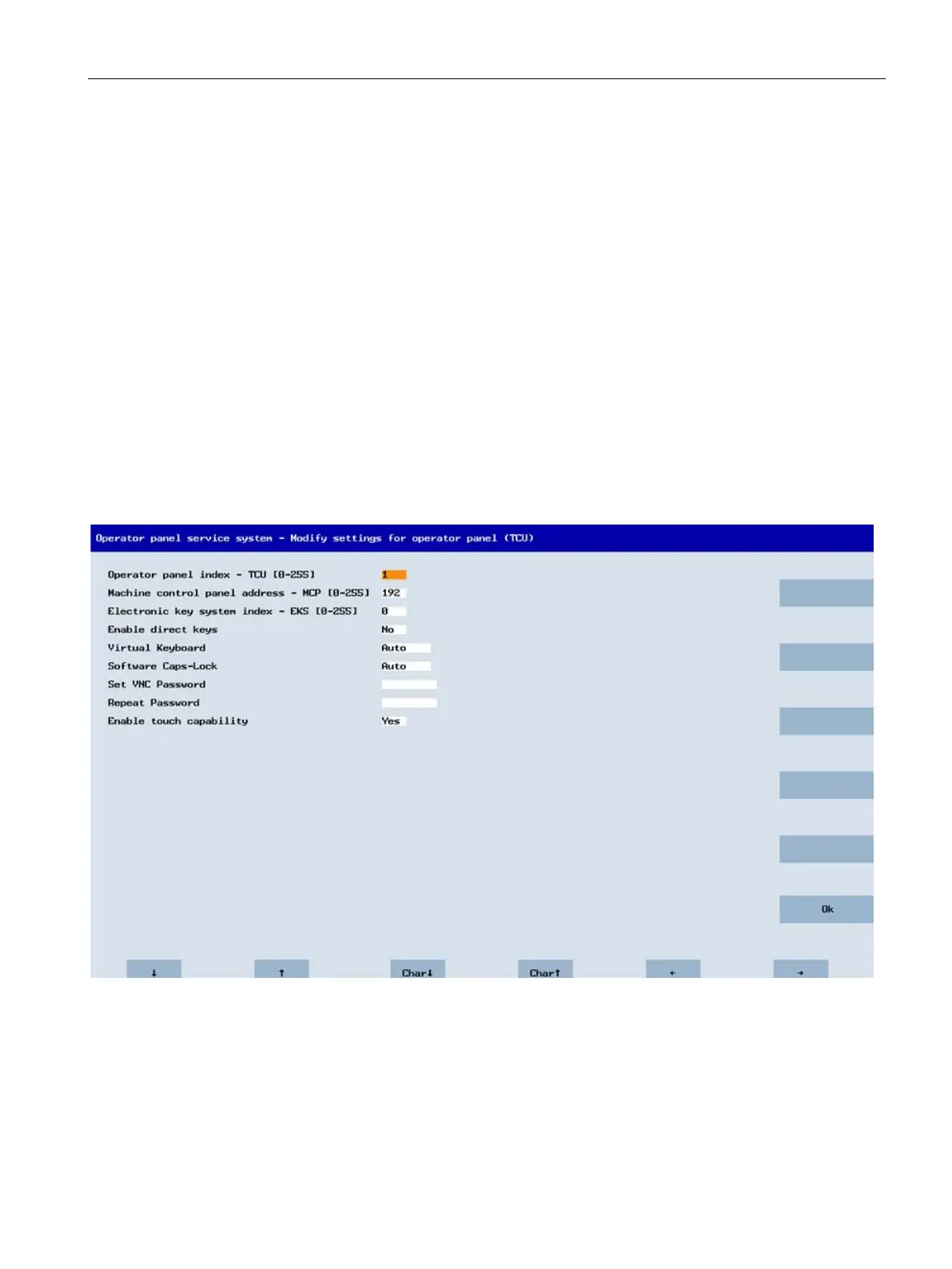
The following parameters are preselected for the ITC:
4. Restart the ITC to apply the new settings.
5. If you want to change the parameters, select "Main menu" > "Service this panel" > "Modify
operator panel settings".










 To Next Page