ITC Operating mode
5.5 Assigning device parameters
ITC V3, ITC V3 PRO
Operating Instructions, 03/2024, A5E42761061-AF
97
Buttons
The buttons have the following functions:
• "New": creates a new client-server connection.
• "Edit": opens the connection settings of the client-server connection.
Same dialog as "New" with the only difference that the "Connection type" can no longer be
changed.
• "Testing": Checks if the server and port can be reached (ping).
• "Delete": deletes the client-server connection.
See also
Opening the configuration (Page 83)
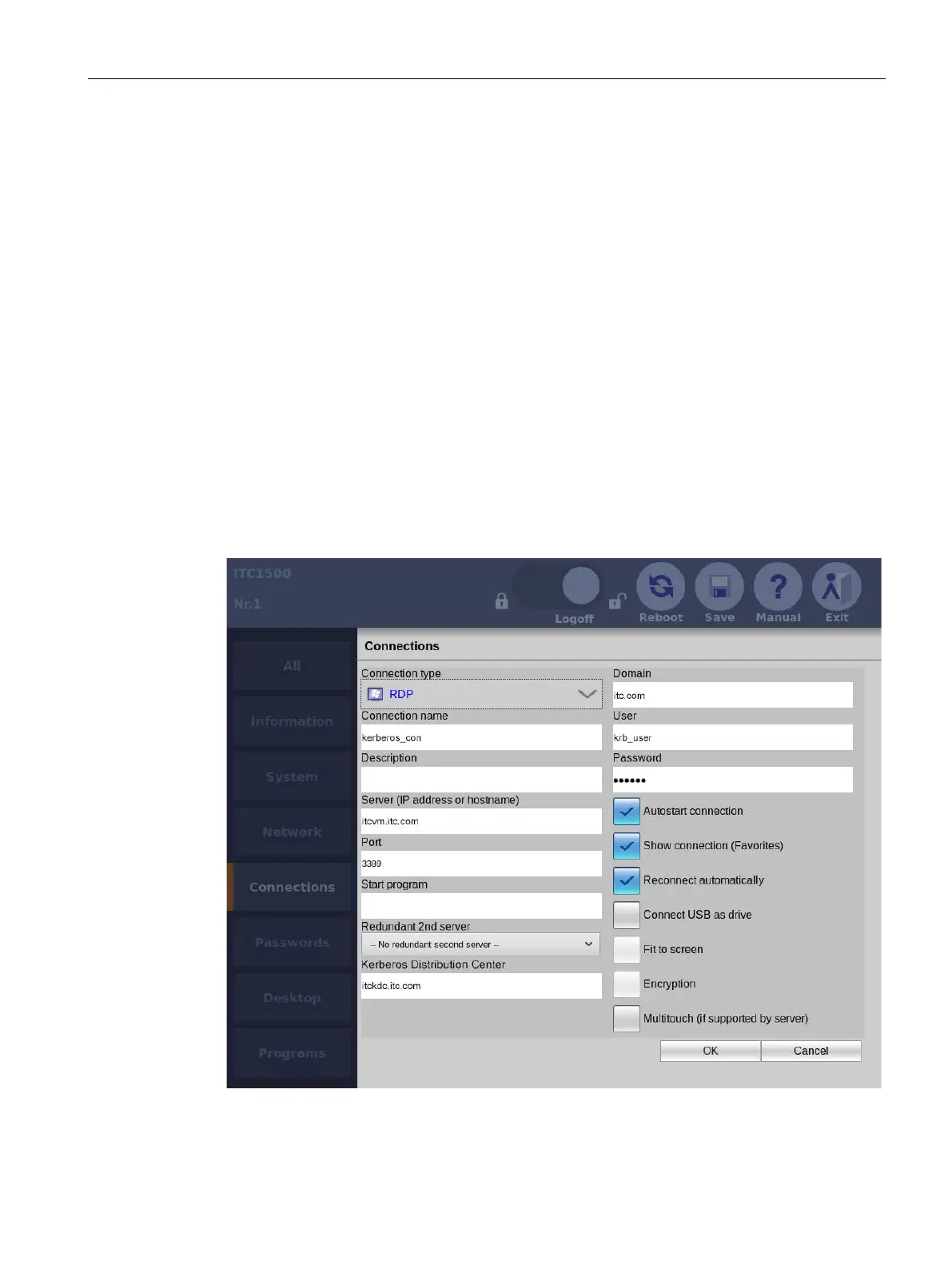
5.5.7.2 Connection settings
By way of example, the following figure shows the connection settings for an RDP connection
in the Start menu "Configuration > Connections".










 To Next Page