Installing and connecting the device
3.2 Installing the built-in unit
ITC V3, ITC V3 PRO
Operating Instructions, 03/2024, A5E42761061-AF
51
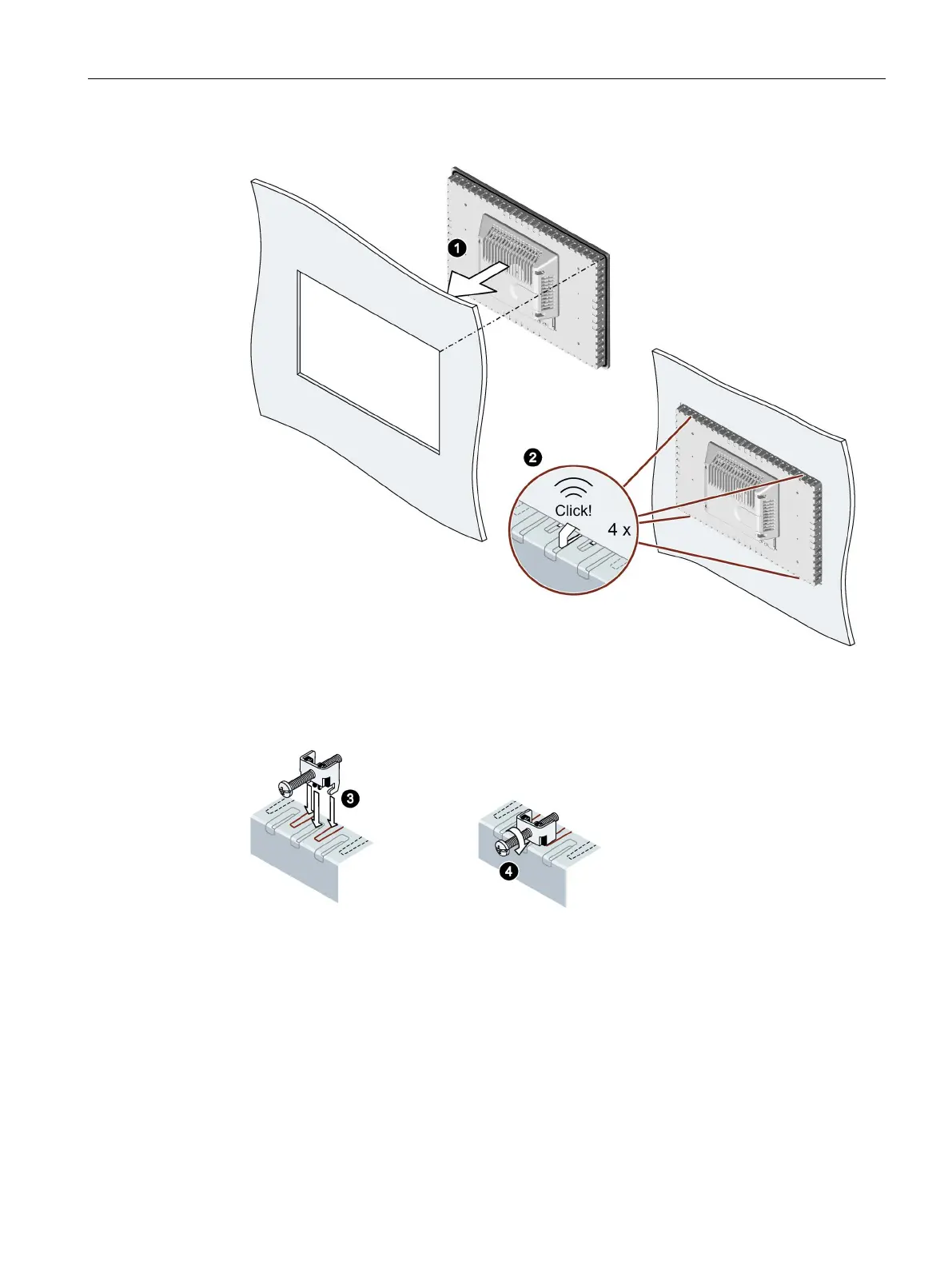
1. Insert the device into the mounting cutout from the front.
2. Make sure that all four spring locks on the top and bottom of the device fully engage. If
necessary, gently press the device into the recess if it is not fully engaged.
3. Insert a mounting clip into the cutout provided on the device. Make sure it is in the correct
position; see the section "Positions of the mounting clips (Page 48)".
4. To secure the mounting clip, tighten the grub screw with the screwdriver, torque 0.5 Nm.
5. Repeat step 3 and 4 for all mounting clamps until all clamps are fastened.
6. Check the fit of the mounting seal.










 To Next Page