Section 6
6.1
CALIBRATION
The CD600 Plus is factory calibrated according to ISO 9000 standard. If a new calibration is
necessary, it can easily be executed through the CONF600 Plus.
The controller needs a program to read all the analog inputs that will be calibrated, and also reads
and adjusts all voltage/current that will be calibrated.
The analog input signal should be linear. The square root extraction and the linearization are not
allowed during the calibration. The voltage and current outputs should be a direct action signal,
which is 0-100% corresponding to 0-5 V (0-20 mA) or 1-5 V (4-20 mA).
It is recommended to use a voltage/current indicator with at least 0.03% accuracy and a low
oscillation voltage/current generator.
Analog Input (AI)
The analog inputs are voltage inputs of 0-5 V. With the 250 Ω shunt resistor connected, these
voltage inputs are converted to current.
The Analog Input Block allows two types of input signals:
a) Dead Zero:
0-5 Vdc or 0-20 mA, corresponding to 0-100% of the block output.
b) Live Zero:
1-5 Vdc or 4-20 mA, corresponding to 0-100% of the block output.
To calibrate an analog input J (J=1 to 8), follow these steps:
a) Check whether the input to be calibrated will work with voltage or current input. If it is current, it
is recommended to use the same shunt that will be used for the operation;
b) Connect the voltage/current generator as an indicator to the corresponding terminal of the J
input;
c) Select the analog input block output J to be shown in the controller. Check if the square root
extraction and linearization are active;
d) Connect the computer to the controller through the ICS2.0-1 interface;
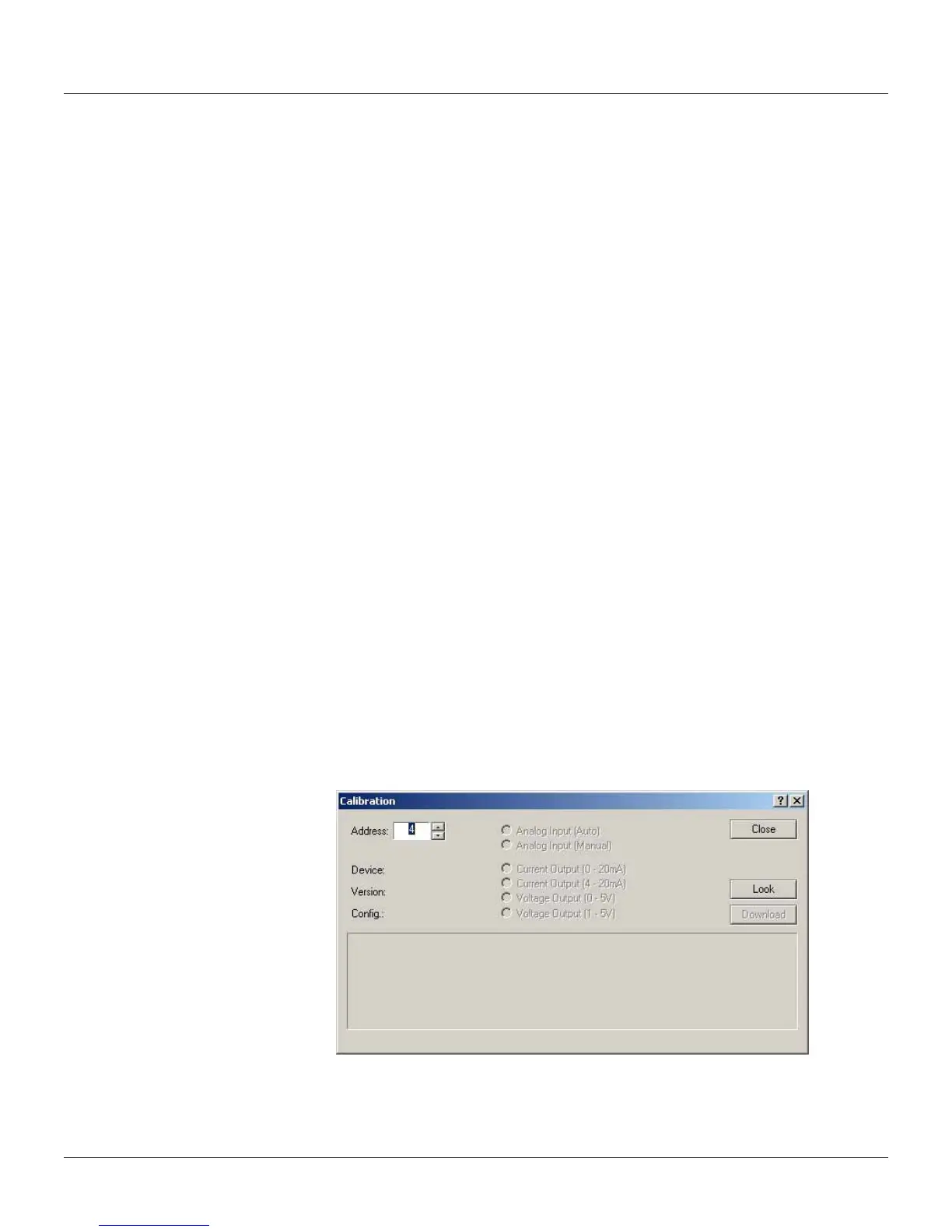
e) Go to the Tool menu and click on Calibration to open the Calibration dialog box. Select the
equipment addresses using the device address value and then click on the Look button in order
to find the device:
Figure 6.1. CONF600 Plus Calibration Dialog Box



 To Next Page