CONF600 PLUS – User’s Manual
1. At the Functions tab, select the block by its function name.
2. Select the block ID from the list at the right side of the dialog box.
3. Configure the block parameters, double-clicking the cell corresponding to the parameter and
type the new value.
a) At the LINK Parameters tab, configure the linking parameters of the block.
b) At the CONF Parameters tab, configure the characterization parameters of the block.\
c) At the ADJ Parameters tab, configure the adjustment parameters of the block.
4. At the Outputs tab, the user can change the tag that identifies the output parameters of the block
in the project configuration. Double-click the cell corresponding to the parameter and type the
new tag for parameter.
5. Click OK to conclude this task and return to the Block List.
Repeat this procedure to add blocks to the loop. There is one Block List for each loop tab in the
configuration project.
The graphical representation of each block will be automatically added to the drawing area. Click the
button Zoom to Objects,
, if the blocks are not showing.
Adding blocks to the drawing area
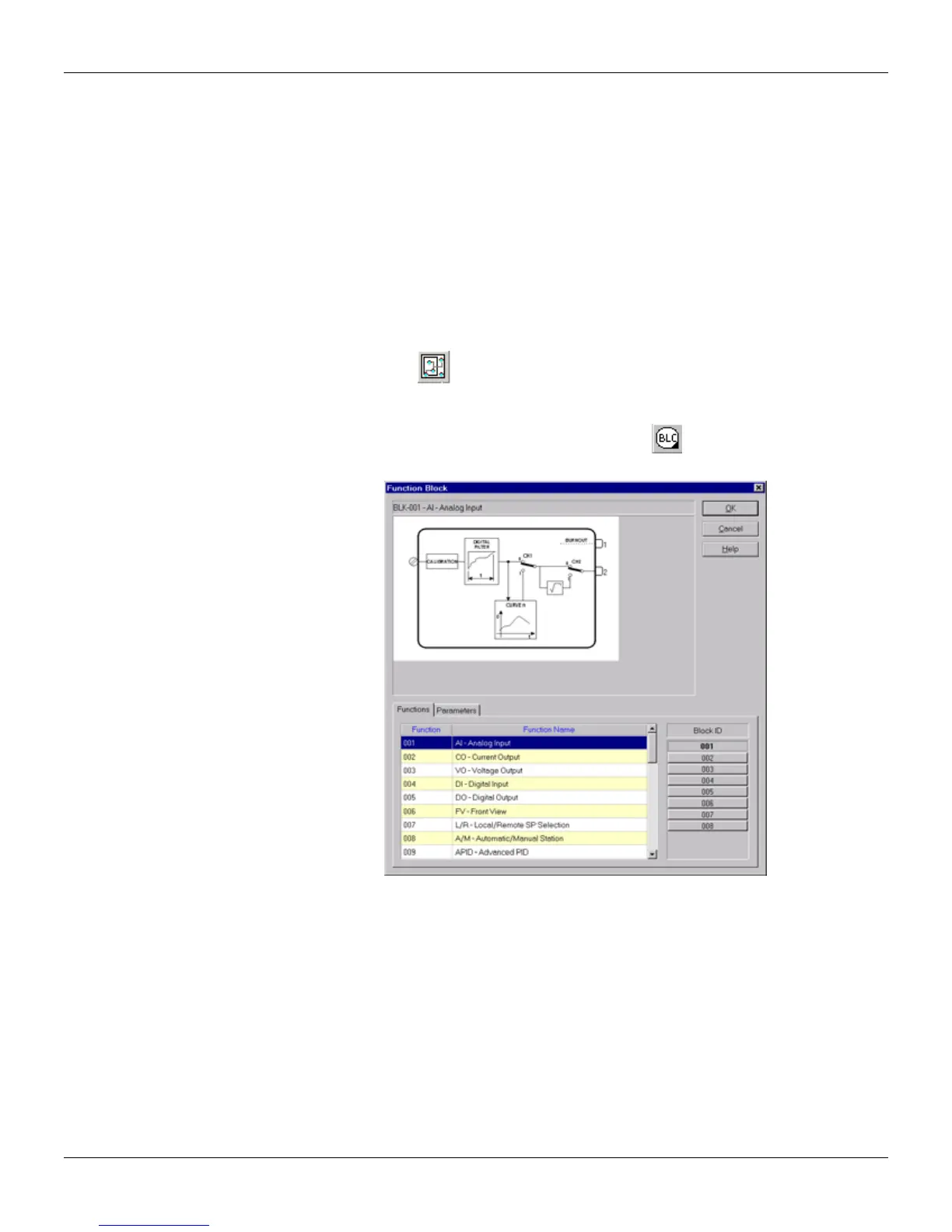
To add a new block to the configuration, select the Node tool, , and click the drawing area. The
Block dialog box will open:
Figure 14.3 - Adding a New Block
1. At the Function tab, select the block by its function name.
2. Select the block ID from the list at the right side of the dialog box.
3. Configure the block parameters, double-clicking the cell corresponding to the parameter and
type the new value.
a) At the LINK Parameters tab, configure the linking parameters of the block.
b) At the CONF Parameters tab, configure the characterization parameters of the block.
c) At the ADJ Parameters tab, configure the adjustment parameters of the block.
4. At the Outputs tab, the user can change the tag that identifies the output parameters of the block
in the project configuration. Double-click the cell corresponding to the parameter and type the
new tag for parameter.
5. Click OK to conclude this task and return to the drawing area.
Repeat this procedure to add new blocks.
The new block will be added to the Block List corresponding to the configuration loop.
14.2



 To Next Page