Conf 600 – User’s Manual
18.6
Checking the Environment
1. Click the Select tool, .
2. Select the PID (043) block then right-click it to open the popup menu.
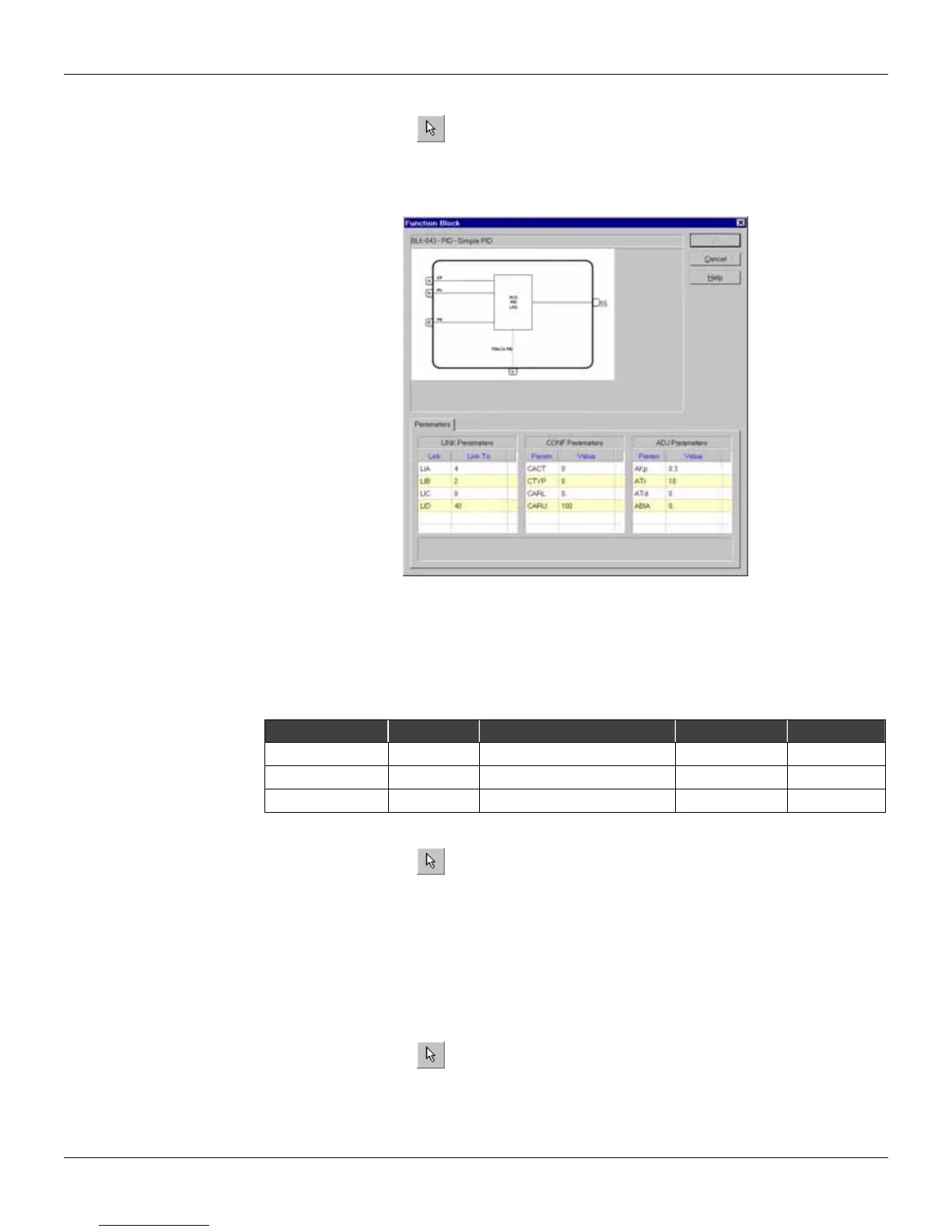
3. Select the option Edit Params. The Block dialog box will open. There are 3 classes of
parameters: LINK parameters, CONF parameters and ADJ parameters, starting with L, C and A
respectively. All parameters are at the default values, except for the LINK parameters.
Figure 18.13 - Checking Block Parameters
4. Close the dialog box and return to the configuration project.
Changing Parameter Values
Based on the sample project presented at the beginning of this appendix, it will be necessary to
change some of the parameter values for proper operation. The parameters to be edited are
displayed in table below:
Function Block Parameter Description Default Value New Value
PID (043) AKp Proportional Gain 0.30 1.20
PID (043) ATr Reset Time (min/repetition) 10.00 2.00
AI (001) CSQR Square Root 0.00 1.00
Changing parameter values of the PID (043) block
1. Click the Select tool, .
2. Select the PID (043) block, then right-click it to open the popup menu.
3. Select the option Edit Params. The Block dialog box will open.
4. Double-click the value field of the AKp parameter in the ADJ Parameters column. The field
becomes enabled for editing.
5. Type the new value 1.20 and press Enter on the keyboard.
6. Double-click the value field of the ATr parameter in the ADJ Parameters column.
7. Type the new value 2.00 and press Enter.
8. Click OK to accept changes and return to the working area.
Changing parameter values of the AI (001) block
1. Click the Select tool, .
2. Select the AI (001) block then right-click it to open the popup menu.
3. Select the option Edit Parameters. The Block dialog box will open.
4. Double-click the value field of the CSQR parameter in the CONF Parameters column.
5. Type the new value 1.00 and press Enter.
6. Click OK to accept changes and return to the working area.



 To Next Page