Conf 600 Plus Tutorial
18.3
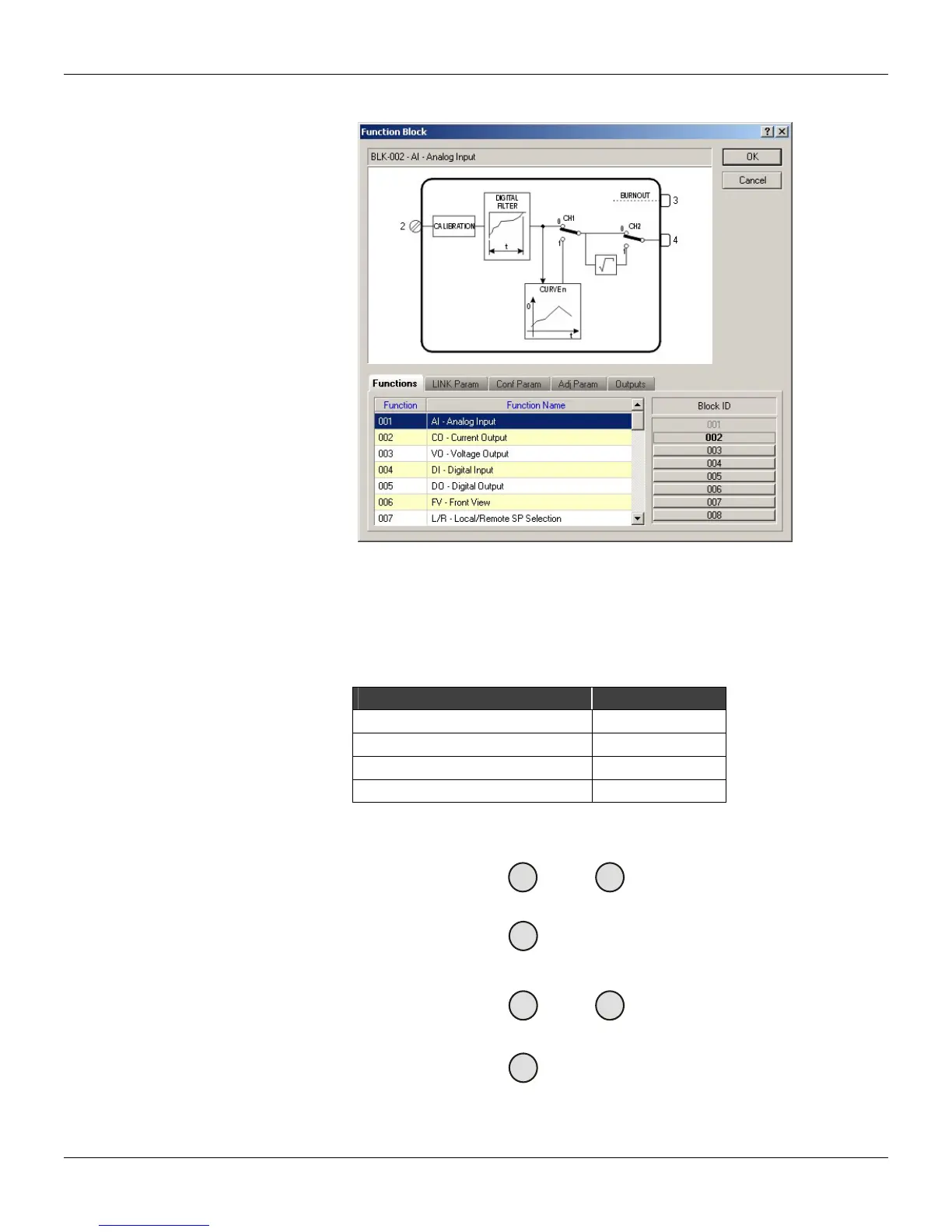
4. Select the Analog Input block. Make sure to select the 001 from the Block ID list.
Figure 18.6 - Function Block Dialog Box
5. Click Ok. The AI block will be drawn.
6. Place the cursor right below the AI block and click the drawing area to add another block.
7. Select the Simple PID block. Make sure to select the 043 from the Block ID list.
8. Click Ok to return to the working area.
9. Now repeat the process described in the steps 2 to 5 to add the blocks listed in the table below:
Function Block Block ID
AI (Analog Input) 002
CO (Current Output) 009
FV (Front View) 027
A/M (Automatic/Manual Station) 035
The drawing area should look similar to the figure below:
Al
001
Al
002
PID
043
A/M
035
FV
027
CO
009
Figure 18.7 - rawing Area D



 To Next Page