Add a Security Certificate
Use the following instructions to add a security certificate.
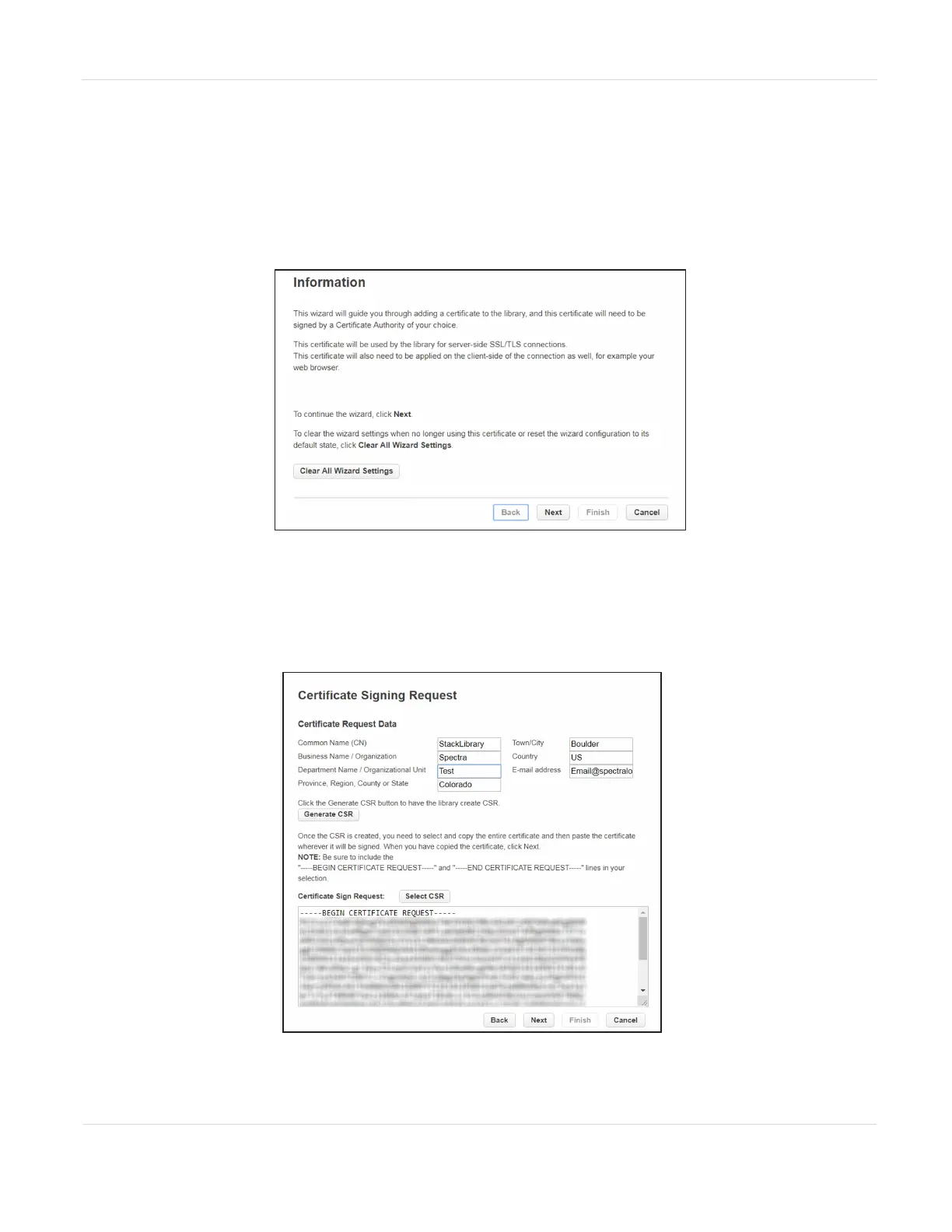
1. On the Configuration > Web Management screen, click Start Certificate Wizard
to start the wizard. The Information screen displays.
Figure50 The Certificate Wizard Information screen.
2. If you want to clear all current wizard settings before continuing, click Clear All
Wizard Settings.
3. Click Next to continue. The Certificate Signing Request screen displays.
Figure51 The Certificate Signing Request screen.
JANUARY 2023 105
SPECTRA STACK LIBRARY
USER GUIDE
CHAPTER 3 - CONFIGURING THE LIBRARY



 To Next Page