Check and Download the Currently Released Drive Firmware
Download the recommended drive firmware from the Spectra Logic Technical
Support portal, and save it to your local computer.
1. Log into your user account on the Technical Support portal at
support.spectralogic.com.
Note: See Accessing the Technical Support Portal on page254 for information about
creating an account and accessing the Technical Support portal.
2. Select Downloads > Drive Firmware.
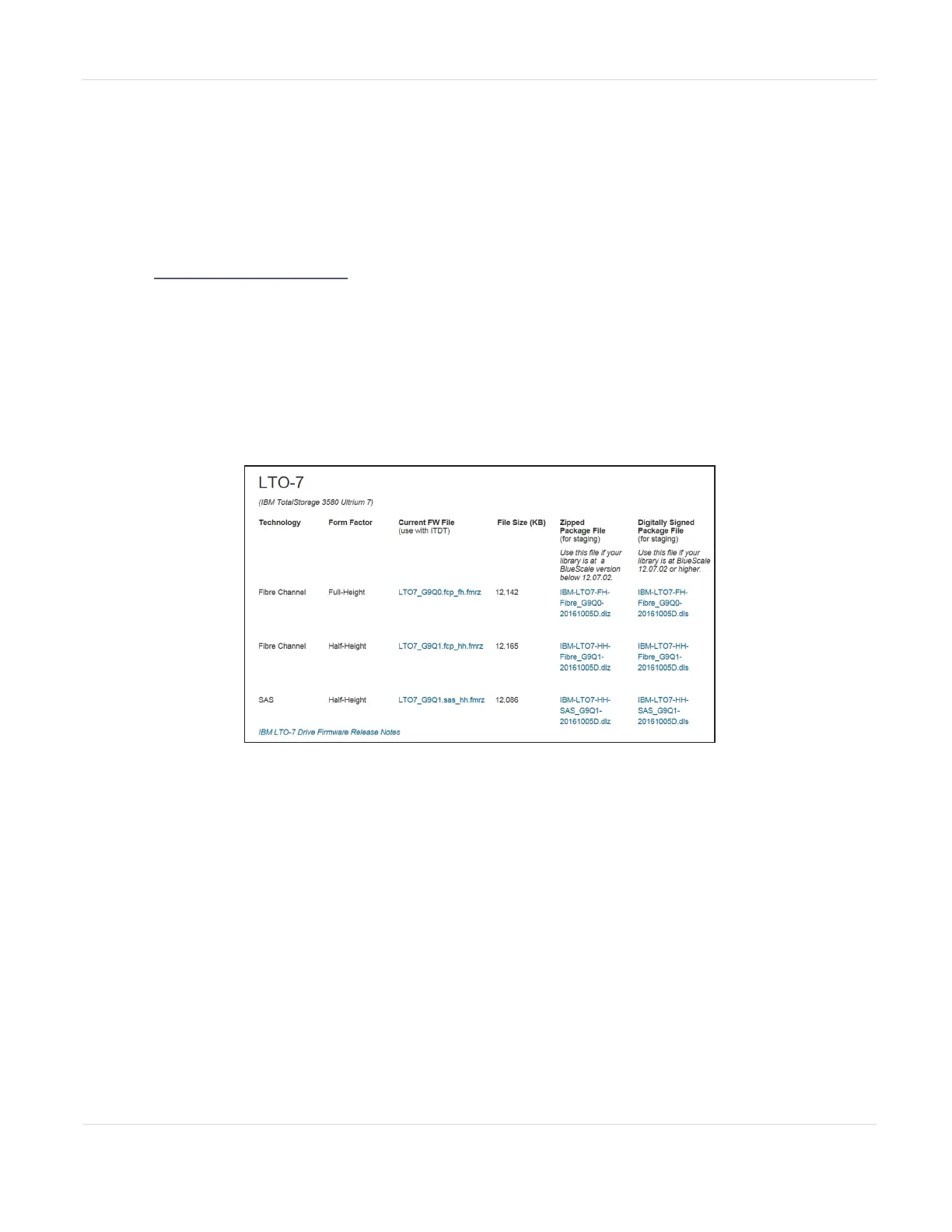
3. On the Tape Drive Firmware page, locate the appropriate drive firmware with
respect to drive type (LTO), generation (for example, LTO-6), interface type (for
example, SAS or Fibre), and form factor (full-height or half-height).
Figure119 A portion of the Tape Drive Firmware page.
4. Click the firmware version name in the column labeled Current FW File.
Note: While the column header references that the file is for “use with ITDT”, the file is also
compatible with your Spectra Stack library.
5. Use your web browser’s download features to save the file.
JANUARY 2023 201
SPECTRA STACK LIBRARY
USER GUIDE
CHAPTER 7 - MAINTAINING THE LIBRARY



 To Next Page