14215700-IG, Edition 8.0
April 2018, Original document
149
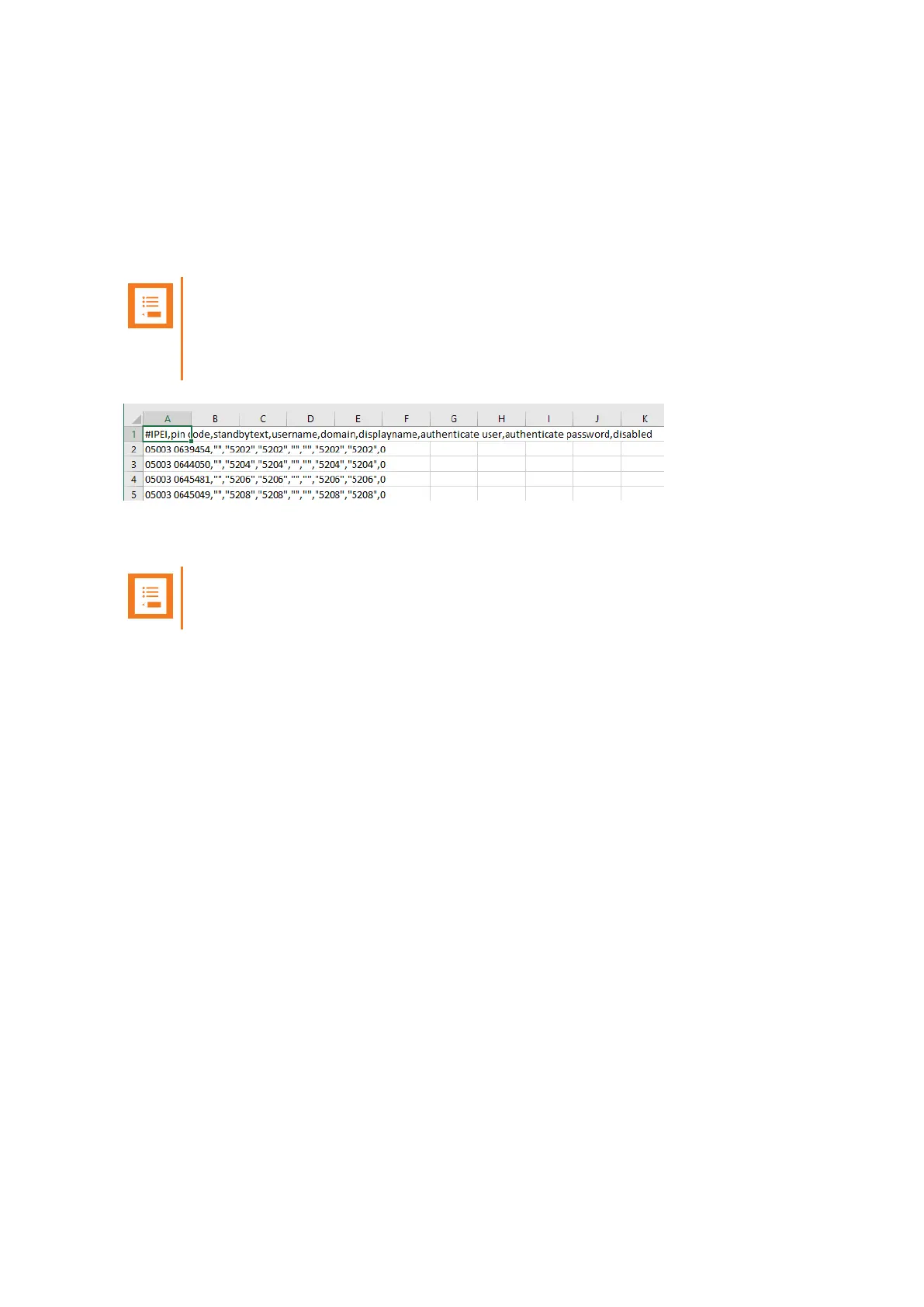
Example of Handset Registration Data - CSV Format
You can import handset registration data in CSV format. To be able to import the data correctly, you
must create a file containing the following information and punctuation:
#IPEI,access code,standbytext,username,domain,displayname,authenticate user-
,authenticate password,disabled
Note:
If you want to leave out some of the information, e.g. standbytext, you must keep the com-
mas, e.g.:#IPEI,access code,,username,domain,displayname,authenticate user-
,authenticate password,disabled.
For more information about importing user data, see "Import/Export of Users or Delete Users" on
page147.
Note:
It is not possible to import handset registration data already registered in the system.
Spectralink IP-DECT Server 200/400/6500 Installation and Configuration Guide



 To Next Page