14215700-IG, Edition 8.0
April 2018, Original document
190
Note:
If the internal corporate phone book feature on the Spectralink IP-DECT Server 6500 is
to be used together with the redundancy feature, the corporate phone book needs to be
configured for LDAP. For more information, see "To Get Phone Book Data through
LDAP Server or CSV File" on page193.
If the internal corporate phone book is configured to use a CSV file, it will not be com-
patible with the Spectralink IP-DECT Servers when running in failover mode.
Base Station and Media Resource Configuration
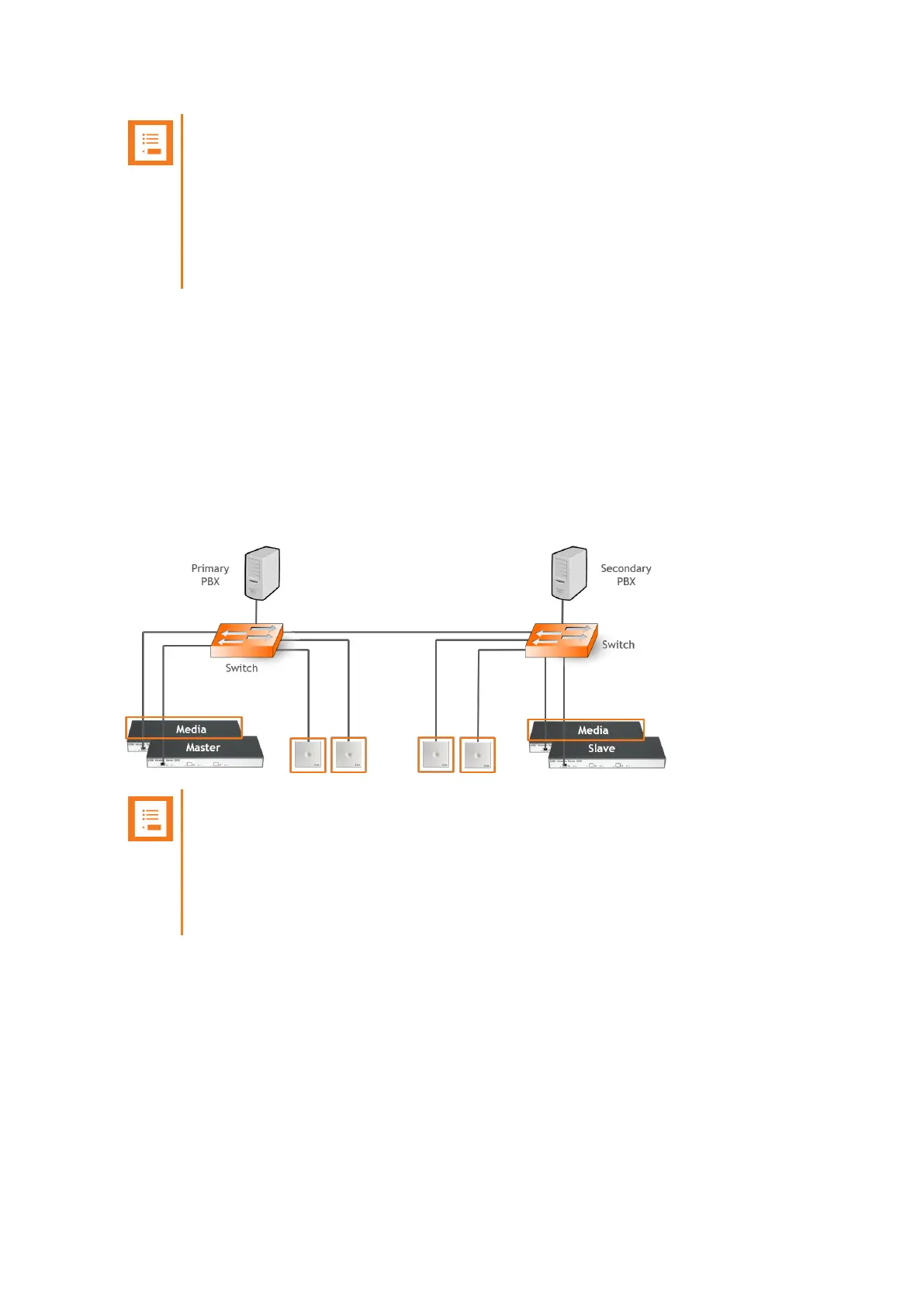
The base stations and media resource should be configured just as in a single Spectralink IP-DECT
Server 6500 solution, and the server address should be set to the address of the master Spectralink
IP-DECT Server 6500.
After connecting to the master Spectralink IP-DECT Server 6500, the base stations and media
resource will automatically be configured to connect to the backup Spectralink IP-DECT Server
6500.
In the event that the master Spectralink IP-DECT Server 6500 fails, they will continue to provide ser-
vice to the backup Spectralink IP-DECT Server 6500.
Note:
The license for the backup Spectralink IP-DECT Server 6500 contains an ARI change
license (also known as ARI swap license), which means that the Spectralink IP-DECT
Server 6500 redundant solution only refers to the ARI code of the master Spectralink IP-
DECT Server 6500, and not the ARI code of the backup Spectralink IP-DECT Server
6500..
Spectralink IP-DECT Server 200/400/6500 Installation and Configuration Guide



 To Next Page