14215700-IG, Edition 8.0
April 2018, Original document
163
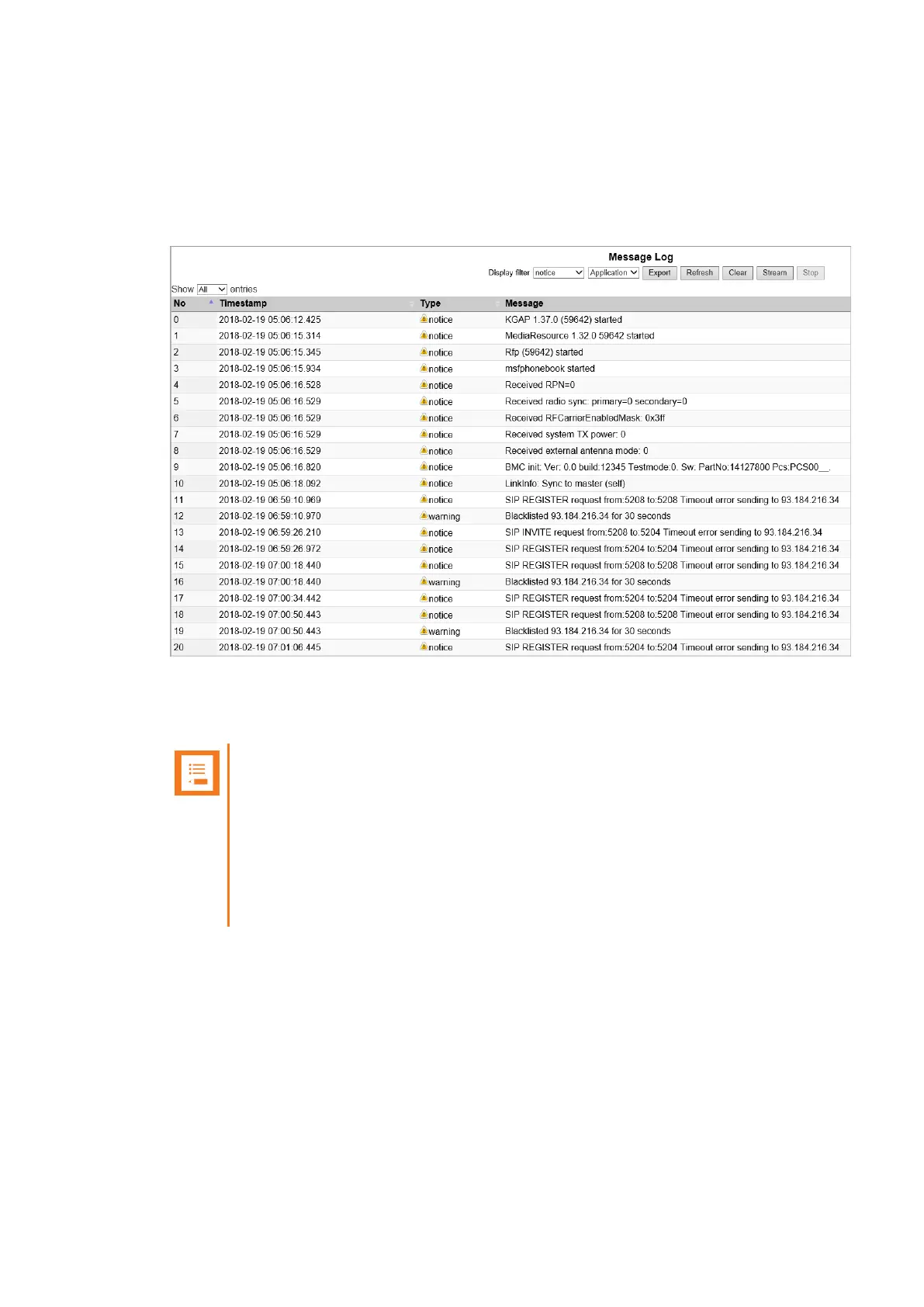
Logs Information
This page provides log information such as media resource connection, base station connection and
different types of status.
1. Click Status, and then click Logs. The Message Log page appears.
2. From the Display filter list you can select between emergency, critical, error, warning,
notice or info depending on the logs you want to see. Furthermore, select between Applic-
ation or Audit to get the wanted log type.
Note:
An Application log is a file of events, logged by the system. An Audit log is a chro-
nological set of records documenting the sequence of activities.
It is possible to clear the message log buffer for Application logs. The Audit log
cannot be deleted - except when performing a factory reset.
It is possible to stream an Application log, whereas an Audit log cannot be
streamed.
The different types of status are:
l emergency (errors causing the system to malfunction for all calls)
l critical (events that do not occur under normal operation, cause major malfunction)
l error (events that do not occur under normal operation, cause minor malfunction)
l warning (events that do not occur under normal operation, may cause malfunction)
Spectralink IP-DECT Server 200/400/6500 Installation and Configuration Guide



 To Next Page