14215700-IG, Edition 8.0
April 2018, Original document
142
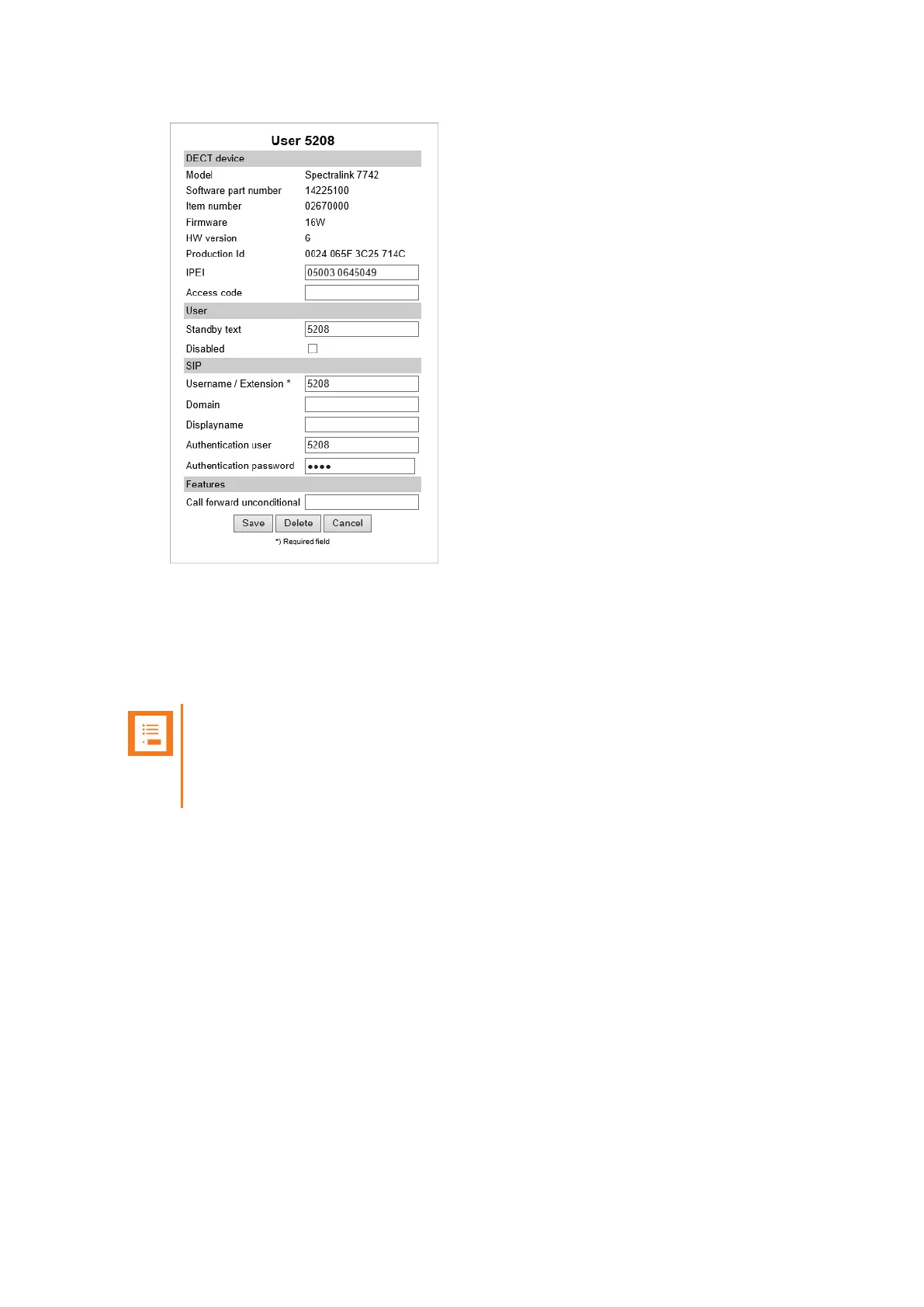
4. Click Save.
Subscribing a Spectralink DECT Handset
Subscription of the Spectralink DECT Handset is performed from the menu in the handset.
Note:
You must configure the Spectralink IP-DECT Server to allow for subscription. If the sys-
tem does not allow subscription, it is not possible to subscribe the handset. For more
information, see "Configuring Wireless Server Settings" on page108.
You subscribe a handset by creating a login (Menu > Settings > Advanced > Login).
For more information, see the relevant Handset User Guides.
Spectralink IP-DECT Server 200/400/6500 Installation and Configuration Guide



 To Next Page