14215700-IG, Edition 8.0
April 2018, Original document
175
Design of Redundant Server Solution
This section describes how to design a redundant server solution.
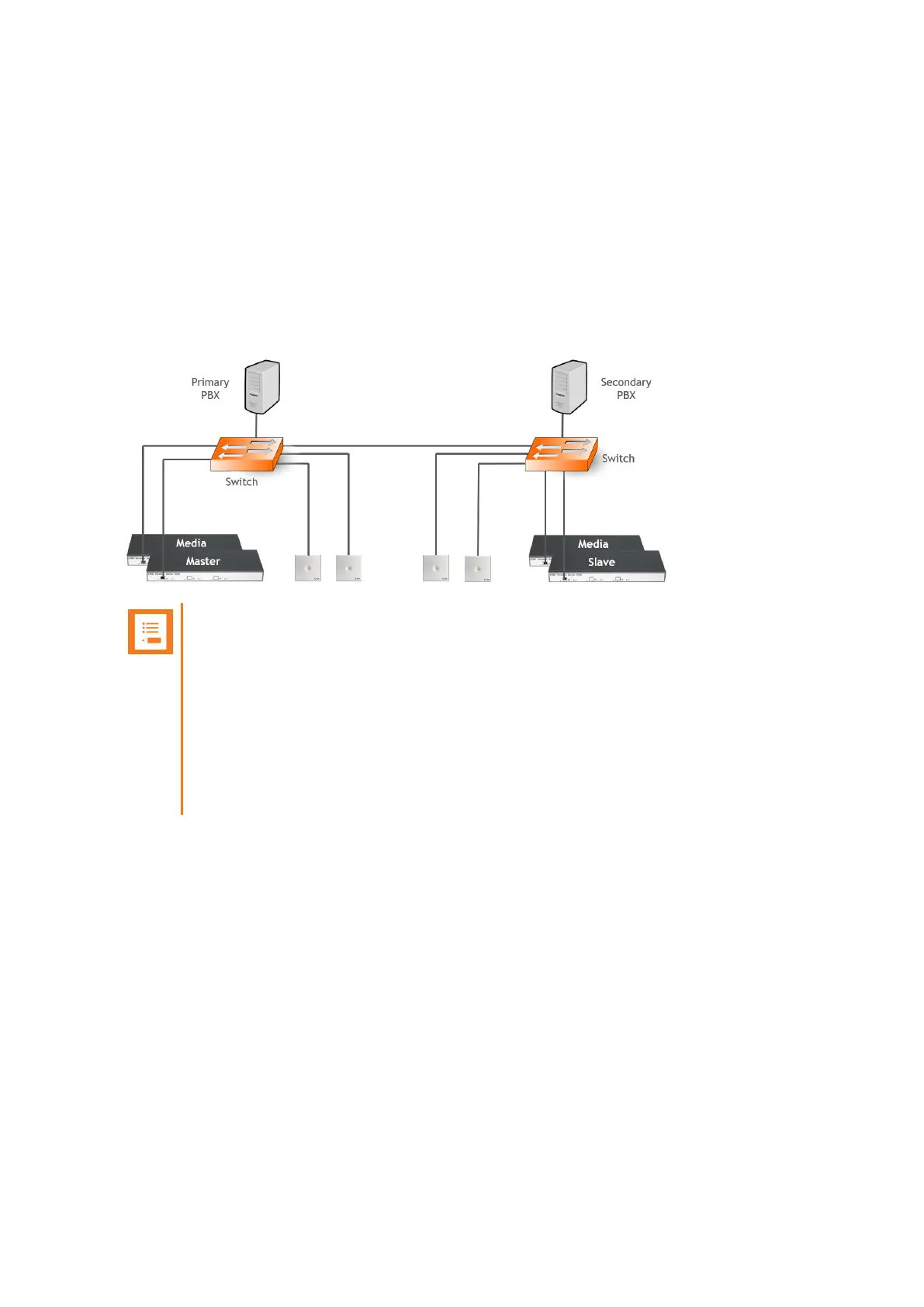
Designing a redundant Spectralink IP-DECT Server 6500 solution is very similar to designing any
other redundant network service. In a redundant Spectralink IP-DECT Server 6500 solution, the
servers should be connected to separate switches, power groups etc.
Below is an example design of a redundant Spectralink IP-DECT Server 6500 solution including a
master Spectralink IP-DECT Server 6500 and a redundant backup Spectralink IP-DECT Server
(slave server).
Note:
l Use separate switches, power groups and servers in a redundant setup.
l Master server and backup (slave) server must have same firmware version.
l When upgrading firmware on base stations, servers and media resources, only
reboot when all devices have been upgraded.
l Keep-alive packets using TCP on port 50017 are sent between the master server-
and backup server. Network administrators should make sure that this port is
open.
Spectralink IP-DECT Server 200/400/6500 Installation and Configuration Guide



 To Next Page