14215700-IG, Edition 8.0
April 2018, Original document
172
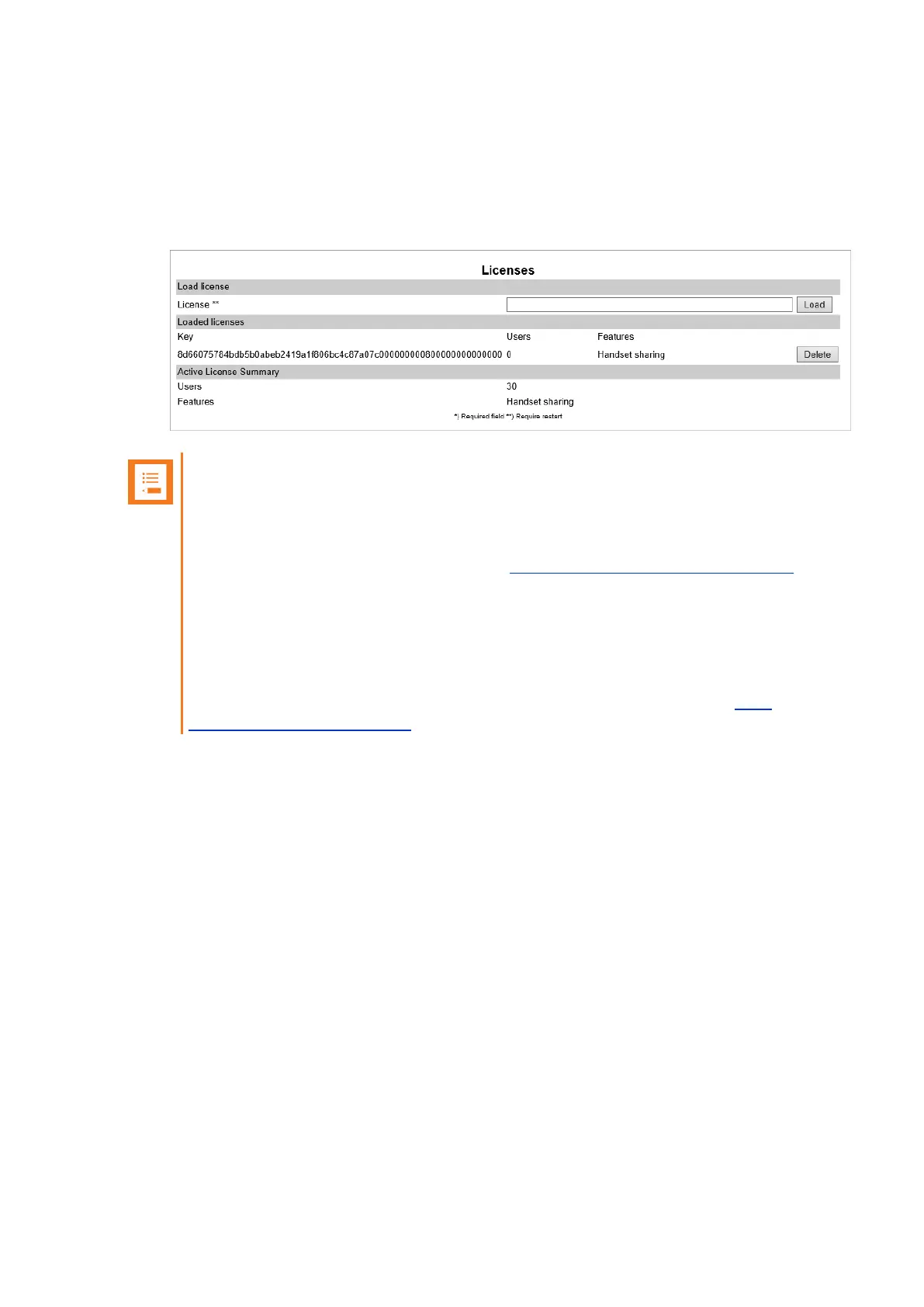
Deleting Licenses
1. Click Administration, and then click License.
2. On the Licenses page, under Loaded licenses, click Delete, to delete the relevant license.
Note:
If you by mistake delete a license or perform a factory reset of the system (which will
delete all loaded licenses), it is possible to retrieve the license(s) again by entering the
ARI code of the Spectralink IP-DECT Server in the Spectralink License Key Generator
on Spectralink Corporation's support portal: http://support.spectralink.com/keycode.
l In the ARI (DECT) / Serial number (Wi-Fi) field, enter the ARI, and click
Submit.
l Copy the license(s) into the web based Administration Page (Administration >
License > Licenses > Load license) and click Load.
If the license does not appear when entering the ARI of the system, contact Tech-
nicalsupport@spectralink.com.
For information about loading a license, see "Loading Licenses" on page43.
Spectralink IP-DECT Server 200/400/6500 Installation and Configuration Guide



 To Next Page